
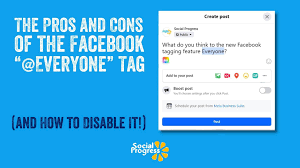
How to Tag Someone on Facebook: A Step-by-step Guide
Are you struggling to understand how to tag someone on Facebook? Don’t worry, we’ve got you covered! In this article, we’ll take a deep dive into the world of social media and explore the different ways to tag your friends on Facebook.
What is Tagging on Facebook?
Before we get started, let’s talk about what tagging on Facebook means. When you tag someone on Facebook, you’re essentially sharing their name in one of your posts or photos. This allows them to see that they’ve been mentioned and can even respond with a comment. So, if you want to show off a new photo with your friends, tagging them is the perfect way to do it!
How to Tag Someone on Facebook Using Your Smartphone
Okay, so you’re using your smartphone to access Facebook. Now, let’s get started! Here are the steps:
- Open The Facebook App: First, make sure you have the latest version of the Facebook app installed on your phone.
- Access Your Account: Sign in to your Facebook account using your login credentials.
- Create a Post or Add a Photo/video: Tap on the “What’s on Your Mind?” box at the top of your News Feed, or click on the camera icon to upload a photo or video.
- Add Text And Select Friends to Tag: Type in your post, add any relevant images or videos, and then tap on the “Tag” button.
- Select Friends to Tag: Choose who you want to tag from your friend list. You can type their name or select them from your friend list.
How to Tag Someone on Facebook Using Your PC
Now that we’ve covered tagging on smartphones, let’s talk about how to do it using your PC! Here are the steps:
- Log in to Your Account: Go to the Facebook website and sign in with your login credentials.
- Create a Post or Add a Photo/video: Click on the “What’s on Your Mind?” box at the top of your News Feed, or click on the camera icon to upload a photo or video.
- Add Text And Select Friends to Tag: Type in your post, add any relevant images or videos, and then click on the “Tag” button.
- Select Friends to Tag: Choose who you want to tag from your friend list. You can type their name or select them from your friend list.
How to Tag Someone in a Photo
Want to show off that new photo with your friends? Here’s how to tag someone in a photo:
- Upload The Photo: Click on the camera icon and upload the photo you want to share.
- Add Text And Select Friends to Tag: Type in your post, add any relevant images or videos, and then click on the “Tag” button.
- Select Friends to Tag: Choose who you want to tag from your friend list.
How to Tag Someone in a Video
Want to show off that new video with your friends? Here’s how to tag someone in a video:
- Upload The Video: Click on the camera icon and upload the video you want to share.
- Add Text And Select Friends to Tag: Type in your post, add any relevant images or videos, and then click on the “Tag” button.
- Select Friends to Tag: Choose who you want to tag from your friend list.
How to Tag Someone Using Just Their Name
Want to know how to tag someone using just their name? Here’s the trick:
- Type in Their Name: Type in the name of the person you want to tag.
- Select Their Profile Picture: Select their profile picture when it appears below your text.
How to Tag Someone on Facebook Stories
Want to show off that new photo or video with your friends, but don’t have time to create a full post? Here’s how to tag someone in Facebook stories:
- Open The Facebook App: Open the Facebook app and select “Stories” from the bottom menu.
- Take a Photo or Record a Video: Take a photo or record a video for your story.
- Add Text And Select Friends to Tag: Type in your post, add any relevant images or videos, and then tap on the “Tag” button.
- Select Friends to Tag: Choose who you want to tag from your friend list.
Frequently Asked Questions
Here are some frequently asked questions about tagging someone on Facebook:
- Q: How do I know if someone has been tagged in one of my posts?
A: If someone has been tagged in one of your posts, their name will appear in the post with a blue circle around it. - Q: Can anyone see who’s been tagged in a post?
A: Yes, anyone can see who’s been tagged in a post, as long as they have access to that particular post. - Q: How do I remove someone from a post after they’ve been tagged?
A: To remove someone from a post, click on the “Tag” button and then select the person you want to untag.
Conclusion
And there you have it! Tagging someone on Facebook is easier than ever. Whether you’re using your smartphone or PC, we hope this guide has helped you understand how to tag your friends in posts, photos, and videos. Happy tagging!
FAQs:
- Q: How do I tag someone on Facebook?
A: To tag someone on Facebook, create a post, add text and select friends to tag, and choose who you want to tag from your friend list. - Q: Can I tag someone in a photo or video?
A: Yes, you can tag someone in a photo or video by selecting them from the “Tag” button. - Q: How do I know if someone has been tagged in one of my posts?
A: If someone has been tagged in one of your posts, their name will appear in the post with a blue circle around it. - Q: Can anyone see who’s been tagged in a post?
A: Yes, anyone can see who’s been tagged in a post, as long as they have access to that particular post. - Q: How do I remove someone from a post after they’ve been tagged?
A: To remove someone from a post, click on the “Tag” button and then select the person you want to untag. - Q: Can I tag someone using just their name?
A: Yes, you can tag someone using just their name by typing in their name and selecting their profile picture when it appears below your text. - Q: How do I tag someone on Facebook stories?
A: To tag someone on Facebook stories, take a photo or record a video for your story, add text and select friends to tag, and choose who you want to tag from your friend list. - Q: Can I see a list of people I’ve tagged in one of my posts?
A: Yes, you can see a list of people you’ve tagged in one of your posts by clicking on the “Tag” button.


