
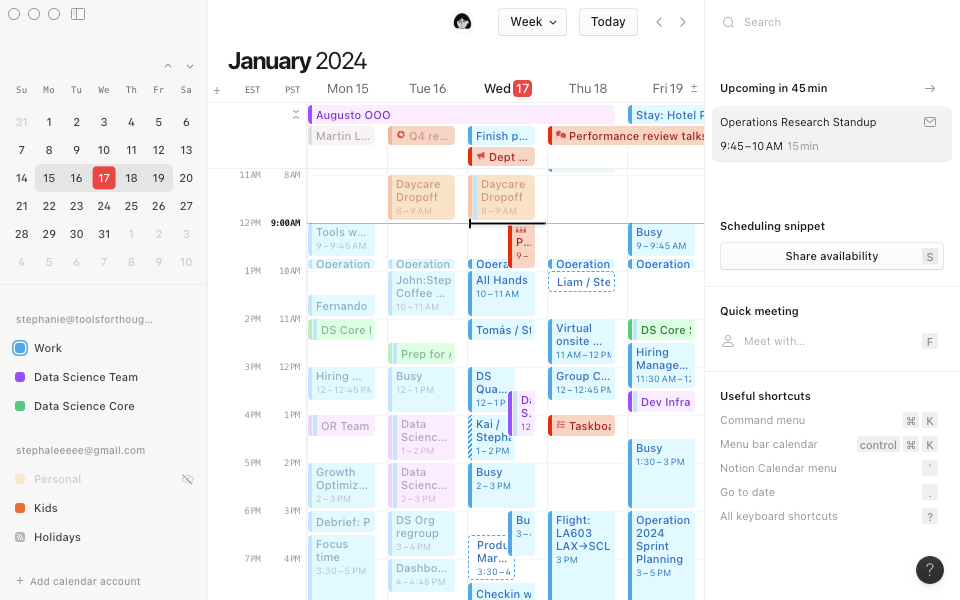
Unlocking Productivity With Notion: A Comprehensive Guide
Are you tired of juggling multiple tasks, deadlines, and projects without a clear structure? Do you struggle to stay organized and focused? Look no further than Notion, the ultimate productivity tool that’s revolutionizing the way we work and live.
In this article, we’ll delve into the world of Notion, exploring its features, benefits, and uses. Whether you’re a student, professional, or simply looking for a better way to manage your time, Notion has got you covered.
What is Notion?
Notion is a cloud-based productivity platform that enables users to create custom databases, workspaces, and templates. It’s a versatile tool that can be used for a wide range of applications, from note-taking and task management to project planning and collaboration.
Key Features of Notion
- Customizable Databases: Create custom databases to organize your thoughts, ideas, and projects.
- Workspace Organization: Use workspaces to group related tasks, projects, or topics.
- Templates: Access a vast library of pre-built templates for various use cases.
- Collaboration: Invite team members to collaborate on projects and workspaces.
- Integration: Seamlessly integrate with other tools and services, such as Google Drive, Slack, and GitHub.
Benefits of Using Notion
- Improved Productivity: Stay organized and focused with Notion’s customizable databases and workspace organization features.
- Enhanced Collaboration: Work with team members in real-time, making it easier to achieve common goals.
- Increased Flexibility: Use Notion on desktop, mobile, or tablet devices, wherever you go.
- Time-saving: Automate repetitive tasks and streamline workflows with Notion’s features.
How to Get Started With Notion
- Download And Install: Download the Notion app from their official website.
- Create an Account: Sign up for a free account or upgrade to a paid plan.
- Explore Features: Familiarize yourself with Notion’s interface, features, and templates.
- Start Creating: Begin building your custom databases, workspaces, and templates.
Using Notion on PC
- Download And Install: Download the Notion app from their official website.
- Log In: Sign in to your account or create a new one.
- Access Features: Use the lateral bar to access various sections, such as Account, Search, and Updates.
Using Notion on Smartphone And Tablet
- Download The App: Get the Notion app from the App Store (iOS) or Google Play Store (Android).
- Log In: Sign in to your account or create a new one.
- Access Features: Use the lateral menu to access various sections, such as Search, Updates, and Create New Page.
Notion Templates
- Blank For Team And Template: Create a blank template for your team or use pre-built templates from Notion’s library.
- Customize: Tailor your template to suit your needs and preferences.
- Share: Share your template with others or keep it private.
Tips And Tricks
- Use Keyboard Shortcuts: Speed up your workflow by using Notion’s keyboard shortcuts.
- Customize Notifications: Set up notifications to stay informed about important updates and events.
- Explore Integrations: Discover how Notion integrates with other tools and services to enhance your productivity.
Conclusion
Notion is a powerful tool that can transform the way you work, live, and collaborate. By leveraging its features, benefits, and uses, you can unlock new levels of productivity, organization, and focus. Whether you’re a student, professional, or simply looking for a better way to manage your time, Notion has got you covered.
Frequently Asked Questions
- What is The Cost of Using Notion?
Notion offers a free plan, as well as paid plans starting at $4/month. - Can I Use Notion on Multiple Devices?
Yes, Notion can be used on desktop, mobile, or tablet devices. - How do I Integrate Notion With Other Tools And Services?
Notion integrates seamlessly with a wide range of tools and services, such as Google Drive, Slack, and GitHub. - Can I Collaborate With Others in Real-time?
Yes, Notion allows for real-time collaboration with team members. - How do I Customize Notifications in Notion?
You can set up notifications to stay informed about important updates and events. - What is The Best Way to Learn More About Notion?
Start by exploring Notion’s official website, tutorials, and online community. - Can I Use Notion For Personal or Professional Purposes?
Notion can be used for both personal and professional purposes. - How do I Get Started With Notion?
Begin by downloading the app, creating an account, and exploring its features and templates.


