
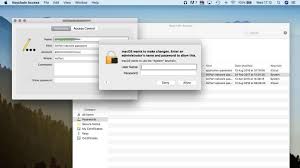
How to Find a Forgotten Password: A Comprehensive Guide
Are you tired of trying to remember your passwords? Do you find yourself getting frustrated when you can’t recall the password to access your favorite social media platform, email account, or online service? Look no further! In this article, we will guide you through the process of finding a forgotten password and provide you with tips on how to avoid forgetting your passwords in the future.
Why Do We Forget Passwords?
Before we dive into the solutions, let’s talk about why we forget passwords in the first place. There are several reasons why this happens:
- Overwhelming amount of passwords: With so many online accounts and services, it can be difficult to keep track of all your passwords.
- Lack of password management: Not using a reliable password manager or having a poor password strategy can lead to forgotten passwords.
- Human error: Simple mistakes like typing the wrong password or forgetting to write down the password can cause issues.
Finding a Forgotten Password
Now that we’ve discussed why we forget passwords, let’s talk about how to find a forgotten one. Here are some steps you can take:
- Check Your Browser: If you’re using a web browser like Google Chrome, Mozilla Firefox, or Microsoft Edge, try checking the password manager integrated into the browser. This can save you time and effort.
- Use a Password Recovery Service: Many online services offer a password recovery feature that allows you to reset your password. Check the website’s login page for this option.
- Contact Customer Support: If you’re unable to recover your password, contact the website’s customer support team for assistance.
Tips For Avoiding Forgotten Passwords
To avoid forgetting your passwords in the future, follow these tips:
- Use a Reliable Password Manager: Tools like LastPass or 1Password can help you generate and store unique, complex passwords.
- Write Down Your Passwords: Keep a secure note-taking system to jot down your passwords.
- Choose Memorable Passwords: Pick passwords that are easy to remember but hard for others to guess.
- Use Two-factor Authentication (2FA): Enable 2FA whenever possible to add an extra layer of security.
Finding a Forgotten Password on Specific Platforms
Here’s how to find a forgotten password on some popular platforms:
- Facebook: Go to the Facebook login page, click “Forgot Account,” and follow the instructions.
- Email Accounts (e.G., Gmail, Outlook): Look for a password recovery feature or contact the email provider’s customer support team.
- Online Banking And Financial Services: Contact the bank or service provider’s customer support team to reset your password.
Recovering a Forgotten Wi-fi Password
If you’ve forgotten your Wi-Fi password, here are some steps to follow:
- Check Your Router: Look for a sticker with the password on it.
- Use a Wi-fi Password Recovery Tool: Software like WirelessKeyView can help you recover your password.
- Contact Your Internet Service Provider (ISP): Reach out to your ISP’s customer support team for assistance.
Conclusion
Finding a forgotten password can be frustrating, but with the right tools and techniques, it’s easier than ever. By using a reliable password manager, writing down your passwords, choosing memorable passwords, and enabling two-factor authentication, you can avoid forgetting your passwords in the future.
Frequently Asked Questions (FAQs)
- Q: Why do I Forget my Passwords?
A: You may forget your passwords due to an overwhelming amount of passwords, lack of password management, or human error. - Q: How Can I Find a Forgotten Password?
A: Check your browser’s password manager, use a password recovery service, or contact customer support for assistance. - Q: What Are Some Tips For Avoiding Forgotten Passwords?
A: Use a reliable password manager, write down your passwords, choose memorable passwords, and enable two-factor authentication. - Q: How do I Recover a Forgotten Wi-fi Password?
A: Check your router, use a Wi-Fi password recovery tool, or contact your internet service provider for assistance.
By following these tips and techniques, you can find your forgotten password and keep your online accounts secure.


