
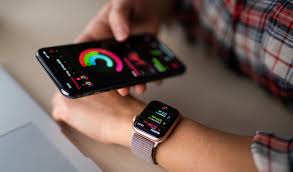
Unlocking The Power of Smartwatches: A Comprehensive Guide to Pairing Your Device With a Smartphone
Are you one of the millions of people who own a smartwatch, but struggle to pair it with your smartphone? Look no further! This comprehensive guide will walk you through the step-by-step process of pairing your smartwatch with your phone, covering various types of devices and operating systems.
What is The Purpose of Pairing a Smartwatch With a Smartphone?
Before we dive into the nitty-gritty details, let’s quickly cover why pairing a smartwatch with a smartphone is essential. By doing so, you’ll be able to receive notifications, track your fitness goals, control music playback, and much more – all from the comfort of your wrist.
Choosing The Right App: A Guide For Beginners
With numerous apps available for download, selecting the right one can be overwhelming. Here’s a brief rundown of some popular options:
- Google Fit: This app is designed specifically for Android users and offers seamless integration with Google Wear OS devices.
- Apple Watch: If you own an Apple device, this app is a must-have. It allows for effortless pairing and synchronization between your watch and iPhone.
- Samsung Health: For Samsung smartwatch owners, this app provides an intuitive interface for tracking fitness goals, monitoring health metrics, and more.
Step-by-step Pairing Process: A Detailed Guide
Now that we’ve covered the basics, let’s get into the pairing process. Here are some general steps to follow:
- Download And Install The App: Head over to your phone’s app store (Google Play or Apple App Store) and download the corresponding app for your smartwatch.
- Launch The App: Open the app on your smartphone, and follow the on-screen instructions to initiate pairing.
- Power On Your Smartwatch: Make sure your watch is powered on and in pairing mode.
- Connect Via Bluetooth or Wi-fi: Select the desired connection method (Bluetooth or Wi-Fi) to pair your smartwatch with your phone.
- Confirm Pairing: Once connected, confirm the pairing by following the app’s instructions.
Tips And Tricks For a Smooth Pairing Experience
To ensure a seamless experience, consider the following:
- Keep Your Smartwatch And Phone Up-to-date: Regularly update both devices to ensure compatibility and stability.
- Charge Your Smartwatch: Make sure your smartwatch is fully charged before initiating pairing.
- Use a Reliable Charger: Use a high-quality charger to prevent power issues during the pairing process.
Conclusion: Unlocking The Full Potential of Your Smartwatch
Pairing your smartwatch with your smartphone is an essential step in unlocking its full potential. By following this comprehensive guide, you’ll be able to enjoy seamless integration, receive notifications, and track your fitness goals – all from the comfort of your wrist. Happy pairing!
Frequently Asked Questions (FAQs)
Here are some additional questions and answers to help clarify any doubts:
-
What if I Have Trouble Pairing my Smartwatch?
- Don’t worry! If you encounter issues, try restarting both devices or checking for software updates.
-
Can I Pair Multiple Smartwatches With a Single Smartphone?
-
Yes! You can pair multiple smartwatches with one smartphone by following the same steps outlined above.
-
Are There Any Specific Requirements For Pairing Different Types of Smartwatches?
-
Each type of smartwatch has its own unique requirements, so be sure to check the manufacturer’s instructions or consult our comprehensive guide for more information.
Conclusion: Unlocking The Full Potential of Your Smartwatch
Pairing your smartwatch with your smartphone is an essential step in unlocking its full potential. By following this comprehensive guide and considering these tips and tricks, you’ll be able to enjoy seamless integration, receive notifications, and track your fitness goals – all from the comfort of your wrist. Happy pairing!


