
Cutting Audio Files on Whatsapp: A Step-by-step Guide
Are you tired of having long audio files on WhatsApp that you don’t need to keep? Do you want to cut them down to size without losing any important information? Look no further! In this article, we’ll guide you through the process of cutting audio files on WhatsApp using various methods.
What You Need to Know
Before we dive into the step-by-step guide, it’s essential to understand that WhatsApp doesn’t have a built-in feature to cut audio files. However, there are several workarounds and third-party apps that can help you achieve this. We’ll cover three methods:
- Using Convertio to convert and cut audio files on Android
- Utilizing GarageBand or other audio editing apps on iPhone
- Cutting audio files online using Clideo
Method 1: Using Convertio on Android
To start, make sure you have the WhatsApp app installed on your Android device.
Step 1: Save The Audio File
- Open WhatsApp and go to the chat containing the audio file.
- Long-press on the audio file and select “Save” from the menu.
- Choose a location on your device to save the file, such as the Downloads folder.
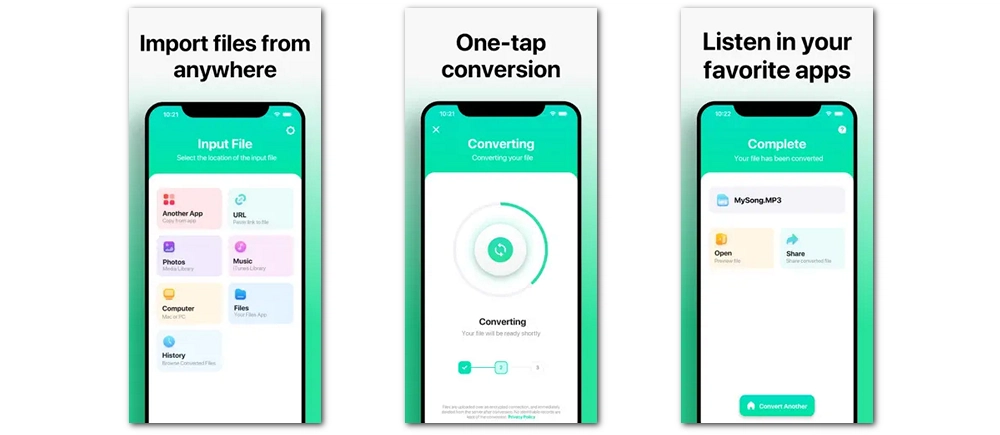
Step 2: Convert And Cut The Audio File Using Convertio
- Go to the Convertio website on your browser.
- Select the format you want to convert to (MP3 is recommended).
- Choose the audio file you saved in Step 1 from your device’s storage.
- Wait for the conversion process to complete, then download the converted file.
Step 3: Cut The Audio File Using a Third-party App
- Download and install an audio editing app like MP3 Cutter on your Android device.
- Open the app and select the converted audio file from Step 2.
- Adjust the start and end points of the audio to cut it down to size.
- Export the edited audio file.
Method 2: Using Garageband or Other Audio Editing Apps on Iphone
If you’re an iPhone user, you can use GarageBand or other audio editing apps to cut your WhatsApp audio files.
Step 1: Save The Audio File
- Open WhatsApp and go to the chat containing the audio file.
- Long-press on the audio file and select “Save” from the menu.
- Choose a location on your device to save the file, such as the Music library.
Step 2: Convert And Cut The Audio File Using Garageband
- Open GarageBand on your iPhone and create a new project.
- Import the saved audio file from Step 1.
- Use the app’s editing tools to cut the audio file down to size.
- Export the edited audio file in the desired format.
Method 3: Cutting Audio Files Online Using Clideo
Clideo is an online audio editor that allows you to join and cut audio files without any software or apps.
Step 1: Save The Audio File
- Open WhatsApp and go to the chat containing the audio file.
- Long-press on the audio file and select “Save” from the menu.
- Choose a location on your device to save the file, such as the Downloads folder.
Step 2: Cut The Audio File Using Clideo
- Go to the Clideo website on your browser.
- Select the format you want to export (MP3 is recommended).
- Upload the saved audio file from Step 1.
- Adjust the start and end points of the audio to cut it down to size.
- Export the edited audio file.
Conclusion
Cutting audio files on WhatsApp may seem daunting, but with these three methods, you can easily trim down long audio files to save space or share them with others. Whether you’re using Convertio on Android, GarageBand on iPhone, or Clideo online, the process is straightforward and user-friendly. By following this guide, you’ll be able to cut your WhatsApp audio files in no time!
Frequently Asked Questions (FAQs)
- Q: Can I Cut Audio Files on Whatsapp Web or Desktop?
A: Yes, you can download audio files from WhatsApp Web or Desktop and then use a third-party app or online service to cut them. - Q: What Formats Can I Export my Edited Audio File In?
A: The formats available for export vary depending on the method used (e.G., MP3, WAV, M4A). - Q: Can I Share The Edited Audio File Directly From Whatsapp?
A: Yes, you can share the edited audio file via WhatsApp by exporting it in a compatible format. - Q: How do I Save my Edited Audio File on Android?
A: Save the edited audio file to your device’s storage, such as the Downloads folder or Music library. - Q: Can I Use Other Audio Editing Apps Besides Garageband on Iphone?
A: Yes, you can use other audio editing apps like iMovie, Adobe Audition, or Voice Memo to cut your WhatsApp audio files. - Q: Is There a Limit to The Length of Audio Files That Can be Edited Using These Methods?
A: No, there’s no limit to the length of audio files that can be edited using these methods. - Q: Can I Use These Methods to Edit Multiple Audio Files at Once?
A: Yes, you can use some of these methods (e.G., Clideo) to edit multiple audio files simultaneously. - Q: Are There Any Fees Associated With Using Convertio or Clideo?
A: Yes, Convertio offers a paid subscription plan for bulk conversions and extra features, while Clideo has a free tier with limitations and a paid subscription plan for more storage space.
We hope this guide has been helpful!


