
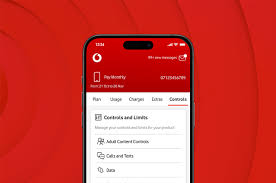
How to Download My Vodafone: A Step-by-step Guide
Are you a Vodafone subscriber looking to download the official My Vodafone app on your device? Look no further! In this article, we will guide you through the simple process of downloading and using the My Vodafone app on both Android and iOS devices.
What is My Vodafone?
My Vodafone is the official app of Vodafone, designed to provide users with a comprehensive overview of their mobile services. With the app, you can monitor your credit, data usage, and other important details related to your Vodafone plan.
Why Download My Vodafone?
By downloading the My Vodafone app, you will be able to:
- Monitor your credit and data usage
- Discover new offers and promotions
- Manage your bills and payments
- Get in touch with customer support
Downloading My Vodafone on Android
To download the My Vodafone app on your Android device, follow these steps:
- Access The Google Play Store: Open the Google Play Store on your device.
- Search For My Vodafone: Type “My Vodafone” in the search bar and select the official app from the results.
- Select Install: Click on the “Install” button to begin the download process.
- Wait For The App to Download: The app will be downloaded and installed on your device.
Downloading My Vodafone on Ios
To download the My Vodafone app on your iOS device, follow these steps:
- Access The Apple App Store: Open the App Store on your device.
- Search For My Vodafone: Type “My Vodafone” in the search bar and select the official app from the results.
- Select Get: Click on the “Get” button to begin the download process.
- Wait For The App to Download: The app will be downloaded and installed on your device.
Using My Vodafone
Once you have downloaded and installed the My Vodafone app, follow these steps to get started:
- Access Your Account: Log in to your account using your Vodafone credentials.
- View Your Details: Browse through your credit, data usage, and other important details related to your Vodafone plan.
- Discover New Offers: Check out new offers and promotions available on the app.
Troubleshooting
If you encounter any issues while downloading or using the My Vodafone app, follow these steps:
- Check Your Internet Connection: Ensure that your internet connection is stable.
- Restart Your Device: Try restarting your device to resolve any technical issues.
- Contact Customer Support: Reach out to Vodafone customer support for assistance.
Is There a PC Version of My Vodafone?
Unfortunately, there is no official PC version of the My Vodafone app available. However, you can access the My Vodafone area on the Vodafone website using your browser.
Frequently Asked Questions (FAQs)
Q: What is My Vodafone?
A: My Vodafone is the official app of Vodafone, designed to provide users with a comprehensive overview of their mobile services.
Q: Why download My Vodafone?
A: By downloading the My Vodafone app, you can monitor your credit and data usage, discover new offers, manage your bills, and get in touch with customer support.
Q: Can I download My Vodafone on PC?
A: Unfortunately, there is no official PC version of the My Vodafone app available. However, you can access the My Vodafone area on the Vodafone website using your browser.
Q: How do I troubleshoot issues with the My Vodafone app?
A: If you encounter any issues while downloading or using the My Vodafone app, check your internet connection, restart your device, and contact customer support for assistance.
Q: Is the My Vodafone app free to download?
A: Yes, the My Vodafone app is free to download from the Google Play Store and Apple App Store.
Conclusion
Downloading and using the My Vodafone app is a straightforward process that can help you better manage your mobile services. By following these simple steps, you will be able to monitor your credit and data usage, discover new offers, and get in touch with customer support. If you encounter any issues, don’t hesitate to reach out to Vodafone customer support for assistance.
Additional Resources
FAQs:
Q: What is My Vodafone?
A: My Vodafone is the official app of Vodafone, designed to provide users with a comprehensive overview of their mobile services.
Q: Why download My Vodafone?
A: By downloading the My Vodafone app, you can monitor your credit and data usage, discover new offers, manage your bills, and get in touch with customer support.
Q: Can I download My Vodafone on PC?
A: Unfortunately, there is no official PC version of the My Vodafone app available. However, you can access the My Vodafone area on the Vodafone website using your browser.
Q: How do I troubleshoot issues with the My Vodafone app?
A: If you encounter any issues while downloading or using the My Vodafone app, check your internet connection, restart your device, and contact customer support for assistance.
Q: Is the My Vodafone app free to download?
A: Yes, the My Vodafone app is free to download from the Google Play Store and Apple App Store.


