
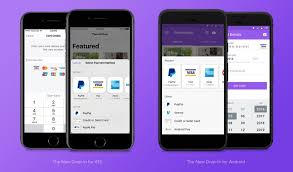
Transferring Money From Paypal to Postepay: A Step-by-step Guide
As we navigate the digital world, it’s essential to understand how to transfer money between different payment platforms. In this article, we’ll explore the process of transferring funds from PayPal to Postepay.
Understanding The Basics
Before diving into the steps, let’s clarify a few things:
- Postepay is a virtual prepaid card that allows you to make online payments.
- PayPal is an online payment service that enables you to send and receive money electronically.
- To transfer funds from PayPal to Postepay, you need to have a Postepay account linked to your PayPal balance.
The Cost of Transferring Money
When transferring funds from PayPal to Postepay, you’ll encounter some costs. These fees vary depending on the type of transaction and the payment method used:
- Immediate Transfer: This option incurs a fee ranging from €0.25 To €10.
- Standard Transfer: The commission for this service ranges from 1% to 3% of the transferred amount.
The Timeframe For Transferring Money
The time it takes to transfer funds from PayPal to Postepay depends on the chosen method:
- Immediate Transfer: This option typically takes up to 30 minutes.
- Standard Transfer: The timeframe for this service can range from 1 to 5 business days.
Transferring Money Via Computer
To initiate a transfer using your computer, follow these steps:
- Log in to your PayPal account and navigate to the “Wallet” section.
- Click on the “Transfer money” button and select the Postepay card as the recipient.
- Enter the amount you wish to transfer and confirm the transaction.
Transferring Money Via Mobile App
To initiate a transfer using your mobile device:
- Download and install the PayPal app from the App Store or Google Play Store.
- Log in to your PayPal account within the app.
- Navigate to the “Wallet” section and click on the “Transfer money” button.
- Select the Postepay card as the recipient and enter the amount you wish to transfer.
Transferring Money Via Postepay Evolution
Postepay Evolution is a premium version of the virtual prepaid card that allows for free transactions. To initiate a transfer:
- Follow the same steps as above, using your computer or mobile device.
- Ensure that you have linked your Postepay account to your PayPal balance.
Transferring Money From One Person’s Postepay to Another
To transfer funds directly from one person’s Postepay account to another, follow these steps:
- Have the recipient add their Postepay card to your PayPal account.
- Initiate a transfer as described above.
By following these steps and understanding the basics of transferring money between PayPal and Postepay, you’ll be able to make online payments with ease.
Conclusion
Transferring funds from PayPal to Postepay is a straightforward process that requires some basic knowledge of both platforms. By understanding the costs and timeframe involved, you can initiate transfers confidently. Whether using your computer or mobile device, follow the steps outlined above to complete your transaction successfully.
Frequently Asked Questions
Q: What are the fees associated with transferring money from PayPal to Postepay?
A: The fees range from €0.25 To €10 for immediate transfers and 1% to 3% of the transferred amount for standard transfers.
Q: How long does it take to transfer funds from PayPal to Postepay?
A: Immediate transfers typically take up to 30 minutes, while standard transfers can take up to 5 business days.
Q: Can I use Postepay Evolution for free transactions?
A: Yes, if you have a Postepay Evolution account, you can initiate free transactions.
Q: How do I transfer funds from one person’s Postepay account to another?
A: To transfer funds directly, have the recipient add their Postepay card to your PayPal account and follow the steps outlined above.


