
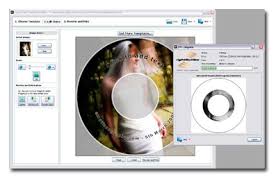
How to Print Labels on Cds And Dvds Using Lightscribe Technology
Are you tired of using sticky labels or markers to identify your CDs and DVDs? Do you want a more professional-looking way to label your media? Look no further than LightScribe technology! In this article, we’ll show you how to print high-quality labels on CDs and DVDs using various software programs.
What is Lightscribe Technology?
LightScribe is an optical recording technology that allows you to burn labels onto CDs and DVDs. It’s a special coating on the disc that reacts to light, creating a permanent label. To use LightScribe, you’ll need a compatible CD or DVD drive, as well as software that supports this technology.
Programs For Lightscribe
There are several software programs available that support LightScribe technology. Here are some of the best ones:
- Lightscribe Simple Labeler (Windows/MacOS): A user-friendly program that allows you to create labels with text, images, and decorations.
- Ashampoo Cover Studio (Windows): A professional-grade program that enables you to design and print custom labels for CDs and DVDs.
- Cdburnerxp (Windows): A free burning software that supports LightScribe technology, allowing you to burn data, audio, and video files to CDs and DVDs.
How to Use Lightscribe Simple Labeler
To get started with LightScribe Simple Labeler, follow these steps:
- Download the program from the official website.
- Install the software on your computer.
- Insert a blank CD or DVD into your LightScribe-enabled drive.
- Launch the program and select the label design you want to use.
- Customize the label by adding text, images, and decorations.
- Preview the label and make any necessary changes.
- Click “Print” to burn the label onto the disc.
How to Use Ashampoo Cover Studio
To use Ashampoo Cover Studio, follow these steps:
- Download the program from the official website.
- Install the software on your computer.
- Launch the program and select the CD or DVD drive you want to use.
- Choose a label design template or create one from scratch.
- Customize the label by adding text, images, and decorations.
- Preview the label and make any necessary changes.
- Click “Print” to burn the label onto the disc.
How to Use Cdburnerxp
To use CDBurnerXP, follow these steps:
- Download the program from the official website.
- Install the software on your computer.
- Launch the program and select the CD or DVD drive you want to use.
- Choose a burning option (e.G., Data, audio, video).
- Select the files you want to burn onto the disc.
- Click “Burn” to start the burning process.
Other Programs For Lightscribe
If you’re looking for alternative programs to support LightScribe technology, here are some options:
- Disc Labeler (Windows): A commercial software that allows you to create professional-grade labels for CDs and DVDs.
- Lacie Lightscribe Labeler (MacOS): A free program specifically designed for LaCie drives with LightScribe support.
Conclusion
Printing labels on CDs and DVDs using LightScribe technology is a convenient and efficient way to identify your media. With various software programs available, you can choose the one that best suits your needs. Whether you’re looking for a user-friendly interface or advanced features, there’s a program out there for you.
Frequently Asked Questions
- What is Lightscribe Technology?
LightScribe is an optical recording technology that allows you to burn labels onto CDs and DVDs. - Do I Need Special Software to Use Lightscribe?
Yes, you’ll need software that supports LightScribe technology to print labels on your CDs and DVDs. - Which Programs Support Lightscribe Technology?
Some of the best programs for LightScribe include LightScribe Simple Labeler, Ashampoo Cover Studio, and CDBurnerXP. - Can I Use Lightscribe With Any CD or Dvd Drive?
No, you’ll need a compatible CD or DVD drive that supports LightScribe technology. - Is Lightscribe Still Supported by Manufacturers?
While the technology is no longer as widely used as it once was, some manufacturers still support LightScribe in their newer drives.
Additional Resources
If you’re interested in learning more about LightScribe technology and software programs, here are some additional resources:
- Official Lightscribe Website: The official website for LightScribe technology, where you can find more information on compatible drives and software.
- Software Manufacturer Websites: Visit the websites of software manufacturers like Ashampoo, CDBurnerXP, or LaCie to learn more about their programs and features.
I hope this article has provided you with a comprehensive guide to using LightScribe technology and software programs. Happy labeling!


