
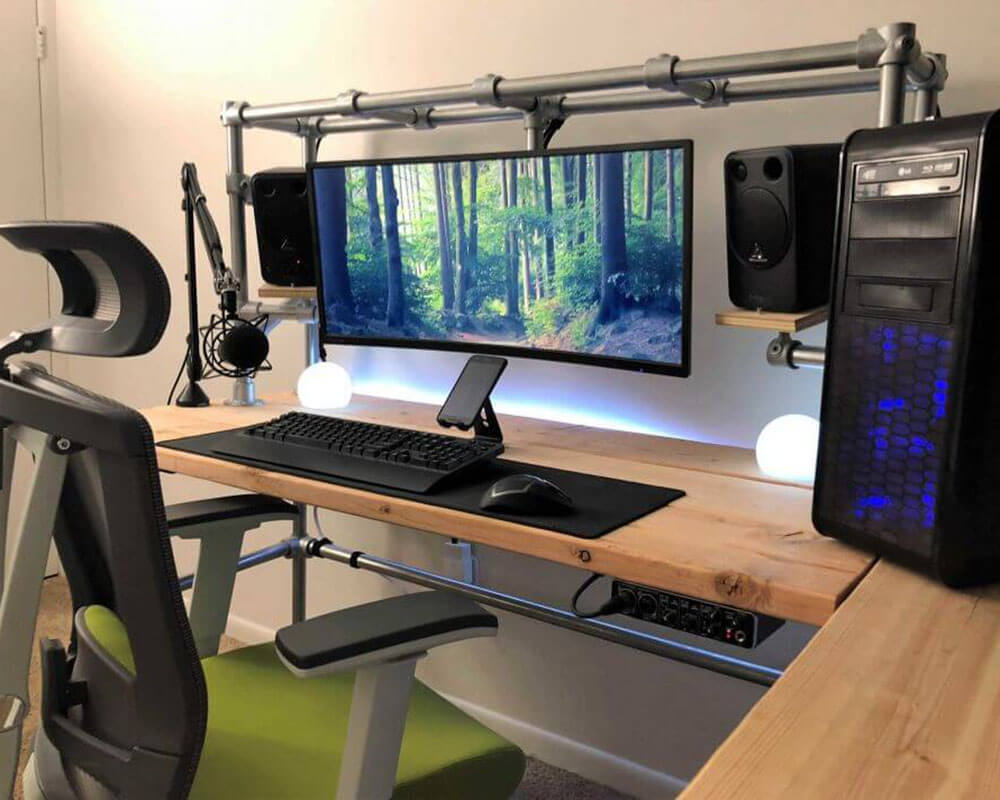
The Ultimate Guide to Setting Up a Gaming Station
Are you ready to take your gaming experience to the next level? Look no further! In this comprehensive guide, we’ll walk you through everything you need to know to set up an epic gaming station in the comfort of your own home.
Choosing The Perfect Location
Before we dive into the nitty-gritty details, let’s talk about finding the ideal spot for your gaming station. You want a place that’s comfortable, functional, and free from distractions. Consider the following factors:
- A wide room with plenty of space to move around
- Natural light or a well-lit area to minimize eye strain
- Easy access to power outlets and USB ports
The Must-have Components
Now that you’ve got your location sorted, it’s time to focus on the essentials. Here are the top components to consider:
- Gaming PC: This is the heart of your gaming station, so choose a powerful one with a good processor, RAM, and graphics card.
- Monitor or TV: Pick a high-quality display with good resolution, refresh rate, and response time for an immersive gaming experience.
- Keyboard And Mouse: Invest in a comfortable keyboard and mouse designed specifically for gaming, with features like customizable backlighting and programmable keys.
- Chair And Desk: Get a sturdy desk and chair that are ergonomically designed to prevent fatigue and discomfort during long gaming sessions.
Additional Peripherals
To take your gaming experience to the next level, consider adding these peripherals:
- Gaming Console: If you want to play console games on your TV or monitor, choose a popular platform like PlayStation or Xbox.
- Headset: Invest in a good quality headset with surround sound and microphone capabilities for an immersive gaming experience.
- Controller: Choose a controller designed specifically for gaming, with features like customizable buttons and vibration feedback.
Setting Up Your Gaming Station
Now that you’ve got all the components, it’s time to set up your gaming station. Here are some tips to keep in mind:
- Wiring Management: Keep your cables organized and tidy to prevent tripping hazards and improve airflow.
- Lighting: Add some ambient lighting to create a cozy atmosphere and reduce eye strain.
- Comfort: Make sure you’ve got a comfortable chair, desk, and keyboard setup to prevent fatigue and discomfort.
Conclusion
Setting up a gaming station can be a fun and rewarding experience. By considering the factors mentioned above, you’ll be able to create an epic gaming space that’s tailored to your needs and preferences. Happy gaming!
Faqs
Here are some frequently asked questions about setting up a gaming station:
- Q: What’s the most important component of a gaming station?
A: The gaming PC is the heart of your gaming station, so choose a powerful one with a good processor, RAM, and graphics card. - Q: Can I use a monitor or TV for my gaming console?
A: Yes, you can connect your console to a high-quality monitor or TV for an immersive gaming experience. - Q: What’s the best way to manage cables in my gaming station?
A: Keep your cables organized and tidy by using cable management systems or hiding them behind furniture. - Q: How do I prevent eye strain while gaming?
A: Make sure you’ve got a comfortable lighting setup, take breaks to rest your eyes, and adjust the brightness and contrast of your monitor accordingly.
Hope this helps! Let me know if you have any other questions.


