
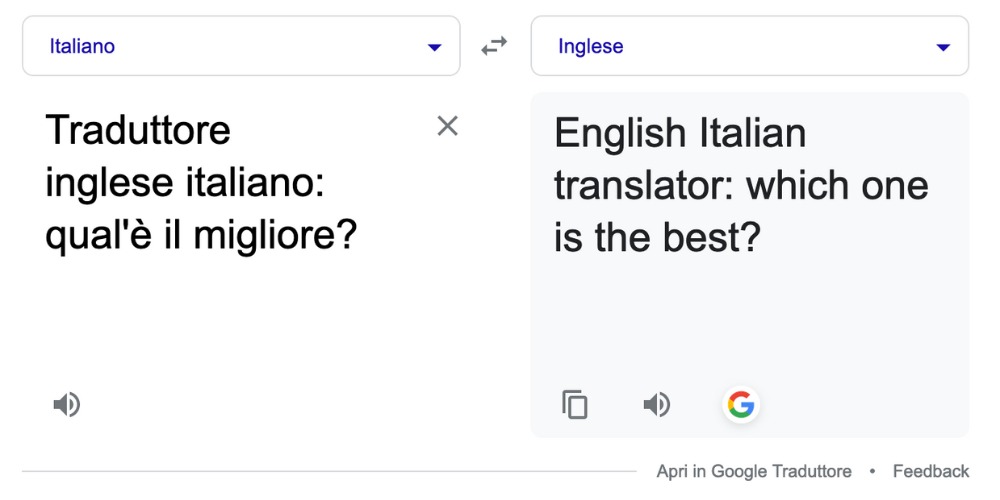
Are you struggling to understand a webpage in English? Do you need to translate a document or website into Italian? Look no further! In this article, we will guide you through the process of translating a page from English to Italian using various online tools and browser extensions.
Why Translate a Page From English to Italian?
Translating a page from English to Italian can be helpful in several situations:
- You are researching a topic and want to understand the content better.
- You need to translate a document or website for business purposes.
- You are interested in learning about a specific topic but don’t speak English fluently.
Method 1: Using Google Chrome’s Built-in Translation Tool
If you use Google Chrome as your browser, you can take advantage of its built-in translation tool. Here’s how:
- Open the webpage you want to translate in Google Chrome.
- Click on the three vertical dots at the top right corner of the browser window.
- Select “Translate to Italian” from the dropdown menu.
Method 2: Using Microsoft Edge’s Built-in Translation Tool
If you use Microsoft Edge as your browser, you can follow these steps:
- Open the webpage you want to translate in Microsoft Edge.
- Click on the three horizontal dots at the top right corner of the browser window.
- Select “Translate” from the dropdown menu.
Method 3: Using Firefox’s Add-on Translation Tool
If you use Firefox as your browser, you can install a translation add-on to facilitate translation:
- Open Firefox and navigate to the Mozilla Add-ons website.
- Search for the “Google Translate” add-on and install it.
- Once installed, open the webpage you want to translate in Firefox.
Method 4: Using Safari’s Built-in Translation Tool
If you use Safari as your browser on a Mac or iOS device, you can follow these steps:
- Open the webpage you want to translate in Safari.
- Click on the three horizontal dots at the top right corner of the browser window.
- Select “Translate” from the dropdown menu.
Other Solutions For Translating a Page
Besides using your browser’s built-in translation tools, there are other online solutions available:
- Google Translate: A popular online translation tool that allows you to translate text, webpages, and documents.
- Microsoft Translator: A free online translation tool that can be used on the Microsoft 365 platform.
How to Translate a Page From Word or Pdf to Italian
If you have a document in Word or PDF format, you can translate it using the following methods:
- Using Microsoft Word’s built-in translator:
- Open your Word document.
- Click on the “Review” tab and select “Translate” from the dropdown menu.
- Using Google Translate for PDFs:
- Go to the Google Translate website.
- Select “Documents” as the file type.
- Upload your PDF file.
- Follow the instructions to translate your document.
Conclusion
Translating a page from English to Italian can be done using various online tools and browser extensions. By following these step-by-step guides, you can easily understand webpages, documents, or websites in Italian. Remember to always check for accuracy before relying on translated content.
Frequently Asked Questions (FAQs)
- What Are The Best Translation Tools Available?
- Google Translate and Microsoft Translator are popular online translation tools.
- Can I Translate a Document From Word or Pdf Format?
- Yes, you can use Microsoft Word’s built-in translator or Google Translate for PDFs.
- How do I Enable Automatic Translation in my Browser?
- Check your browser settings for the option to automatically translate webpages.
- What Are Some Alternative Solutions For Translating a Page?
- Online translation services like Onlinedoctranslator.Com can be used as alternatives.
- Can I Use Any Online Tool For Translating a Webpage?
- Yes, there are many online tools available, but always check for accuracy before relying on translated content.
- How do I Translate a Page From English to Italian Using my Browser’s Built-in Translation Tool?
- Follow the step-by-step guides provided for each browser extension.
- What Are Some Tips For Translating Accurately?
- Check the context and nuances of the original text to ensure accurate translation.
By following these guidelines, you can become proficient in translating pages from English to Italian using various online tools and browser extensions. Happy translating!


