
Electronic Mail Programs: A Guide to Choosing The Best One
Are you tired of using a pre-installed email client on your device? Do you want to switch to a more personalized and feature-rich solution? Look no further! In this article, we will explore the best electronic mail programs available for Windows, macOS, and Linux.
Understanding Electronic Mail Clients
Before we dive into the world of electronic mail clients, let’s understand what they are. An email client is a software application that allows you to access and manage your email accounts. It provides features such as sending and receiving emails, managing contacts, and organizing your inbox.
Thunderbird: A Free And Open-source Email Client
The first email client we will discuss is Thunderbird. Developed by Mozilla, Thunderbird is a free and open-source email client that offers an impressive range of features. Its key strengths include:
- Compatibility with multiple operating systems (Windows, macOS, Linux)
- Support for all major email services
- High degree of personalization
- Possibility to extend its functionality via add-ons
Thunderbird is available in Italian and can be downloaded from the official website.
Configuring Thunderbird
To configure Thunderbird, follow these steps:
- Download and install Thunderbird on your computer.
- Open the email client and click on the “Create a new account” button.
- Enter your email address, password, and other details as required.
- Configure your account settings as desired.
Microsoft Outlook: A Powerful Email Client
Next up is Microsoft Outlook, a powerful email client developed by Microsoft. Its key strengths include:
- Comprehensive feature set
- Integration with Microsoft Office 365
- Compatibility with Windows, macOS, and Android devices
Outlook can be downloaded from the Microsoft Store on Windows devices.
Configuring Outlook
To configure Outlook, follow these steps:
- Download and install Outlook on your computer.
- Open the email client and click on the “Get started” button.
- Enter your email address, password, and other details as required.
- Configure your account settings as desired.
Other Free Email Clients
If you’re looking for alternative free email clients, consider these options:
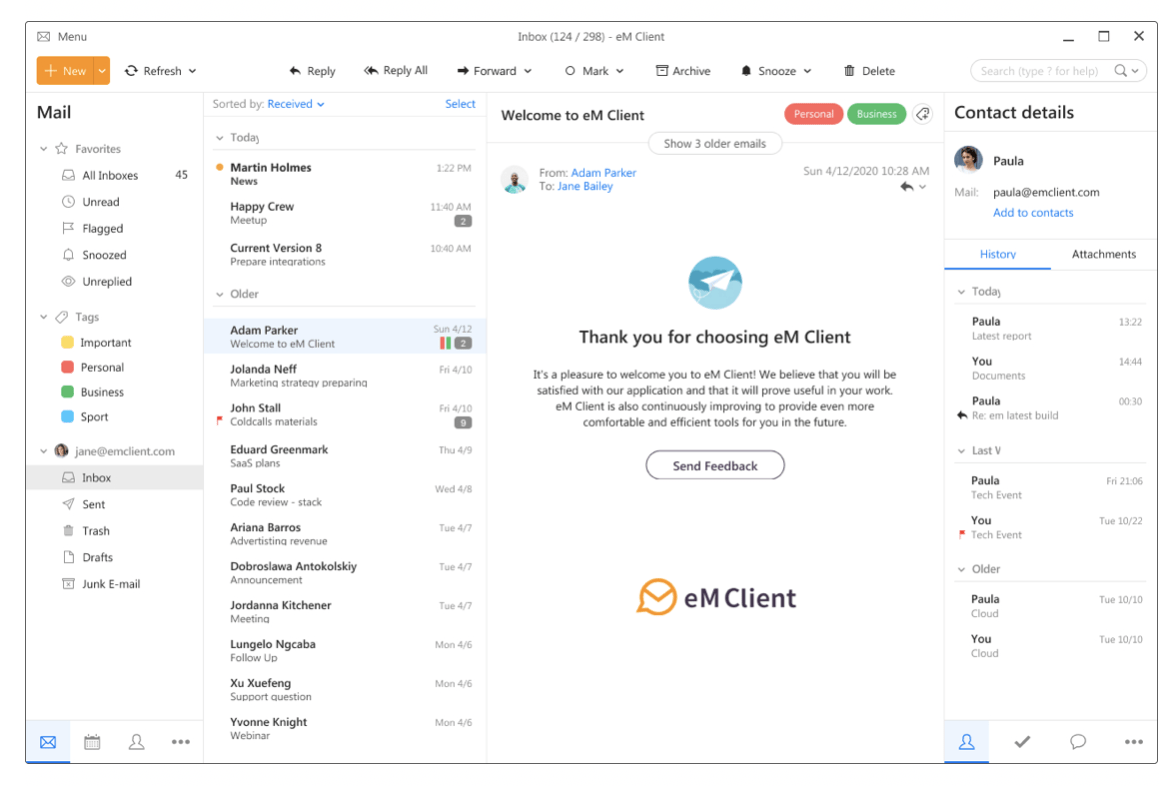
- EM Client (Windows, macOS)
- A feature-rich email client with a user-friendly interface
- Compatible with Windows and macOS devices
- Offers integration with Google Calendar and social media platforms
- Postbox (Windows, macOS)
- An appreciated email client based on Thunderbird’s engine
- Offers integration with social media platforms and cloud storage services
- Compatible with Windows and macOS devices
- MailBird (Windows)
- A free email client with a simple interface
- Offers integration with Facebook, WhatsApp, Google Calendar, and other online services
Certified Email Clients
If you have a PEC (Certified Electronic Mail) account, consider using the same email client as for your traditional electronic mail. Ensure that the program is correctly configured with IMAP parameters to access your certified email account.
Mobile Email Apps
Don’t forget about mobile email apps! Consider using apps like Gmail or Outlook on your smartphone or tablet.
Conclusion
Choosing the right electronic mail program can be a daunting task, but we hope this guide has helped you make an informed decision. Whether you prefer Thunderbird, Microsoft Outlook, or one of the other options listed above, there’s sure to be a solution that suits your needs.
Frequently Asked Questions (FAQs)
Q: What is the best email client for Windows?
A: The best email client for Windows depends on personal preference, but Thunderbird and Microsoft Outlook are excellent choices.
Q: Can I use multiple email clients at once?
A: Yes, you can use multiple email clients simultaneously, but ensure that they are configured correctly to avoid conflicts.
Q: How do I configure my email account in a new email client?
A: Follow the instructions provided by the email client’s developer or consult online resources for guidance.
Q: What is IMAP and how does it work?
A: IMAP (Internet Message Access Protocol) is a protocol that allows email clients to access and manage emails on a remote server. It ensures that your emails are synchronized across all devices.
Q: Can I use my PEC account with any email client?
A: Yes, you can use your PEC account with most email clients, but ensure that the program is correctly configured with IMAP parameters to access your certified email account.
Q: How do I choose the best mobile email app for my device?
A: Consider factors like user interface, features, and compatibility when selecting a mobile email app.


