
How to Antichizzare a Photo: A Step-by-step Guide
Are you looking for ways to give your old photos a vintage touch? Look no further! In this article, we’ll show you how to antichizzare a photo using various methods and tools.
What is Antichizzare a Photo?
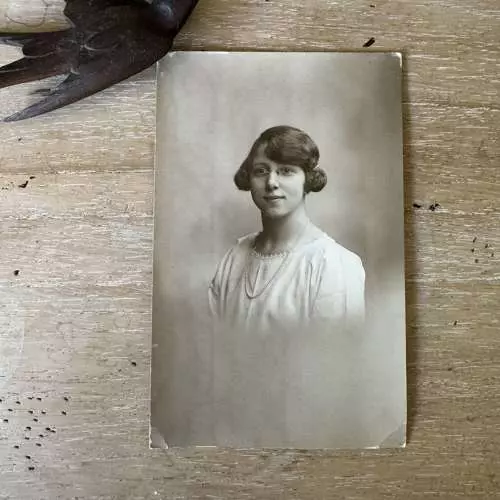
Antichizzare a photo means giving it an old, vintage look. This can be achieved by applying filters or effects that mimic the style of old photographs. The result is a beautiful, nostalgic image that looks like it was taken decades ago.
Method 1: Using Photoshop
If you have Photoshop on your computer, you can use it to antichizzare a photo. Here’s how:
- Open Photoshop and select the image you want to modify.
- Go to Image > Form > Stairs of grey to convert the image to black and white.
- Select Image > Form > Two tonalities to create a two-tone effect.
- Choose the type of tone and adjust the settings to your liking.
- Add a third color, if desired, by selecting Filter > Annoyance > Powder and scratches.
- Adjust the range and threshold to achieve the desired effect.
- Save the image as you like.
Method 2: Using Gimp
GIMP is a free alternative to Photoshop that can also be used to antichizzare a photo. Here’s how:
- Open GIMP and select the image you want to modify.
- Go to Image > Mode > Grayscale to convert the image to black and white.
- Select Filter > Light effects > Vintage look to apply a vintage filter.
- Adjust the settings to your liking.
- Save the image as you like.
Method 3: Using Online Tools
If you don’t have Photoshop or GIMP on your computer, there are online tools that can help you antichizzare a photo. Here’s how:
- Go to Pho.To, a free online tool for modifying photos.
- Select the image you want to modify and choose a vintage filter from the menu.
- Adjust the settings to your liking.
- Save the image as you like.
Method 4: Using Mobile Apps
If you have a smartphone or tablet, there are apps that can help you antichizzare a photo on-the-go. Here’s how:
- Download and install Snapseed, a free app for editing photos.
- Select the image you want to modify and choose a vintage filter from the menu.
- Adjust the settings to your liking.
- Save the image as you like.
Other Methods And Tools
There are other methods and tools that can be used to antichizzare a photo, including:
- Using IrfanView on Windows
- Using Paint.NET on Windows
- Using PhotoFunia online
- Using BeFunky online
- Using Yogile online
Conclusion
Antichizzare a photo is a great way to give old images a new and interesting look. With the methods and tools outlined above, you can achieve a beautiful, vintage effect that will make your photos stand out.
Faqs
Q: What is antichizzare a photo?
A: Antichizzare a photo means giving it an old, vintage look by applying filters or effects.
Q: How do I antichizzare a photo using Photoshop?
A: Use the steps outlined in Method 1 above.
Q: Can I use GIMP to antichizzare a photo?
A: Yes, follow the steps outlined in Method 2 above.
Q: Are there online tools that can help me antichizzare a photo?
A: Yes, try Pho.To or other online tools listed above.
Q: Can I use mobile apps to antichizzare a photo?
A: Yes, download and install Snapseed or other apps listed above.
Q: What are some other methods and tools for antichizzare a photo?
A: Try IrfanView, Paint.NET, PhotoFunia, BeFunky, Yogile, or other online tools listed above.


