
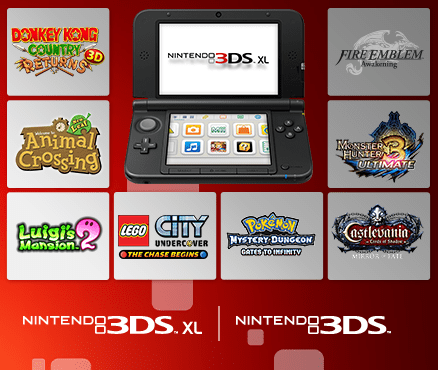
Downloading Free Games on Nintendo 3DS: A Step-by-step Guide
Are you excited about exploring the vast library of games available on your Nintendo 3DS? Have you already started to discover the endless possibilities that this console has to offer? However, due to budget constraints, you might be looking for ways to download free games on your device. Look no further! In this article, we will guide you through the process of downloading free games on your Nintendo 3DS.
Preparation is Key
Before diving into the world of free games, it’s essential to prepare your console and memory card. Here are some steps to follow:
- Prepare Your Memory Card: The Nintendo 3DS requires a memory card to download games from the eShop. You can use an SD or SDHC card with a maximum capacity of 32GB. Make sure to format it in FAT mode.
- Connect Your Console to The Internet: Ensure that your console is connected to the internet via Wi-Fi or a wired connection.
Configuring Your Nintendo Network ID
To access the eShop and download games, you need to create a Nintendo Network ID. Here’s how:
- Access The Settings Menu: Go to the Home screen of your console and select the icon for the #english key.
- Choose Internet Settings: Select the option for Internet Settings from the menu.
- Create a New Nintendo Network ID: Follow the prompts to create a new account.
Downloading Free Games
Once you have configured your Nintendo Network ID, you can start downloading free games:
- Access The Eshop: Go to the Home screen of your console and select the icon for the eShop.
- Search For Free Games: Use the search function to find free games. You can browse through the different sections, including demos and full games.
- Download Your Game: Select the game you want to download and follow the prompts to initiate the download process.
Conclusion
Downloading free games on your Nintendo 3DS is a straightforward process that requires some preparation and configuration of your console and memory card. By following these steps, you can enjoy a wide range of free games without breaking the bank.
Faqs
-
What Types of Free Games Are Available on The Nintendo Eshop?
There are various types of free games available on the Nintendo eShop, including demos, full games, and trials.
2. Can I Download Free Games From The Eshop if my Console is Not Connected to The Internet?No, your console must be connected to the internet via Wi-Fi or a wired connection to access the eShop and download games.
3. How do I Format my Memory Card in Fat Mode?You can use the SD Card Formatter tool to format your memory card in FAT mode.
Conclusion
Downloading free games on your Nintendo 3DS is an exciting way to explore the vast library of games available on this console. By following these steps, you can enjoy a wide range of free games without breaking the bank.


