
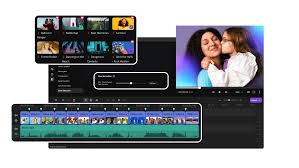
Creating Videos With Photos And Music: A Comprehensive Guide
Are you looking for a way to create engaging videos using photos and music? Look no further! In this article, we will explore the best programs and apps that can help you achieve your goal.
Why Create Videos With Photos And Music?
Creating videos with photos and music is an excellent way to tell stories, share memories, and express yourself creatively. With the rise of social media platforms like Instagram, TikTok, and YouTube, video content has become increasingly popular. By combining photos and music, you can create visually appealing and engaging videos that capture the attention of your audience.
Programs to Create Videos With Photos And Music on PC
There are several programs available on PC that can help you create videos with photos and music. Here are a few options:
Photo (Windows)
If you’re using Windows 10 or Windows 11, Photo is an excellent program to start with. It’s a free app that allows you to import photos and create slideshows with music.
- Start by searching for “Photo” in the Start menu.
- Click on the Photos icon to open the application.
- Click on the “New project video” button to create a new project.
- Choose a template or start from scratch.
- Import your photos and add them to the timeline.
- Add music to your video using the audio tab.
- Export your video in the desired format.
Photo (macOS)
If you’re using macOS, Photo is also available on your Mac. To access it:
- Click on the Photos icon in the dock or find it in the Applications folder.
- Click on the “+” button to create a new project.
- Choose a template or start from scratch.
- Import your photos and add them to the timeline.
- Add music to your video using the audio tab.
- Export your video in the desired format.
Other Programs
There are many other programs available that can help you create videos with photos and music on PC, including:
- Wondershare Filmora: A powerful video editing software that allows you to import photos and add music to your videos.
- Easeus Video Editor: A user-friendly program that lets you create videos with photos and music in just a few clicks.
- Davinci Resolve: A professional-level video editing software that offers advanced features like 8K support.
Online Tools
If you don’t have time or resources to install any programs on your PC, there are online tools available that can help you create videos with photos and music. Here are a few options:
- Canva: A popular design tool that allows you to create videos with photos and music in just a few clicks.
- Magisto: An AI-powered video editing software that lets you create professional-looking videos with photos and music.
Apps For Mobile Devices
If you prefer creating videos on your mobile device, there are many apps available that can help you achieve your goal. Here are a few options:
- Inshot Video Editor: A popular video editing app that allows you to import photos and add music to your videos.
- Videoshow: A user-friendly app that lets you create videos with photos and music in just a few clicks.
Conclusion
Creating videos with photos and music is an excellent way to express yourself creatively, share memories, and tell stories. With the many programs and apps available on PC and mobile devices, it’s easier than ever to get started. Whether you’re a beginner or an experienced user, there’s a program or app out there that can help you achieve your creative goals.
Frequently Asked Questions (FAQs)
- What is The Best Program For Creating Videos With Photos And Music on Pc?
The best program for creating videos with photos and music on PC depends on your needs and preferences. Photo (Windows) and Photo (macOS) are excellent options for beginners, while Wondershare Filmora and DaVinci Resolve offer more advanced features.
- Can I Create Videos With Photos And Music Online?
Yes, you can create videos with photos and music online using tools like Canva and Magisto.
- What is The Best App For Creating Videos on Mobile Devices?
The best app for creating videos on mobile devices depends on your device and operating system. InShot Video Editor and VideoShow are popular options for Android and iOS devices.
- Can I Add Music to my Video Using a Program or App?
Yes, most programs and apps allow you to add music to your videos. You can choose from a wide range of music tracks or import your own audio files.
- How do I Export my Video in The Desired Format?
To export your video in the desired format, go to the “Export” section of your program or app, select the desired format (e.G., MP4, MOV), and choose the quality settings.
- Can I Create Videos With Photos And Music on Linux Devices?
Yes, you can create videos with photos and music on Linux devices using programs like DaVinci Resolve and Avidemux.
- What is The Difference Between a Program And an App?
A program is a software application that runs on your PC or Mac, while an app is a mobile application that runs on your smartphone or tablet.
- Can I Create Videos With Photos And Music Using a Free Program or App?
Yes, many programs and apps are available for free download or use online. Some popular options include Photo (Windows), Photo (macOS), Canva, and InShot Video Editor.


