
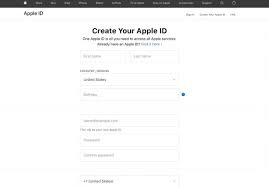
How to Create a New Apple Id: A Step-by-step Guide
Are you looking to create a new Apple ID? Look no further! In this article, we will guide you through the process of creating a new Apple ID on your iPhone, iPad, Mac, PC Windows, and Android device. We will also cover how to create an Apple ID for minors and business use.
What is an Apple Id?
An Apple ID is required to access various Apple services such as iCloud, Apple Music, iMessage, FaceTime, and more. It’s like a digital identity that allows you to connect with your devices and access all the features of Apple’s ecosystem.
Creating an Apple ID on Iphone/ipad
If you’re looking to create a new Apple ID on your iPhone or iPad, follow these steps:
- Open the Settings app on your device.
- Tap on “Sign in to your [device name]” at the top of the screen.
- Select “Don’t have an Apple ID or forgot it?”.
- Tap on “Create a new Apple ID”.
- Fill out the required information, including your name, surname, date of birth, and email address.
- Choose a password and confirm it.
- Tap on “Next” to continue with the process.
Creating an Apple ID on Mac
If you’re using a Mac, follow these steps:
- Click on the Apple logo in the top left corner of your screen.
- Select “System Preferences”.
- Click on “Apple ID”.
- Select “Create a new Apple ID”.
- Fill out the required information, including your name, surname, date of birth, and email address.
- Choose a password and confirm it.
- Tap on “Next” to continue with the process.
Creating an Apple ID on PC Windows
If you’re using a PC Windows device, follow these steps:
- Download and install iTunes from the official Apple website or Microsoft Store.
- Launch iTunes and click on “Account”.
- Select “Create a new Apple ID”.
- Fill out the required information, including your name, surname, date of birth, and email address.
- Choose a password and confirm it.
- Tap on “Next” to continue with the process.
Creating an Apple ID For Minors
If you’re looking to create an Apple ID for a minor, follow these steps:
- Open the Settings app on your device.
- Tap on “Sign in to your [device name]” at the top of the screen.
- Select “Create a new Apple ID”.
- Fill out the required information, including the child’s name, surname, date of birth, and email address.
- Choose a password and confirm it.
- Tap on “Next” to continue with the process.
Creating an Apple ID For Business Use
If you’re looking to create an Apple ID for business use, follow these steps:
- Visit the Apple Business Manager website.
- Click on “Sign up now”.
- Fill out the required information, including your organization’s name and contact details.
- Choose a password and confirm it.
- Tap on “Next” to continue with the process.
Conclusion
Creating an Apple ID is a straightforward process that can be completed in just a few minutes. By following the steps outlined above, you’ll be able to create a new Apple ID on your iPhone, iPad, Mac, PC Windows, and Android device. Whether you’re looking to access various Apple services or create an Apple ID for business use, this guide has got you covered.
Faqs
Q: What is an Apple ID?
A: An Apple ID is required to access various Apple services such as iCloud, Apple Music, iMessage, FaceTime, and more.
Q: How do I create a new Apple ID on my iPhone/iPad?
A: Open the Settings app on your device, tap on “Sign in to your [device name]”, select “Don’t have an Apple ID or forgot it?”, and follow the prompts.
Q: Can I create an Apple ID on my Mac?
A: Yes, click on the Apple logo in the top left corner of your screen, select “System Preferences”, click on “Apple ID”, and follow the prompts.
Q: How do I create an Apple ID for business use?
A: Visit the Apple Business Manager website, click on “Sign up now”, fill out the required information, and choose a password and confirm it.
Q: Can I create an Apple ID for minors?
A: Yes, open the Settings app on your device, tap on “Sign in to your [device name]”, select “Create a new Apple ID”, and follow the prompts.
Q: What are the benefits of creating an Apple ID?
A: An Apple ID allows you to access various Apple services, connect with your devices, and enjoy features such as iCloud, Apple Music, iMessage, FaceTime, and more.


