
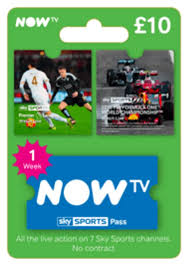
How to Buy a Split on Now Tv: A Step-by-step Guide
Are you looking to access your favorite sporting events or on-demand content on NOW TV? Look no further! In this article, we will guide you through the process of buying a split on NOW TV, whether you’re using a computer, smartphone, tablet, or TV.
Can You Buy a Single Split on Now Tv?
Unfortunately, NOW TV does not offer individual event purchases. However, you can still access your desired content by activating the Pass Sport feature. This will give you access to all sporting events and on-demand content included in the subscription, including live events and channels like Sky Sports.
How Much Does it Cost to Buy a Split on Now Tv?
The cost of the Pass Sport feature is €14.99 Per month, with no contractual obligations. By activating this feature, you will gain access to all available sporting events and content, as well as the ability to disable your subscription at any time.
How to Buy a Split on Now Tv: A Step-by-step Guide
Using a Computer
- Accessing The Now TV Website: Begin by accessing the NOW TV website.
- Discover The Bid: Click on the “Discover the Bid” option in the top right corner of the page and select “Pass Sport”.
- Account Creation or Login: If you have an existing account, log in using your email and password. Otherwise, create a new account by providing the required information.
- Payment Method Selection: Select your preferred payment method (card or PayPal) and follow the on-screen instructions to complete the payment process.
Using a Smartphone or Tablet
- Accessing The Now TV Website: Open the browser on your device and access the NOW TV website.
- Discover The Bid: Tap on the “Discover the Bid” option in the top right corner of the page and select “Pass Sport”.
- Account Creation or Login: If you have an existing account, log in using your email and password. Otherwise, create a new account by providing the required information.
- Payment Method Selection: Select your preferred payment method (PayPal or card) and follow the on-screen instructions to complete the payment process.
Using a Tv
- Accessing The Now TV App: Open the NOW TV app on your Smart TV, Apple TV, or NOW Smart Stick.
- Menu Navigation: Navigate to the “Menu” option and select “Download the Player”.
- Payment Method Selection: Select your preferred payment method (PayPal or card) and follow the on-screen instructions to complete the payment process.
Troubleshooting: What If I Have Problems Activating My Subscription?
If you encounter issues while trying to activate your Pass Sport subscription, don’t worry! You can contact NOW TV’s customer support team for assistance. To do this:
- Accessing The Now TV Website: Open a browser on your device and access the NOW TV website.
- Assistance Menu: Click on the “Assistance” menu option in the top right corner of the page.
- Active Chat: Select the “Active Chat” option to initiate a live chat with an operator.
Can I Disable My Subscription?
Yes, you can disable your NOW TV subscription at any time by following these steps:
- Accessing Your Account: Log in to your account on the NOW TV website.
- My Account Menu: Select the “My Account” menu option.
- Pass Active Section: Navigate to the “Pass Active” section and select the “Disable” button.
Conclusion
Buying a split on NOW TV is easier than you think! By following these step-by-step guides, you can access your favorite sporting events and on-demand content using your computer, smartphone, tablet, or TV. Remember to troubleshoot any issues that may arise by contacting NOW TV’s customer support team for assistance.
Frequently Asked Questions
- Q: Can I Buy a Single Split on Now Tv?
A: Unfortunately, NO. However, you can activate the Pass Sport feature to access all sporting events and on-demand content. - Q: How Much Does it Cost to Buy a Split on Now Tv?
A: The cost of the Pass Sport feature is €14.99 Per month, with no contractual obligations. - Q: Can I Disable my Subscription at Any Time?
A: Yes, you can disable your NOW TV subscription by following the steps outlined above. - Q: How do I Contact Now Tv’s Customer Support Team?
A: You can access NOW TV’s customer support team through their website or mobile app. - Q: Can I Use a Browser on my Device to Activate my Pass Sport Subscription?
A: Yes, you can use a browser on your device (computer, smartphone, tablet) to activate your Pass Sport subscription. - Q: Is The Now TV App Available on All Devices?
A: Yes, the NOW TV app is available on various devices, including Smart TVs, Apple TVs, and NOW Smart Sticks. - Q: Can I Use my Existing Now TV Account to Purchase a Split?
A: Yes, you can log in with your existing NOW TV account to activate the Pass Sport feature. - Q: How do I Know if my Subscription Has Been Successfully Activated?
A: Once you have completed the payment process and activated your Pass Sport subscription, you will receive confirmation on-screen.


