
Remote Work: The Ultimate Guide
Are you tired of the daily commute? Do you want to achieve a better work-life balance? Look no further than remote work! In this article, we’ll explore the world of remote work, its benefits, and the best tools to get you started.
What is Remote Work?
Remote work, also known as telecommuting or working from home, refers to the practice of working outside a traditional office environment. This can be done from anywhere with an internet connection, whether it’s from your own home, a coffee shop, or even a beach in Bali!
Benefits of Remote Work
The benefits of remote work are numerous and well-documented. Some of the most significant advantages include:
- Flexibility: With remote work, you have the flexibility to work at any time and from anywhere.
- Reduced Commuting Time: No more traffic jams or long commutes!
- Increased Productivity: Many people find that they are more productive when working remotely, away from office distractions.
- Improved Work-life Balance: Remote work allows you to spend more time with family and friends, and pursue hobbies and interests.
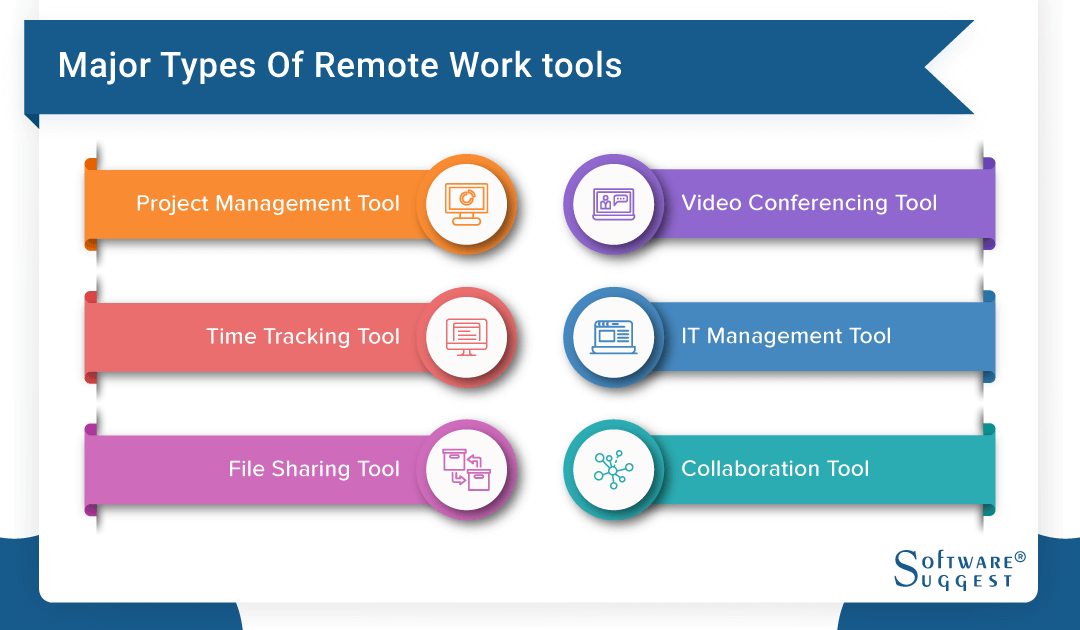
Tools For Remote Work
Now that we’ve covered the benefits of remote work, let’s talk about the tools you’ll need to get started. Here are some of the best tools for remote work:
Programs For Remote Work
- Dwservice (Windows): DWService is a free platform that allows you to control your computer remotely from anywhere.
- Teamviewer (Windows/MacOS): TeamViewer is another popular tool for remote access, allowing you to control and share files with colleagues.
- Anydesk (Windows/MacOS): AnyDesk is a fast and secure tool for remote access, ideal for teams working together.
Other Software
- Microsoft Teams: A platform dedicated to clusters of work, creating and sharing rows, contacts, and appointments with colleagues.
- G Suite: A suite of tools that provides all the necessary instruments to work set, including Google Drive, Docs, Sheets, and Slides.
- Zoom/google Meet/jitsi Meet: Free video conferencing services for private users.
How to Use Dwservice
DWService is a free platform that allows you to control your computer remotely from anywhere. Here’s how to use it:
- Register on The Website: Create an account and configure the officer on the remote computer.
- Download And Install: Download and install the DWService client on both computers.
- Configure Access: Configure access settings for authorized users.
How to Use Teamviewer
TeamViewer is another popular tool for remote access, allowing you to control and share files with colleagues. Here’s how to use it:
- Download And Install: Download and install the TeamViewer client on both computers.
- Configure Access: Configure access settings for authorized users.
- Join a Meeting: Join a meeting or connect to another computer.
How to Use Anydesk
AnyDesk is a fast and secure tool for remote access, ideal for teams working together. Here’s how to use it:
- Download And Install: Download and install the AnyDesk client on both computers.
- Configure Access: Configure access settings for authorized users.
- Connect to Another Computer: Connect to another computer or join a meeting.
Conclusion
Remote work is a game-changer for many people, offering flexibility, reduced commuting time, increased productivity, and improved work-life balance. With the right tools, you can stay connected with colleagues and clients from anywhere in the world. Whether it’s DWService, TeamViewer, AnyDesk, Microsoft Teams, G Suite, or Zoom/Google Meet/Jitsi Meet, there are plenty of options to suit your needs.
Frequently Asked Questions (FAQs)
- What is Remote Work?
Remote work refers to the practice of working outside a traditional office environment. - What Are The Benefits of Remote Work?
The benefits include flexibility, reduced commuting time, increased productivity, and improved work-life balance. - Which Tools Can I Use For Remote Work?
Some popular tools include DWService, TeamViewer, AnyDesk, Microsoft Teams, G Suite, and Zoom/Google Meet/Jitsi Meet. - How do I Use Dwservice?
Create an account on the website, configure the officer on the remote computer, download and install the client, and configure access settings. - How do I Use Teamviewer?
Download and install the client on both computers, configure access settings for authorized users, join a meeting or connect to another computer. - How do I Use Anydesk?
Download and install the client on both computers, configure access settings for authorized users, connect to another computer or join a meeting.
Hope you enjoy this article


