
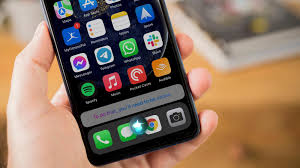
The Ultimate Guide to Using Siri on Your Iphone
Are you tired of using your fingers to perform tasks on your iPhone? Do you want to experience the convenience of voice-activated commands? Look no further than Siri, Apple’s built-in virtual assistant! In this article, we’ll explore the top apps that integrate with Siri, and show you how to use them to get more done with less effort.
Understanding Siri
Before we dive into the world of Siri-enabled apps, let’s take a moment to understand what Siri is all about. Siri is an intelligent personal assistant that allows you to interact with your iPhone using natural language voice commands. With Siri, you can perform various tasks such as sending messages, making calls, setting reminders, and more.
The Best Apps For Siri
Now that we’ve covered the basics of Siri, let’s move on to the best apps that integrate with it. Here are some of our top picks:
1. Music
- App Name: Music
-
Description: The Music app is a pre-installed app on your iPhone that allows you to access millions of songs, playlists, and radio stations. You can ask Siri to play specific music, artists, or albums.
Example Command: “Hey Siri, play the latest album from [Artist Name]”
2. Whatsapp
- App Name: WhatsApp
-
Description: WhatsApp is a popular messaging app that allows you to send messages, make voice and video calls, and share media with friends and family. You can ask Siri to forward messages, read the last message received, or call someone.
Example Command: “Hey Siri, forward this message to [Contact Name]”
3. Spotify
- App Name: Spotify
-
Description: Spotify is a music streaming app that offers millions of songs, playlists, and radio stations. You can ask Siri to play specific music, artists, or albums.
Example Command: “Hey Siri, play the latest album from [Artist Name] on Spotify”
4. Todoist
- App Name: Todoist
-
Description: Todoist is a task management app that allows you to create and manage your to-do lists. You can ask Siri to add tasks, deadlines, or reminders.
Example Command: “Hey Siri, add [Task Name] with a deadline of [Date and Time] in Todoist”
5. Things 3
- App Name: Things 3
-
Description: Things 3 is a task management app that allows you to create and manage your to-do lists. You can ask Siri to add tasks, deadlines, or reminders.
Example Command: “Hey Siri, add [Task Name] with a deadline of [Date and Time] in Things”
6. Zoom
- App Name: Zoom
-
Description: Zoom is a video conferencing app that allows you to make voice and video calls with friends and family. You can ask Siri to join meetings, view upcoming meetings, or initiate personal meetings.
Example Command: “Hey Siri, join the meeting [Meeting ID]”
7. Waterminder
- App Name: WaterMinder
-
Description: WaterMinder is a water tracking app that allows you to track your daily water intake. You can ask Siri to record your water consumption.
Example Command: “Hey Siri, record my water consumption for today”
8. Headspace
- App Name: Headspace
-
Description: Headspace is a meditation and mindfulness app that allows you to relax and focus. You can ask Siri to initiate meditations or stress-reducing sessions.
Example Command: “Hey Siri, start a stress-reducing session”
9. Skype
- App Name: Skype
-
Description: Skype is a video conferencing app that allows you to make voice and video calls with friends and family. You can ask Siri to call someone or read the last message received.
Example Command: “Hey Siri, call [Contact Name] on Skype”
10. Shazam
- App Name: Shazam
-
Description: Shazam is a music identification app that allows you to identify songs and artists. You can ask Siri to identify the song playing.
Example Command: “Hey Siri, what’s this song?”
Conclusion
Siri-enabled apps offer a convenient way to perform tasks on your iPhone using voice commands. With these top picks, you’ll be able to get more done with less effort and enjoy a more streamlined mobile experience.
Frequently Asked Questions (FAQs)
- Q: What is Siri?
- A: Siri is an intelligent personal assistant that allows you to interact with your iPhone using natural language voice commands.
- Q: Which apps integrate with Siri?
- A: The apps listed above integrate with Siri, allowing you to perform various tasks using voice commands.
- Q: How do I use Siri-enabled apps?
- A: To use Siri-enabled apps, simply say the command or phrase associated with each app (e.G., “Hey Siri, play the latest album from [Artist Name]”).
- Q: What are some example commands for Siri-enabled apps?
- A: The example commands listed above demonstrate how to use Siri to perform various tasks on your iPhone.
- Q: Are there other virtual assistants available?
- A: Yes, there are other virtual assistants available, such as Google Assistant and Amazon Alexa.
- Q: How do I configure and use these virtual assistants?
- A: For information on configuring and using these virtual assistants, refer to the specific tutorials or guides for each assistant.
By understanding Siri-enabled apps and how to use them effectively, you’ll be able to enjoy a more streamlined mobile experience and get more done with less effort.


