
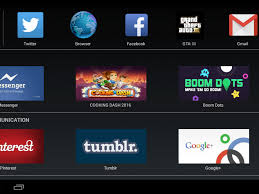
How to Download And Install Bluestacks on Pc, Mac, And Ipad
Are you tired of playing games on your smartphone or tablet? Do you want to experience the thrill of gaming on a bigger screen? Look no further than BlueStacks, an Android emulator that allows you to download and play Android apps on your Windows PC, macOS, or even iPad!
What is Bluestacks?
BlueStacks is an Android emulator that lets you run Android applications on non-Android devices. It’s a free software that can be downloaded on Windows PC, macOS, and iPad, allowing you to access thousands of Android games and apps directly from your computer.
Minimum Requirements For Bluestacks on PC
Before we dive into the installation process, let’s take a look at the minimum requirements for BlueStacks on PC:
- Operating system: Windows 7 or later
- Processor: Intel or AMD processor
- RAM: At least 4 GB of RAM
- Blank on disc: 5 GB
Downloading And Installing Bluestacks on PC
To download and install BlueStacks on your PC, follow these steps:
- Visit the official BlueStacks website (www.Bluestacks.Com) and click on the “Download” button.
- Select the version of BlueStacks you want to download (currently BlueStacks 5).
- Click on the downloaded file (BlueStacksInstaller_[version].Exe) and follow the prompts to install the software.
- Wait for the installation process to complete, which may take a few minutes.
Using Bluestacks on PC
Once you’ve installed BlueStacks on your PC, here’s how to use it:
- Open the BlueStacks emulator on your PC by double-clicking on the icon in your start menu or desktop.
- Log in with your Google account to access the Play Store and download apps.
- Browse through the thousands of Android games and apps available in the Play Store and download the ones you want to play.
Downloading And Installing Bluestacks on Mac
If you’re using a Mac, here’s how to download and install BlueStacks:
- Visit the official BlueStacks website (www.Bluestacks.Com) and click on the “Download” button for Mac.
- Select the version of BlueStacks you want to download (currently BlueStacks 4).
- Click on the downloaded file (BlueStacks_[version].Dmg) and follow the prompts to install the software.
- Wait for the installation process to complete, which may take a few minutes.
Using Bluestacks on Mac
Once you’ve installed BlueStacks on your Mac, here’s how to use it:
- Open the BlueStacks emulator on your Mac by double-clicking on the icon in your applications folder.
- Log in with your Google account to access the Play Store and download apps.
- Browse through the thousands of Android games and apps available in the Play Store and download the ones you want to play.
Downloading And Installing Bluestacks on Ipad
Unfortunately, BlueStacks is not currently available as an app for iPad or iPhone. However, you can still access thousands of Android games and apps directly from your browser using the cloud gaming service Now.Gg.
Using Bluestacks Online
To use BlueStacks online, follow these steps:
- Visit the official Now.Gg website (www.Now.Gg) and browse through the available games.
- Select a game you want to play and click on the “Play in browser” button.
- Log in with your Google account to access the game.
Conclusion
In conclusion, BlueStacks is an excellent solution for gamers who want to experience Android apps on their PC, Mac, or iPad. With its user-friendly interface and thousands of available games and apps, you’ll never run out of options to play.
Frequently Asked Questions
Q: What is the minimum system requirement for BlueStacks?
A: The minimum system requirements for BlueStacks are Windows 7 or later, Intel or AMD processor, at least 4 GB of RAM, and 5 GB blank on disc.
Q: Can I download BlueStacks on my iPad or iPhone?
A: Unfortunately, BlueStacks is not currently available as an app for iPad or iPhone. However, you can still access thousands of Android games and apps directly from your browser using the cloud gaming service Now.Gg.
Q: How do I use BlueStacks online?
A: To use BlueStacks online, visit the official Now.Gg website, browse through the available games, select a game to play, and click on the “Play in browser” button. Log in with your Google account to access the game.
References
- Www.Bluestacks.Com – Official BlueStacks website
- Www.Now.Gg – Official Now.Gg website


