
Resettare Modem Alice: A Step-by-step Guide
Are you tired of dealing with internet connectivity issues due to a malfunctioning modem? Look no further! In this article, we’ll guide you through the process of resetting your modem to its factory settings using two different methods: Hardware reset and software reset.
Understanding The Problem
When your modem starts acting up, it’s often due to incorrect settings or password issues. Reseting your modem to its factory settings is a simple solution that can resolve many problems. This process will erase all customized settings, including passwords, firewall configurations, and Wi-Fi network settings.
Method 1: Hardware Reset
The first method involves using the reset button on the back of your modem. Here’s how:
Step-by-step Instructions
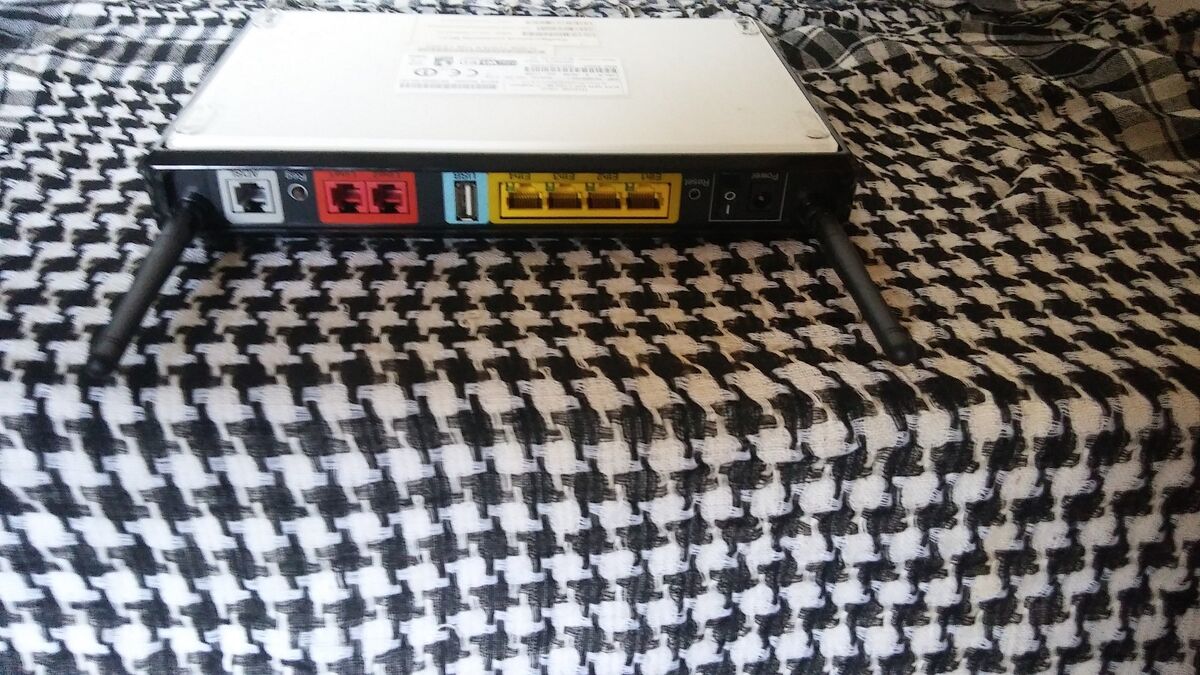
- Locate the small black button labeled “Reset” or “Reset Button” on the back of your modem.
- Press and hold the button with a pen, pencil, or similar object for about 30 seconds until all lights turn off and then quickly turn back on (as if the modem had been unplugged and replugged).
- Release the button and wait for the modem to restart.
Important Note: Make sure your modem is connected to power and functioning normally before attempting a hardware reset. If you’re having trouble finding the reset button, refer to your modem’s manual or contact the manufacturer’s support team.
Method 2: Software Reset
The second method involves accessing your modem’s web interface using a computer or mobile device. Here’s how:
Step-by-step Instructions
- Connect your device to the same network as your modem.
- Open a web browser and type one of the following addresses:
- Http://Alicegate
- Http://Modemtelecom
- 192.168.1.1
- 192.168.0.1
- Log in using the default admin/admin credentials or leave the password field blank and click “Access” without entering a password.
- Navigate to the Wi-Fi settings and click on the “Configure” button to reset your wireless network key.
Reseting Other Modem Models
Specific Instructions For Popular Modem Models
- Adsl2+ Wi-fi N / Adsl2+ Wi-fi N Technicolor: Press the “Restore” button in the advanced settings section.
- Smart Modem Sercomm: Access the settings page, click on “Configuration,” and then press the “Reset” button located at the bottom right.
- Smart Modem Technicolor: Go to the “My MediaAccess Gateway” menu, click on “Instruments,” and then press the “Reset” button.
Tips And Reminders
- After resetting your modem, you’ll need to set up a new password for access to the web interface and configure your wireless network settings.
- If you’re using a virtual server or P2P software (e.G., EMule, uTorrent), you’ll need to reconfigure these services after resetting your modem.
Conclusion
Reseting your modem is a simple process that can resolve many internet connectivity issues. By following the step-by-step instructions outlined in this article, you should be able to successfully reset your modem using either the hardware or software method. Remember to take note of any specific instructions for your particular modem model and don’t hesitate to reach out to the manufacturer’s support team if you encounter any difficulties.
Frequently Asked Questions
- Q: Will resetting my modem erase all my customized settings?
A: Yes, resetting your modem will erase all customized settings, including passwords, firewall configurations, and Wi-Fi network settings. - Q: How do I find the reset button on my modem?
A: Refer to your modem’s manual or contact the manufacturer’s support team for assistance in locating the reset button. - Q: Can I use a hardware reset if my modem is not responding?
A: No, attempt a software reset first. If that fails, try a hardware reset.
Additional Resources
For more information on resetting your specific modem model, refer to the manuals and guides provided by the manufacturer or visit their support website.


