
Understanding Wireless Charging: A Step-by-step Guide
Are you tired of dealing with tangled cables and pesky charging docks? Do you want to experience the convenience of wireless charging on your smartphone? Look no further! In this article, we’ll take a closer look at wireless charging technology and show you how to check if your mobile device supports it.
What is Wireless Charging?
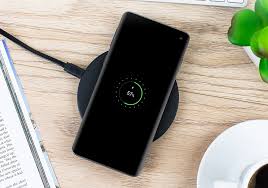
Wireless charging, also known as inductive charging, is a technology that allows you to charge your smartphone or other devices without the need for cables. It works by using an electromagnetic field to transfer energy from a charging base to your device. This means you can simply place your phone on a wireless charging pad and let it do its thing.
How Does Wireless Charging Work?
Wireless charging uses a technology called Qi (pronounced “chee”) to enable energy transfer between the charging base and your device. When you place your phone on the charging pad, the base sends an electromagnetic field to your device, which is then converted into electricity to charge your battery.
Do All Smartphones Support Wireless Charging?
Not all smartphones support wireless charging, but many modern devices do. If you’re looking for a smartphone with wireless charging capabilities, look for devices that have Qi certification. Some popular brands that offer wireless charging on their smartphones include Samsung, Apple, and Google.
How to Check if Your Smartphone Supports Wireless Charging
Here’s how to check if your mobile device supports wireless charging:
Step 1: Check The Settings of Your Smartphone
First, go to the settings menu on your smartphone. Look for an option related to battery or charging. On most devices, you’ll find a section dedicated to wireless charging.
[H2] Check The Battery or Charging Menu
- Go to the battery or charging menu.
- Look for an option that says “Wireless charging” or “Qi charging.”
- If you see this option, it means your device supports wireless charging.
Step 2: Use Google And The Manual of Your Device
If you’re still unsure whether your smartphone supports wireless charging, try using Google to search for information on your device. You can also check the manual that came with your phone.
[H3] Use Online Resources
- Search for your device’s model number along with “wireless charging” or “Qi charging.”
- Check online reviews and specifications of your device.
- Visit websites like GSMArena.Com, which provide detailed information on various smartphone models.
Step 3: Check The Manual of Your Device
If you still have doubts about wireless charging capabilities of your phone, check the manual that came with your device. Look for sections related to battery or charging options.


