
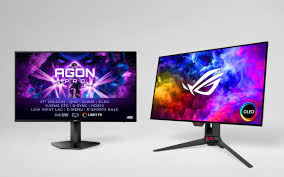
The Ultimate Guide to Choosing a 240Hz Gaming Monitor
Are you an avid gamer looking to upgrade your gaming experience? Do you want to take your gaming sessions to the next level with smooth, fast-paced action and minimal lag? Look no further than our guide on choosing the best 240Hz gaming monitor.
What is a 240Hz Gaming Monitor?
A 240Hz gaming monitor is a type of display that can update its image up to 240 times per second. This allows for incredibly fast-paced visuals, making it ideal for competitive gamers who want to get the most out of their gaming experience.
Benefits of a 240Hz Gaming Monitor
- Reduced Lag: With a 240Hz monitor, you can expect a significant reduction in lag, making your gaming sessions feel smoother and more responsive.
- Improved Visuals: The fast refresh rate allows for crisp, clear images with minimal blur or ghosting.
- Enhanced Gaming Experience: A 240Hz monitor provides an immersive gaming experience, making it easier to track fast-moving objects and enjoy the thrill of competition.
Things to Consider When Choosing a 240Hz Gaming Monitor
- Panel Type: There are several types of panels available, including TN, IPS, and VA. Each has its own strengths and weaknesses.
- Resolution: Make sure the monitor has a high enough resolution to take advantage of the fast refresh rate.
- Refresh Rate: While 240Hz is the standard for gaming monitors, some may have higher or lower refresh rates.
- Sync Technology: Look for monitors with sync technology such as G-Sync or FreeSync to minimize tearing and stuttering.
Top 240Hz Gaming Monitors on The Market
- Acer Predator Xb273k: This monitor offers a fast 240Hz refresh rate, NVIDIA G-Sync technology, and a high-quality IPS panel.
- Asus Vg248qe: This budget-friendly option provides a fast 144Hz refresh rate (but can be overclocked to 240Hz), a TN panel, and a range of connectivity options.
- Viewsonic Xg253s: This monitor offers a fast 240Hz refresh rate, NVIDIA G-Sync technology, and a high-quality VA panel.
Tips For Choosing The Right Monitor
- Research Different Models: Read reviews and compare different monitors to find the one that best fits your needs.
- Consider Your Budget: Gaming monitors can range from affordable to very expensive, so make sure to set a budget before making a purchase.
- Check For Compatibility: Ensure the monitor is compatible with your graphics card or gaming console.
Conclusion
Choosing the right 240Hz gaming monitor can be a daunting task, but by considering factors such as panel type, resolution, refresh rate, and sync technology, you can find the perfect monitor for your needs. Remember to research different models, consider your budget, and check for compatibility before making a purchase. With the right monitor, you’ll be able to enjoy an immersive gaming experience with fast-paced visuals and minimal lag.
Frequently Asked Questions
- Q: What is The Difference Between a 240Hz And a 144Hz Monitor?
A: The main difference is the refresh rate, which affects how often the monitor updates its image. - Q: Do I Need a Graphics Card to Run a 240Hz Monitor?
A: Yes, you’ll need a compatible graphics card that can support the fast refresh rate. - Q: Are There Any Other Factors I Should Consider When Choosing a Gaming Monitor?
A: In addition to the refresh rate, consider factors such as panel type, resolution, and sync technology.
References
- The Tech Magazine: “A Guide to Choosing the Best Gaming Monitor”
- PC Gamer: “The Ultimate Guide to Buying a Gaming Monitor”
- Wired: “How to Choose the Right Gaming Monitor for Your Needs”


