
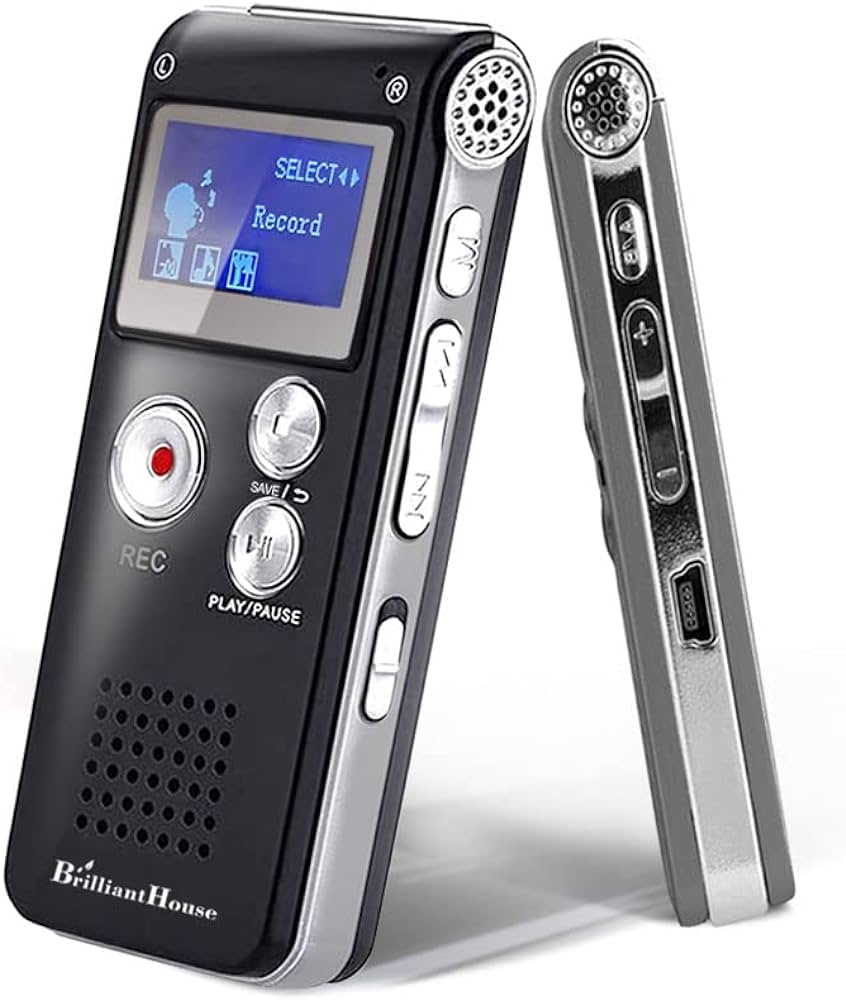
The Ultimate Guide to Voice Recorders: A Comprehensive Review
Are you tired of searching for a reliable voice recorder that meets your needs? Look no further! In this article, we will review the best voice recorders available on the market, including software and hardware options.
Whether you’re a student looking to record lectures, a musician seeking to capture audio ideas, or simply someone who wants to create high-quality recordings, we’ve got you covered. Our comprehensive guide will walk you through the top voice recorder solutions for Windows, Mac, Android, and iPhone devices.
What is a Voice Recorder?
A voice recorder, also known as an audio recorder or digital recorder, is a device or software that allows you to capture and store high-quality audio recordings. These recorders can be used for a variety of purposes, including:
- Recording lectures or meetings
- Capturing audio ideas or inspiration
- Creating podcasts or audiobooks
- Monitoring audio levels in live performances
Top Voice Recorders For Windows
If you’re using a Windows device, here are the top voice recorder solutions to consider:
1. Windows Voice Recorder
Windows 10 and 11 come with a built-in voice recorder called Windows Voice Recorder. This app is free, easy to use, and allows you to record high-quality audio recordings.
To access Windows Voice Recorder, click on the Start button and select the Voice Recorder icon. Follow the prompts to grant permissions and initiate a recording.
2. Audacity
Audacity is a popular, free, and open-source audio editor that also functions as a voice recorder. This software allows you to record, edit, and enhance your audio recordings.
To download and install Audacity on Windows, visit their website and follow the installation instructions.
Top Voice Recorders For Mac
If you’re using a Mac device, here are the top voice recorder solutions to consider:
1. Memo Vocali
Memo Vocali is a built-in Mac app that allows you to record high-quality audio recordings. This app is free, easy to use, and comes with iCloud synchronization.
To access Memo Vocali, click on the Go menu and select Applications. Double-click on the Memo Vocali icon to launch the app.
2. Audacity
Audacity is also available for Mac and offers a wide range of features, including audio editing capabilities.
Top Voice Recorders For Android
If you’re using an Android device, here are the top voice recorder solutions to consider:
1. Triveous Recorder
Triveous Recorder is a highly-rated app that allows you to record high-quality audio recordings on your Android device. This app comes with features like volume adjustment and echo cancellation.
To download and install Triveous Recorder, visit the Google Play Store and search for the app.
Top Voice Recorders For Iphone
If you’re using an iPhone or iPad, here are the top voice recorder solutions to consider:
1. Memo Vocali
Memo Vocali is also available on iOS devices and offers a user-friendly interface for recording high-quality audio recordings.
To access Memo Vocali, tap on the home screen and select the app icon. Follow the prompts to grant permissions and initiate a recording.
Hardware Voice Recorders
If you’re looking for hardware voice recorders, here are some top options:
1. H+y Portable Recorder
The H+Y Portable Recorder is a compact device that allows you to record high-quality audio recordings for up to 192 hours.
To purchase this recorder, visit Amazon and search for the product.
2. Benjie Professional Voice Recorder
The BENJIE Professional Voice Recorder is a highly-rated device that offers features like 64GB storage and voice-activated recording.
To purchase this recorder, visit Amazon and search for the product.
3. Sony Icd-px240 Digital Recorder
The Sony ICD-PX240 Digital Recorder is a top-of-the-line device that offers features like mono sound quality and integrated speaker.
To purchase this recorder, visit Amazon and search for the product.
Conclusion
In conclusion, finding the right voice recorder can be overwhelming with so many options available. Our comprehensive guide has walked you through the top voice recorder solutions for Windows, Mac, Android, and iPhone devices, as well as hardware options.
Whether you’re a student, musician, or simply someone who wants to create high-quality recordings, we hope this article has helped you make an informed decision.
Frequently Asked Questions
- What is The Best Voice Recorder Software For Windows?
- Audacity is a popular and free audio editor that also functions as a voice recorder.
- Which Voice Recorder App is Best For Mac?
- Memo Vocali is a built-in Mac app that allows you to record high-quality audio recordings.
- What is The Top-rated Hardware Voice Recorder on Amazon?
- The H+Y Portable Recorder is a compact device that allows you to record high-quality audio recordings for up to 192 hours.
- Can I Use a Voice Recorder on my Iphone or Ipad?
- Yes, Memo Vocali is also available on iOS devices and offers a user-friendly interface for recording high-quality audio recordings.
- How do I Access Windows Voice Recorder?
- Click on the Start button and select the Voice Recorder icon to access this app.
- What Features Should I Look For in a Voice Recorder?
- Consider features like volume adjustment, echo cancellation, and iCloud synchronization when choosing a voice recorder.
- Can I Edit Audio Recordings With a Voice Recorder?
- Yes, some voice recorders, like Audacity, allow you to edit and enhance your audio recordings.
- How do I Access Memo Vocali on my Mac?
- Click on the Go menu and select Applications to find the Memo Vocali icon.
We hope this article has helped you find the perfect voice recorder for your needs!


