
How to Convert Rtf Files to Pdf: A Step-by-step Guide
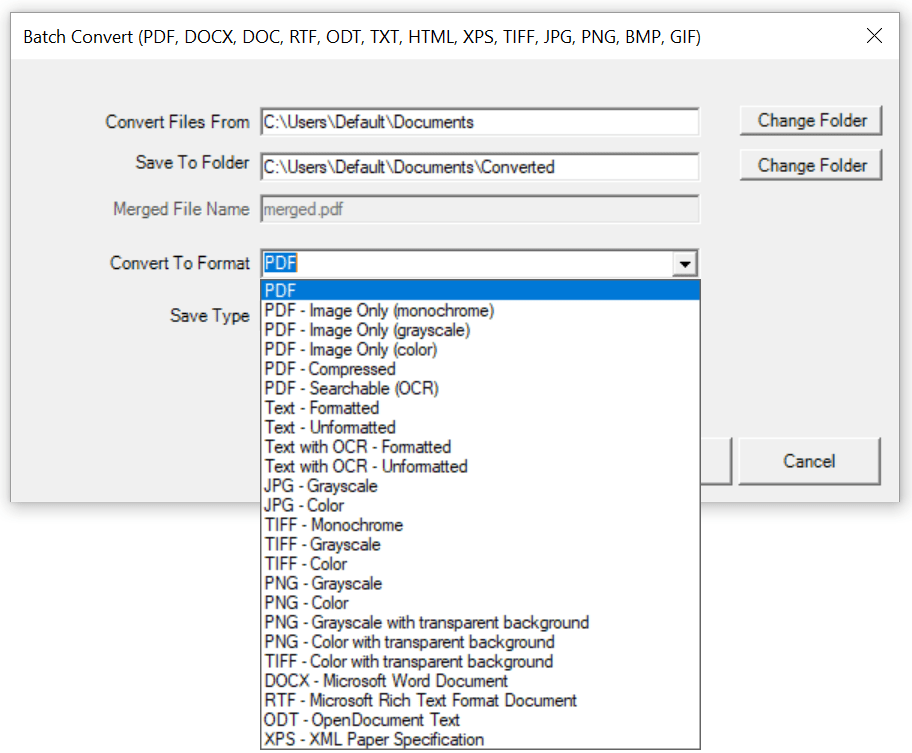
Are you struggling to convert RTF files to PDF? Look no further! In this article, we will guide you through the process of converting RTF files to PDF using various software and online tools.
Why Convert Rtf to Pdf?
Before we dive into the conversion process, let’s quickly discuss why converting RTF files to PDF is important. PDF files are widely supported and can be easily shared with others. They preserve the formatting and layout of your document, ensuring that it looks exactly as you intended.
Software Solutions For Converting Rtf to Pdf
There are several software solutions that allow you to convert RTF files to PDF. Here are a few options:
Libreoffice (Windows/MacOS/Linux)
LibreOffice is a free and open-source office suite that includes a word processor, spreadsheet, presentation program, and more.
- Download and install LibreOffice on your computer.
- Open the RTF file using LibreOffice’s Word processor.
- Go to File > Export and select PDF from the format dropdown menu.
- Choose the desired settings and click Export to save the PDF file.
Wordpad (Windows)
If you’re using Windows, you can use WordPad to convert RTF files to PDF.
- Open WordPad and select the RTF file you want to convert.
- Go to File > Print and choose the virtual printer option.
- Select the PDF printer from the list of available printers.
- Choose the desired settings and click Print to save the PDF file.
Textedit (macOS)
If you’re using a Mac, you can use TextEdit to convert RTF files to PDF.
- Open TextEdit and select the RTF file you want to convert.
- Go to File > Export and select PDF from the format dropdown menu.
- Choose the desired settings and click Export to save the PDF file.
Online Solutions For Converting Rtf to Pdf
If you don’t have software installed on your computer, or if you prefer online solutions, there are several options available:
Online2pdf
Online2PDF is a popular online tool that allows you to convert RTF files to PDF.
- Go to the Online2PDF website and select the file you want to convert.
- Choose the desired settings and click Convert to initiate the conversion process.
- Wait for the process to complete, then download your converted PDF file.
Cloudconvert
CloudConvert is another online tool that allows you to convert RTF files to PDF.
- Go to the CloudConvert website and select the file you want to convert.
- Choose the desired settings and click Convert to initiate the conversion process.
- Wait for the process to complete, then download your converted PDF file.
Docspal
DocsPal is an online tool that allows you to convert RTF files to PDF.
- Go to the DocsPal website and select the file you want to convert.
- Choose the desired settings and click Convert to initiate the conversion process.
- Wait for the process to complete, then download your converted PDF file.
Mobile Apps For Converting Rtf to Pdf
If you’re using a smartphone or tablet, there are several mobile apps available that can help you convert RTF files to PDF:
Converter Pdf — Converter (Android)
This app allows you to convert RTF files to PDF on your Android device.
- Download and install the app from the Google Play Store.
- Select the RTF file you want to convert.
- Choose the desired settings and click Convert to initiate the conversion process.
- Wait for the process to complete, then save or share your converted PDF file.
The Document Converter (iOS/iPadOS)
This app allows you to convert RTF files to PDF on your iOS device.
- Download and install the app from the App Store.
- Select the RTF file you want to convert.
- Choose the desired settings and click Convert to initiate the conversion process.
- Wait for the process to complete, then save or share your converted PDF file.
Conclusion
Converting RTF files to PDF is a straightforward process that can be accomplished using various software solutions and online tools. Whether you’re using a computer or mobile device, there’s an option available that suits your needs.
Faqs
- What is The Difference Between Rtf And Pdf?
RTF (Rich Text Format) is a file format used to store formatted text, while PDF (Portable Document Format) is a file format used to preserve the formatting and layout of documents. - Why Convert Rtf Files to Pdf?
PDF files are widely supported and can be easily shared with others, preserving the formatting and layout of your document. - What Software Solutions Can I Use to Convert Rtf to Pdf?
LibreOffice, WordPad, TextEdit, Online2PDF, CloudConvert, DocsPal, Converter PDF — Converter (Android), and The Document Converter (iOS/iPadOS) are some of the software solutions available. - Can I Convert Rtf Files to Pdf Online?
Yes, there are several online tools available that allow you to convert RTF files to PDF, such as Online2PDF, CloudConvert, and DocsPal. - What Mobile Apps Can I Use to Convert Rtf to Pdf?
Converter PDF — Converter (Android) and The Document Converter (iOS/iPadOS) are some of the mobile apps available that allow you to convert RTF files to PDF. - How Long Does The Conversion Process Take?
The conversion time depends on the size of your file and the software or online tool used. - Can I Edit The Converted Pdf File?
Yes, most PDF editors, such as Adobe Acrobat, allow you to edit the converted PDF file.
I hope this article has been helpful! If you have any further questions or need assistance with converting RTF files to PDF, feel free to ask.


