
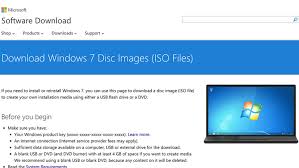
How to Download Windows 7 For Free: A Step-by-step Guide
Are you looking for a way to download Windows 7 for free? Look no further! This article will guide you through the process of downloading Windows 7 without spending a single penny.
Understanding The Current Situation
Before we dive into the details, it’s essential to understand that Windows 7 is no longer an officially supported operating system by Microsoft. This means that you won’t be able to download the complete version of Windows 7 from the official Microsoft website.
However, there are alternative solutions available that can help you get your hands on a legitimate copy of Windows 7 without paying for it.
Minimum Requirements
Before proceeding with the download, make sure your computer meets the minimum requirements for running Windows 7. These include:
- Processor: 1 GHz or more (64-bit or 32-bit)
- RAM: 2 GB (for 64-bit) or 1 GB (for 32-bit)
- Disk space: At least 20 GB (for 64-bit) or 16 GB (for 32-bit)
- Video card: A video card that supports DirectX 9 or later
Method 1: Downloading Windows 7 Using The Windows And Office Iso Download Tool
The first method involves using the Windows and Office ISO Download Tool, which is a free software provided by Microsoft. This tool allows you to download the original ISO images of Windows and Office without requiring a product key.
Here’s how to use it:
- Go to the official website of the Windows and Office ISO Download Tool.
- Click on the link “Windows ISO Downloader.Exe” to download the tool.
- Once downloaded, run the executable file and select the Italian language from the dropdown menu.
- Choose the edition of Windows 7 you want to download (e.G., Home Premium or Professional).
- Select the 64-bit or 32-bit version of Windows 7.
- Click on the “Confirm” button to initiate the download process.
Method 2: Downloading Windows 7 Using Rufus
The second method involves using Rufus, a free software that allows you to create a bootable USB drive with Windows 7 installed on it.
Here’s how to use it:
- Go to the official website of Rufus and download the portable version.
- Once downloaded, run the executable file and select the Italian language from the dropdown menu.
- Choose the edition of Windows 7 you want to download (e.G., Home Premium or Professional).
- Select the 64-bit or 32-bit version of Windows 7.
- Click on the “Confirm” button to initiate the download process.
Creating a Bootable Usb Drive
Once you have downloaded the ISO image of Windows 7, you can create a bootable USB drive using Rufus. Here’s how:
- Connect your USB drive to your computer.
- Run Rufus and select the device (your USB drive).
- Click on the “Settings” button and select the language and edition of Windows 7.
- Choose the ISO image you downloaded earlier.
- Click on the “Start” button to initiate the process.
Installing Windows 7
After creating a bootable USB drive, you can now install Windows 7 on your computer. Here’s how:
- Insert the USB drive into your computer.
- Restart your computer and enter the BIOS settings.
- Set the USB drive as the first boot device.
- Save the changes and exit the BIOS settings.
- Press a key to initiate the installation process.
Conclusion
Downloading Windows 7 for free is possible, but it requires some technical know-how and patience. Make sure you follow the steps outlined in this article carefully to avoid any issues during the download and installation process.
Frequently Asked Questions (FAQs)
- Is it Safe to Download Windows 7 From a Third-party Website?
No, it’s not recommended to download Windows 7 from a third-party website as it may contain viruses or malware.
- Can I Use Windows 7 on my New Computer?
Yes, you can use Windows 7 on your new computer if it meets the minimum requirements specified earlier.
- Do I Need to Purchase a Product Key For Windows 7?
Yes, you will need to purchase a product key for Windows 7 to activate it.
- Can I Upgrade From Windows 10 to Windows 7?
No, it’s not possible to upgrade from Windows 10 to Windows 7 as the two operating systems are incompatible.
- Is There a Difference Between Windows 7 Home Premium And Professional?
Yes, there are differences between Windows 7 Home Premium and Professional, including additional features and functionalities.
- Can I Use Rufus on my Mac?
No, Rufus is only compatible with Windows operating systems.
- How Long Does it Take to Download Windows 7?
The time it takes to download Windows 7 depends on the speed of your internet connection and the size of the ISO image.
- Can I Create a Bootable Usb Drive Using a Different Software?
Yes, you can use other software like WinToUSB or EasyBCD to create a bootable USB drive, but Rufus is the most recommended option.


