
How to Download Autocad Free: A Step-by-step Guide
Are you an aspiring designer or engineer looking to take your skills to the next level? Look no further than AutoCAD, a powerful computer-aided design (CAD) software that’s widely used in various industries. In this article, we’ll show you how to download AutoCAD free and get started with this incredible tool.
What is Autocad?
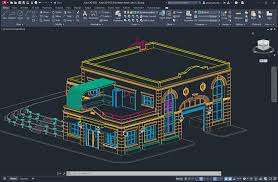
AutoCAD is a CAD software developed by Autodesk that allows users to create 2D and 3D designs, models, and prototypes using a wide range of tools and features. It’s widely used in various industries such as architecture, engineering, construction, product design, and more.
Why Download Autocad Free?
Downloading AutoCAD free is an excellent way to get started with the software without committing to a purchase. The free version allows you to test and explore the software’s features and functionality for 30 days. After that, you can choose to upgrade to a paid subscription or continue using the free version.
System Requirements
Before downloading AutoCAD, make sure your computer meets the minimum system requirements:
- Operating System: Windows 8.1 Or later (64-bit)
- Processor: At least 2.5 GHz
- RAM: At least 8 GB
- Disk Space: At least 7 GB free space
How to Download Autocad Free on PC
To download AutoCAD free on your PC, follow these steps:
- Go to the official Autodesk website and click on the “Download” button.
- Select the “Free Trial” option and choose the version of AutoCAD you want to download (e.G., AutoCAD 2023).
- Click on the “Download” button and select the language you prefer.
- Choose the file type (.Exe) and click on the “Save” button.
- Once the download is complete, run the installation file and follow the prompts to install AutoCAD.
How to Download Autocad Free on Mac
To download AutoCAD free on your Mac, follow these steps:
- Go to the official Autodesk website and click on the “Download” button.
- Select the “Free Trial” option and choose the version of AutoCAD you want to download (e.G., AutoCAD 2023 for Mac).
- Click on the “Download” button and select the language you prefer.
- Choose the file type (.Dmg) and click on the “Save” button.
- Once the download is complete, open the installer package and follow the prompts to install AutoCAD.
How to Download Autocad Free on Smartphone And Tablet
To download AutoCAD free on your smartphone or tablet, follow these steps:
- Go to the App Store (for iOS devices) or Google Play Store (for Android devices).
- Search for “AutoCAD” in the search bar.
- Select the app from the search results and click on the “Get” or “Install” button.
- Once the installation is complete, launch AutoCAD and follow the prompts to get started.
How to Get a Free Student License
As a student, you can get a free license for AutoCAD by following these steps:
- Go to the Autodesk website and click on the “Student and Education” tab.
- Select your country and institution from the drop-down menus.
- Fill out the registration form with your details.
- Upload your student ID or proof of enrollment.
- Once your identity is verified, you’ll receive an email with instructions to download AutoCAD.
Conclusion
Downloading AutoCAD free is a great way to get started with this powerful CAD software without committing to a purchase. Whether you’re a designer, engineer, or student, AutoCAD has something to offer. Remember to follow the system requirements and installation steps carefully to ensure a smooth experience.
Faqs
- What is The Difference Between The Free Trial And The Free Student License?
The free trial allows you to test AutoCAD for 30 days, while the free student license provides a full-year subscription for students. - Can I Use Autocad on my Mac or Linux Computer?
Yes, AutoCAD can be used on Macs and Linux computers, but you’ll need to download the specific version of AutoCAD compatible with your operating system. - How do I Upgrade From The Free Trial to a Paid Subscription?
You can upgrade to a paid subscription by purchasing an Autodesk account and following the prompts to update your license. - Can I Use Autocad on my Smartphone or Tablet?
Yes, AutoCAD is available as a mobile app for iOS and Android devices. - What Are The System Requirements For Running Autocad?
The minimum system requirements include Windows 8.1 Or later (64-bit), at least 2.5 GHz processor, at least 8 GB RAM, and at least 7 GB free space on disk. - How do I Get Technical Support For Autocad?
You can contact Autodesk’s technical support team through their website or by calling their customer service number. - Can I Use Autocad With Other Software Like Adobe Creative Cloud?
Yes, AutoCAD integrates seamlessly with other software like Adobe Creative Cloud, allowing you to import and export files between applications. - What Are The Benefits of Using Autocad For my Design Projects?
AutoCAD offers a wide range of tools and features that can help you create accurate 2D and 3D designs, prototypes, and models, making it an ideal choice for various industries.


