
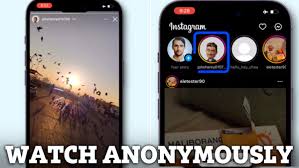
The Art of Sneaking Into Instagram Histories Without Being Seen
As an avid user of Instagram, you’ve likely stumbled upon the fascinating world of histories on this social media platform. From captivating stories to mouth-watering photos, Instagram’s histories have become a treasure trove of entertainment and inspiration. But, have you ever wondered how to see these histories without being seen? In this article, we’ll delve into the world of stealthy Instagram browsing and explore some clever solutions to help you achieve your goal.
The Challenge: Seeing Histories Without Being Seen
When it comes to seeing someone’s histories on Instagram, there are two primary concerns: Visibility and permission. The first issue is that many users don’t want their histories visible to just anyone, and the second concern is that even if they do allow you to see their histories, there might be certain content that they’d rather keep private.
Solution 1: Insta-stories
One of the most straightforward solutions to this problem is using Insta-Stories. This service allows you to view someone’s histories without them knowing, provided they’re public and not private. To use Insta-Stories:
- Head over to www.Instastories.Net on your web browser.
- Type the username of the person whose histories you want to see in the search bar.
- Select their profile from the results, and then click on the “Stories” tab.
- Browse through their histories, and if you find something interesting, you can even download it by clicking on the “Download” button.
Solution 2: Dumpor
Another solution is to use Dumpor, a third-party app that allows you to view Instagram histories without being seen. To use Dumpor:
- Download the Dumpor app from the App Store (for iOS devices) or Google Play Store (for Android devices).
- Open the app and type in the username of the person whose histories you want to see.
- Select their profile, and then click on the “Stories” tab.
- Browse through their histories, and if you find something interesting, you can even download it by clicking on the “Download” button.
Solution 3: Istory
For iPhone or iPad users, there’s another option called iStory. This app allows you to view Instagram histories without being seen, provided you have access to the account owner’s profile. To use iStory:
- Download the iStory app from the App Store.
- Open the app and sign in with your Instagram account.
- Type in the username of the person whose histories you want to see.
- Select their profile, and then click on the “Stories” tab.
- Browse through their histories, and if you find something interesting, you can even download it by clicking on the “Download” button.
The Alternative: Creating a Secondary Account
If none of these solutions work for you, or if you’re not comfortable using third-party apps, there’s another way to see someone’s Instagram histories without being seen. You can create a secondary account and add it to your Instagram app or the web version of the social media platform.
Step-by-step Guide: Creating a Secondary Account
- Open the Instagram app on your smartphone.
- Tap on your profile picture, and then select the “Settings” icon (represented by three horizontal lines).
- Scroll down to the bottom of the screen and tap on the “Add account” option.
- Follow the prompts to create a new account.
Step-by-step Guide: Adding a Secondary Account
- Open the Instagram app or web version on your device.
- Tap on your profile picture, and then select the “Settings” icon (represented by three horizontal lines).
- Scroll down to the bottom of the screen and tap on the “Add account” option.
- Select the secondary account you created earlier.
Conclusion
As we’ve seen in this article, there are several solutions for viewing Instagram histories without being seen. Whether it’s using Insta-Stories, Dumpor, iStory, or creating a secondary account, these options can help you achieve your goal while respecting the boundaries and preferences of others.
Frequently Asked Questions (FAQs)
- Can I See Private Instagram Histories?
No, unless the account owner has specifically shared their histories with you, it’s not possible to view private histories on Instagram.
2. Will Using Third-party Apps Compromise my Instagram Account Security?
Generally, no, but it’s essential to be cautious when downloading and installing any app from the App Store or Google Play Store.
3. Can I Use These Solutions to See Someone’s Instagram Stories Without Them Knowing?
Yes, provided their histories are public and not private, you can view them using Insta-Stories, Dumpor, or iStory.
4. Will Creating a Secondary Account Compromise my Primary Instagram Account Security?
No, as long as you follow the proper steps to create and manage your secondary account.
I hope this article has provided you with a clear understanding of how to see Instagram histories without being seen. Remember to always be respectful of others’ boundaries and preferences when browsing social media platforms like Instagram.


