
How to Contact a Blablacar Driver: A Step-by-step Guide
Are you planning to travel by car using the popular platform BlaBlaCar, but need to contact the driver before or after booking? Look no further! This article will guide you through the simple process of contacting a BlaBlaCar driver, both on your smartphone and computer.
Why Contact a Driver Before Booking?
Before making a booking, it’s essential to know more about the driver and the journey. Contacting the driver beforehand can give you peace of mind and help you make an informed decision. You might want to ask questions like “What is the route?”, “How many stops will we make?”, or “Is the vehicle comfortable?”.
Contacting a Driver Before Booking (Smartphone)
To contact a driver before booking, follow these steps:
- Open The Blablacar App: Download and install the BlaBlaCar app on your Android device or iPhone/iPad.
- Search For Your Route: Access the search feature by tapping on the “Search” icon in the menu bar. Enter your departure and arrival cities, as well as the date of travel.
- Select a Journey: Browse through the available journeys and select one that suits you.
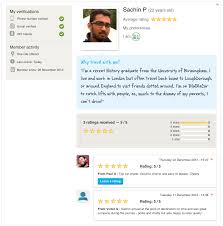
- View Driver Information: Tap on the driver’s profile to view their information, including their name, rating, and number of trips completed.
- Send a Private Message: Tap on the “Contatta” (Contact) button to send a private message to the driver.
Contacting a Driver Before Booking (Computer)
If you prefer to use your computer to book a journey, follow these steps:
- Visit The Blablacar Website: Access the BlaBlaCar website and log in to your account.
- Search For Your Route: Click on the “Search” button and enter your departure and arrival cities, as well as the date of travel.
- Select a Journey: Browse through the available journeys and select one that suits you.
- View Driver Information: Click on the driver’s profile to view their information, including their name, rating, and number of trips completed.
- Send a Private Message: Click on the “Contatta” (Contact) button to send a private message to the driver.
Contacting a Driver After Booking
After booking your journey and completing payment, you will receive an email with the driver’s contact information. You can use this to contact the driver by phone or SMS. Alternatively, you can access your BlaBlaCar account and view the driver’s contact details in the “Your Voyages” section.
Contacting a Driver After Booking (Smartphone)
To contact a driver after booking using your smartphone:
- Access Your Account: Open the BlaBlaCar app and log in to your account.
- View Your Voyages: Tap on the “Your Voyages” button to view your upcoming journeys.
- Select a Journey: Choose the journey you want to contact the driver for.
- View Driver Information: Tap on the driver’s profile to view their information, including their name and contact details.
- Send a Message: Tap on the “Contatta” (Contact) button to send a message to the driver.
Tips And Variations
- Make sure to keep an eye on your messages in the BlaBlaCar app or website to stay updated on any conversations with drivers.
- You can also access your conversation history by tapping on the “Messages” icon in the menu bar (smartphone) or clicking on the “Messages” tab (computer).
- If you need to contact a driver urgently, use the phone number provided to reach them directly.
Conclusion
Contacting a BlaBlaCar driver before or after booking is a straightforward process that can give you peace of mind and help you make informed decisions. By following these steps on your smartphone or computer, you can easily get in touch with your driver and ensure a smooth journey.


