
How to Speed Up Streaming: Tips And Tricks
Are you tired of buffering videos and slow streaming speeds? Look no further! In this article, we’ll explore the tips and tricks to help you speed up your streaming experience.
The Problem With Streaming
Streaming videos can be frustrating, especially when they buffer or pause frequently. This can be due to a variety of factors, including slow internet connections, poor server performance, or device limitations. However, there are ways to mitigate these issues and enjoy smoother streaming experiences.
Verify Your Internet Connection
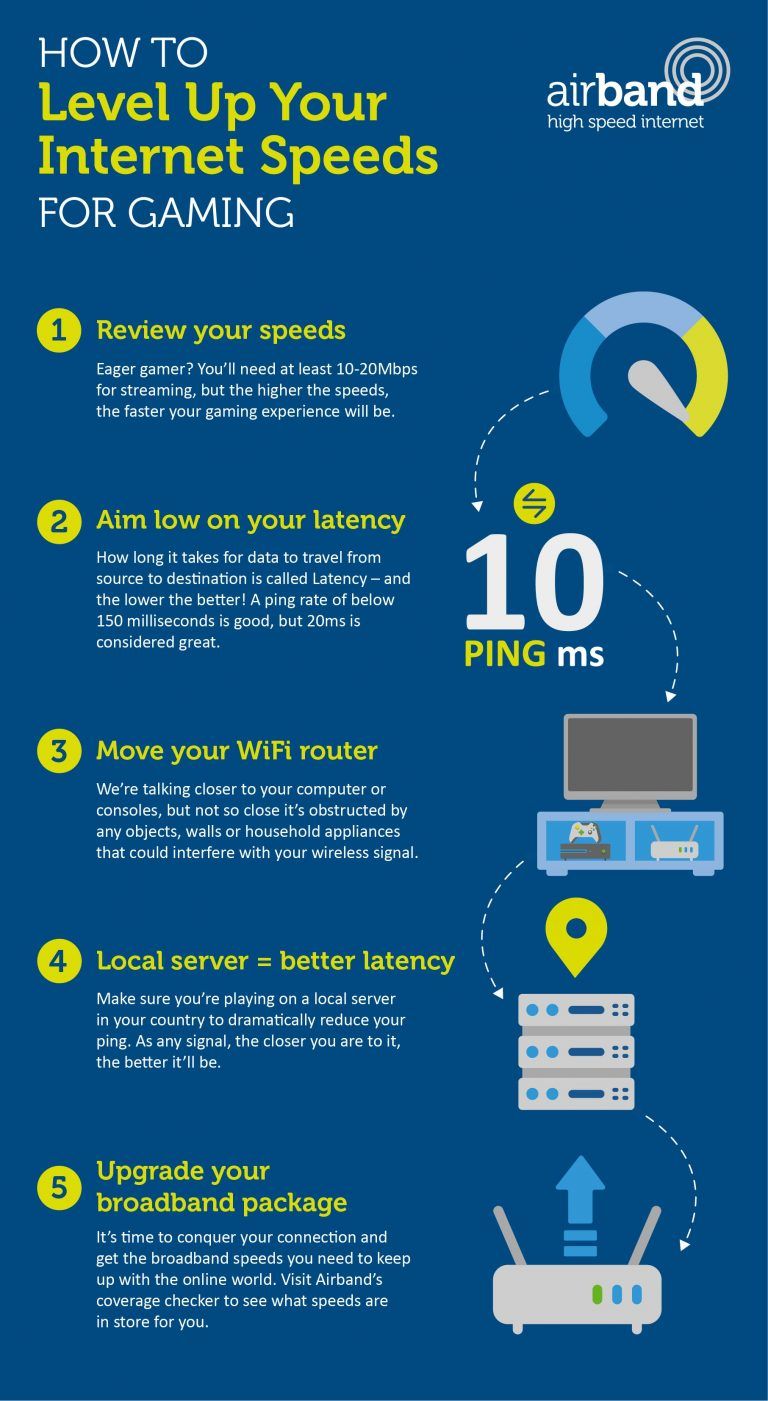
Before we dive into the solutions, let’s make sure your internet connection is up to par. Check your internet speed using online tools like Speedtest.Net or Fast.Com. This will give you an idea of whether your connection is fast enough to support smooth streaming.
Check Your Device And Router
Make sure your device (computer, smartphone, tablet) and router are not overloaded with too many devices connected at the same time. This can cause network congestion and slow down your streaming experience.
Use a Wired Connection
Using a wired Ethernet connection instead of Wi-Fi can significantly improve your streaming speeds. If you’re using a laptop or desktop computer, plug it directly into your router using an Ethernet cable.
Change Your Router’s Position
If you’re using a wireless connection, try changing the position of your router to get a stronger signal. Move it closer to where you’ll be streaming, or consider upgrading to a more powerful router.
Regulate Your Wi-fi Channel
Your router may be set to a channel that overlaps with other nearby networks, causing interference and slowing down your speeds. Use software like WiFi Analyzer to find the best channel for your network.
Other Tips For Speeding Up Streaming
- Close any resource-intensive programs or apps on your device while streaming.
- Pause the video before it starts playing and let it buffer for a few minutes to improve quality.
- Check your streaming app’s settings to see if there are options to adjust quality, resolution, or bitrate.
What Doesn’t Work
Don’t fall for scams that promise to speed up your streaming with special software or plugins. These can be malware-infested programs that compromise your device’s security.
Conclusion
Speeding up streaming requires a combination of good internet connectivity, optimal device and router settings, and smart usage habits. By following these tips and tricks, you’ll be able to enjoy smoother, buffer-free streaming experiences.
Frequently Asked Questions (FAQs)
- What Are The Most Effective Ways to Speed up Streaming?
- Using a wired Ethernet connection, changing your router’s position or Wi-Fi channel, regulating your Wi-Fi settings, and closing resource-intensive programs.
- Can I Use Streaming Apps on Multiple Devices at Once?
- Yes, but make sure each device has a strong internet connection and isn’t overloaded with other network traffic.
- Will Upgrading my Router Improve my Streaming Speeds?
- Possibly, depending on your current router’s capabilities and the number of devices connected to it.
- Can I Speed up Streaming by Using a Vpn or Proxy Server?
- No, these services can actually slow down your streaming experience due to added latency and encryption overhead.
- Are There Any Legitimate Software Programs That Can Speed up Streaming?
- None that we’re aware of. Be cautious of programs claiming to do so, as they may be malware-infested or scams.
Recommended Products
- TP-Link Powerline AV600 Kit for Ethernet connections
- ICZI Adapter USB C Ethernet Cable RJ45 1000Mbps Aluminum Gigabit
Final Thoughts
Streaming can be a wonderful way to enjoy your favorite shows and movies. By following these tips and tricks, you’ll be able to enjoy smoother, buffer-free streaming experiences.


