
Setting Up a Hotspot on Your Ps4: A Step-by-step Guide
Are you tired of being stuck indoors while your friends are out having fun online? Do you want to take your PlayStation 4 (PS4) with you wherever you go, but don’t have access to Wi-Fi? Look no further! In this article, we’ll show you how to set up a hotspot on your PS4, so you can play games and stream content anywhere.
What is a Hotspot?
A hotspot is a way of sharing your internet connection with other devices using a wireless network. This allows you to connect multiple devices to the internet at once, without the need for cables or a separate Wi-Fi router.
Benefits of Using a Hotspot on Your Ps4
Using a hotspot on your PS4 offers several benefits:
- Convenience: With a hotspot, you can take your PS4 with you wherever you go, without worrying about finding a nearby Wi-Fi network.
- Flexibility: A hotspot allows you to connect multiple devices to the internet at once, making it perfect for gaming sessions or streaming content.
- Cost-effective: Using a hotspot can be more cost-effective than buying a separate router and paying for a dedicated internet connection.
How to Set Up a Hotspot on Your Ps4
Setting up a hotspot on your PS4 is relatively easy. Here’s a step-by-step guide:
- Check if Your Phone Has a Hotspot Feature: Make sure that your phone has a hotspot feature, which allows it to share its internet connection with other devices.
- Enable The Hotspot Feature on Your Phone: Go to your phone’s settings and enable the hotspot feature. This will create a wireless network that you can connect to using your PS4.
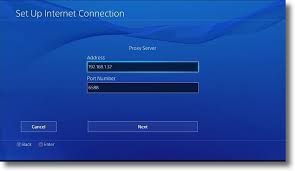
- Connect Your Ps4 to The Hotspot: On your PS4, go to the Settings menu and select “Network” > “Internet Connection”. Choose the name of the hotspot you created on your phone and enter the password.
- Test Your Connection: Once connected, test your internet connection by playing a game or streaming some content.
Tips And Tricks
Here are some tips and tricks to keep in mind when using a hotspot on your PS4:
- Make Sure Your Phone’s Battery is Fully Charged: A hotspot can consume a lot of power, so make sure your phone’s battery is fully charged before starting.
- Keep Your Phone Close to The Ps4: To maintain a strong connection, keep your phone close to the PS4 during use.
- Be Mindful of Data Usage: Using a hotspot can quickly eat up your data allowance, so be mindful of how much data you’re using and adjust your settings accordingly.
Conclusion
Setting up a hotspot on your PS4 is easy and convenient. With this guide, you should now be able to take your gaming experience with you wherever you go, without worrying about finding a nearby Wi-Fi network. Just remember to follow the tips and tricks outlined above to ensure a smooth and enjoyable experience.
Frequently Asked Questions
Here are some frequently asked questions that might help you better understand how to set up a hotspot on your PS4:
- Q: What is a Hotspot?
A: A hotspot is a way of sharing your internet connection with other devices using a wireless network. - Q: Why do I Need a Hotspot on my Ps4?
A: Using a hotspot on your PS4 offers several benefits, including convenience, flexibility, and cost-effectiveness. - Q: How do I Set up a Hotspot on my Ps4?
A: To set up a hotspot on your PS4, first check if your phone has a hotspot feature. Enable the hotspot feature on your phone, then connect your PS4 to the hotspot using the steps outlined above.
Still Have Questions?
If you have any further questions or concerns, feel free to ask!


