
Converting Music From Youtube: A Step-by-step Guide
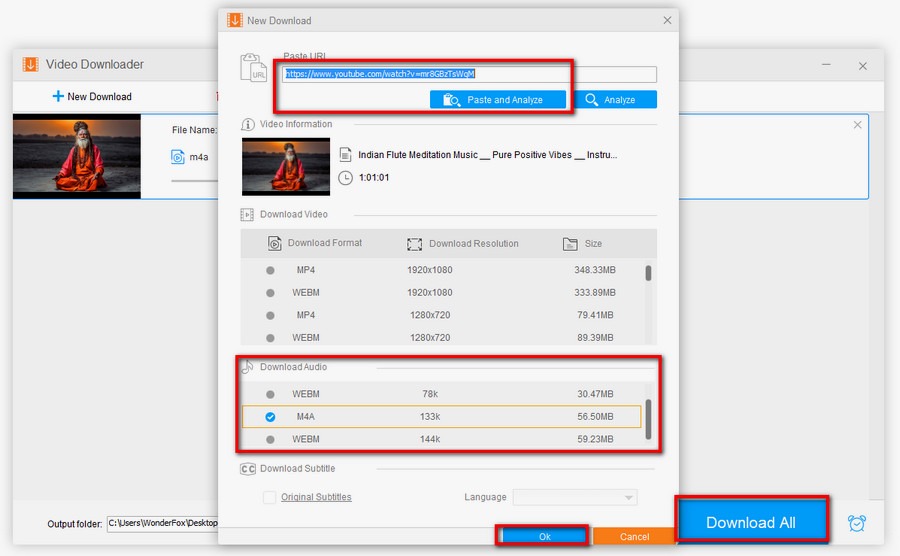
Are you a music lover who wants to save your favorite YouTube videos as music on your computer, smartphone, or tablet? Look no further! In this article, we’ll show you how to convert music from YouTube without compromising its quality.
Why Convert Music From Youtube?
Converting music from YouTube can be useful for several reasons:
- You want to listen to your favorite songs offline without using data.
- You don’t want to clutter your device’s memory with video files.
- You prefer to have a backup of your favorite songs in case they’re removed from YouTube.
Method 1: Using Youtube Music
The first and best method to convert music from YouTube is by using the YouTube Music app. This service allows you to stream music directly from YouTube, and it’s available on both computers and mobile devices.
- On your computer, go to www.Youtube.Com/music and sign in with your Google account.
- Select the song or album you want to download and click on the “Download” button.
- Choose the format you prefer (MP3, M4A, etc.) And save the file to your computer.
Method 2: Using Mediahuman Youtube Mp3 Converter
If you prefer to use a software to convert music from YouTube, MediaHuman YouTube MP3 Converter is an excellent option. This tool allows you to extract audio from YouTube videos and save it in various formats (MP3, OGG, M4A, etc.).
- Download the software from www.Mediahuman.Com and install it on your computer.
- Copy the URL of the YouTube video you want to convert and paste it into the converter’s window.
- Choose the output format and settings, and click “OK” to start the conversion process.
Method 3: Using 4K Youtube to Mp3
Another excellent software for converting music from YouTube is 4K YouTube to MP3. This tool allows you to extract audio from YouTube videos in high quality (up to 4K) and save it in various formats (MP3, M4A, OGG, etc.).
- Download the software from www.4Kyoutube.Com and install it on your computer.
- Copy the URL of the YouTube video you want to convert and paste it into the converter’s window.
- Choose the output format and settings, and click “OK” to start the conversion process.
Method 4: Using Online Services
If you don’t want to install software on your computer, there are several online services that can help you convert music from YouTube. Some popular options include:
- NoTube: A free online service that allows you to extract audio from YouTube videos and save it in various formats.
- VIDO: Another online service that offers audio extraction and conversion capabilities.
Method 5: Using Tubemate (Android)
If you have an Android device, you can use the TubeMate app to convert music from YouTube. This app allows you to download and convert YouTube videos directly on your device.
- Download the TubeMate app from the Google Play Store.
- Open the app and select the video you want to convert.
- Choose the output format and settings, and click “OK” to start the conversion process.
Method 6: Using Command (iOS)
If you have an iOS device, you can use the Command app to convert music from YouTube. This app allows you to extract audio from YouTube videos and save it in various formats.
- Download the Command app from the App Store.
- Open the app and select the video you want to convert.
- Choose the output format and settings, and click “OK” to start the conversion process.
Conclusion
Converting music from YouTube can be a great way to enjoy your favorite songs offline or on-the-go. By using one of the methods outlined in this article, you can easily extract audio from YouTube videos and save it in various formats.
Frequently Asked Questions (FAQs)
- What is The Best Method For Converting Music From Youtube?
The best method for converting music from YouTube is to use the YouTube Music app. This service allows you to stream music directly from YouTube, and it’s available on both computers and mobile devices.
- Can I Convert Music From Youtube on my Android Device?
Yes, you can convert music from YouTube on your Android device using the TubeMate app.
- How do I Use Command (iOS) to Convert Music From Youtube?
To use Command (iOS), download the app from the App Store and follow the instructions outlined in this article.
- Can I Convert Music From Youtube Online Without Installing Software?
Yes, there are several online services that can help you convert music from YouTube. Some popular options include noTube and VIDO.
- How do I Ensure That my Converted Music is of High Quality?
To ensure that your converted music is of high quality, choose a method that allows you to extract audio in high definition (HD) or 4K resolution.
- Can I Convert Music From Youtube on Multiple Devices at Once?
Yes, some methods allow you to convert music from YouTube on multiple devices simultaneously.
- How do I Backup my Converted Music Files?
To backup your converted music files, save them in a cloud storage service like Google Drive or Dropbox.
- Can I Use Converted Music From Youtube For Commercial Purposes?
No, converted music from YouTube should not be used for commercial purposes unless you have explicit permission from the copyright holder.
By following these steps and using one of the methods outlined above, you can easily convert music from YouTube and enjoy your favorite songs offline or on-the-go!


