
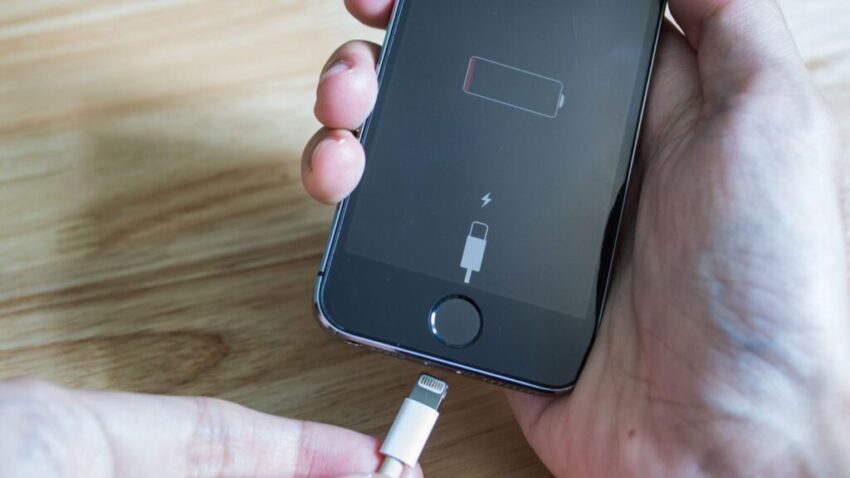
Lighting a Phone That Won’t Light: Causes And Solutions
Are you tired of trying to light your phone, only to have it fail to turn on? You’re not alone. Many smartphone users face this frustrating issue, but don’t worry – we’ve got the solutions for you.
In this article, we’ll explore the possible causes of a phone that won’t light and provide practical steps to resolve the problem. Whether your phone is an Android or iPhone, we’ll cover the most common issues and offer expert advice on how to get it up and running again.
Common Causes of a Phone That Won’t Light
- Boot Loop: A boot loop occurs when your phone gets stuck in a continuous cycle of starting and shutting down.
- Broken Monitor: If your phone’s display is cracked or damaged, it may not light up properly.
- Battery Issues: A dead or malfunctioning battery can prevent your phone from turning on.
- Under-voltage: An under-voltage occurs when the battery level drops too low, causing the phone to shut down.
Solutions For a Phone That Won’t Light
Boot Loop Solution
If your phone is stuck in a boot loop, try these steps:
- Press and hold the power button for 30 seconds.
- Release the power button and wait for 10 minutes.
- Try turning on your phone again.
If this doesn’t work, you may need to perform a factory reset or seek professional help.
Broken Monitor Solution
If your phone’s display is broken, it’s likely that the issue lies with the screen itself. In this case:
- Contact a authorized service center for repair.
- Consider purchasing a new phone if the repair costs are too high.
Battery Issues Solution
To troubleshoot battery issues:
- Check if your phone’s battery is removable and replaceable.
- Try charging your phone using a different charger or cable.
- If the issue persists, consider replacing the battery or seeking professional help.
Under-voltage Solution
If you suspect an under-voltage issue:
- Avoid using your phone until it reaches 50% charge level.
- Try charging your phone for several hours to see if it resolves the issue.
Other Common Problems And Solutions
- Dirty Charging Port: Clean the charging port with a soft brush or cloth to ensure proper contact.
- Faulty Charger or Cable: Replace the charger or cable with a new one to rule out any issues.
- Hardware Damage: If your phone has suffered physical damage, it may be best to seek professional help.
Conclusion
Lighting a phone that won’t light can be frustrating, but by following these steps and solutions, you should be able to resolve the issue. Remember to always try the simplest troubleshooting methods first before seeking more advanced assistance. Don’t hesitate to reach out if you need further guidance or clarification on any of the above points.
Faqs
- Q: What is a Boot Loop?
A: A boot loop occurs when your phone gets stuck in a continuous cycle of starting and shutting down. - Q: How do I Fix a Broken Monitor?
A: Contact an authorized service center for repair or consider purchasing a new phone if the repair costs are too high. - Q: What Causes Under-voltage Issues?
A: An under-voltage occurs when the battery level drops too low, causing the phone to shut down. - Q: Can I Replace my Phone’s Battery Myself?
A: Yes, but only if your phone has a removable and replaceable battery. - Q: What Should I do if my Phone Still Won’t Light up After Trying All These Solutions?
A: Seek professional help from an authorized service center or consider purchasing a new phone.


