
How to Fill a Form in Pdf on Pc: A Step-by-step Guide
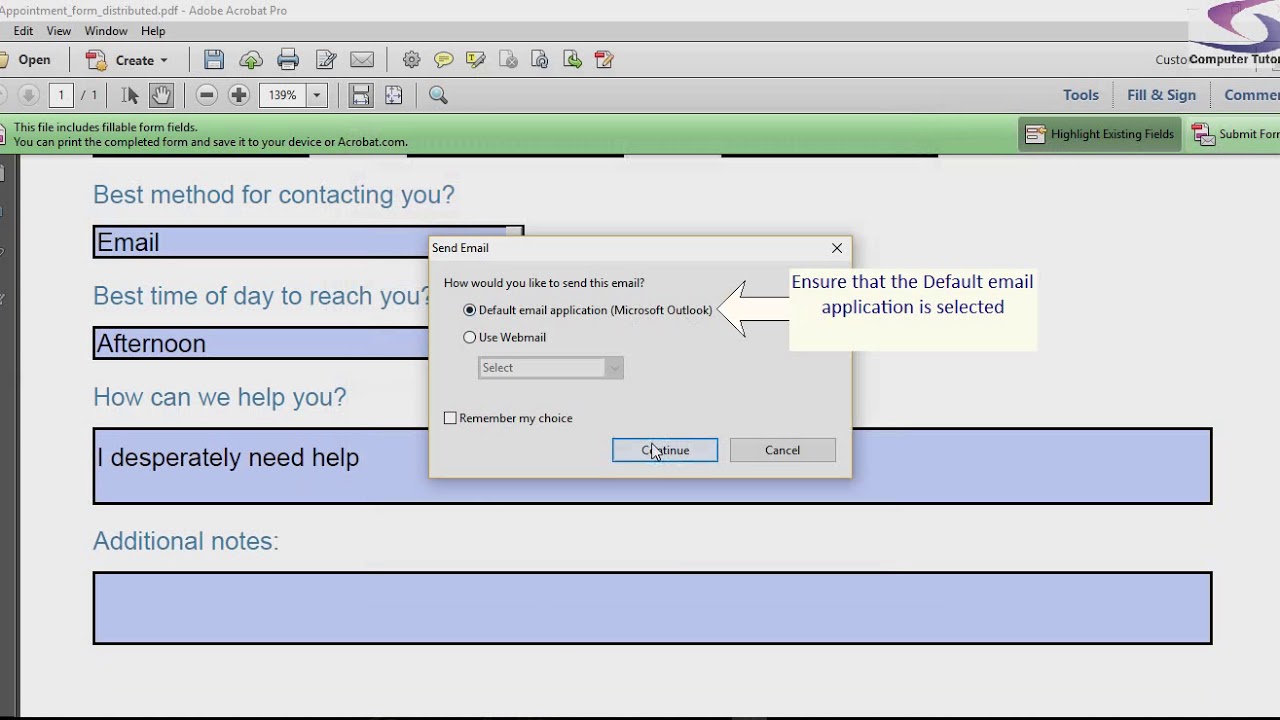
Are you tired of struggling to fill out forms in PDF format? Do you wish there was an easier way to complete these digital documents without the hassle of printing or scanning them? Look no further! In this article, we will guide you through the process of filling a form in PDF on your PC, using various software and apps.
Introduction
Filling out forms in PDF format can be a daunting task, especially if you’re not familiar with the software or app required to do so. However, with the right tools and a bit of practice, it’s easier than ever to complete these digital documents. In this article, we’ll show you how to fill a form in PDF on your PC using Adobe Acrobat Reader, Foxit PDF Reader, and other programs.
Adobe Acrobat Reader: The Official Pdf Reader
If you’re looking for the most popular and widely-used PDF reader, look no further than Adobe Acrobat Reader. This software is free to download and offers a range of features that make it easy to fill out forms in PDF format.
How to Fill a Form in Adobe Acrobat Reader
- Download and install Adobe Acrobat Reader on your PC.
- Open the PDF file containing the form you want to fill out.
- Click on the “Fill & Sign” tool located in the top toolbar.
- Select the fields you want to fill out and type in the required information.
- Save the completed form as a new PDF document.
Foxit Pdf Reader: A Valid Alternative
If Adobe Acrobat Reader isn’t your cup of tea, Foxit PDF Reader is another excellent option. This software offers many of the same features as Adobe, including the ability to fill out forms in PDF format.
How to Fill a Form in Foxit Pdf Reader
- Download and install Foxit PDF Reader on your PC.
- Open the PDF file containing the form you want to fill out.
- Click on the “Fill & Sign” tool located in the top toolbar.
- Select the fields you want to fill out and type in the required information.
- Save the completed form as a new PDF document.
Other Programs For Filling Out Forms in Pdf
If Adobe Acrobat Reader and Foxit PDF Reader aren’t to your liking, there are other programs available that can help you fill out forms in PDF format. Some of these include:
- Wondershare PDFelement: A powerful PDF editor that allows you to fill out forms and sign documents.
- PDFill Free PDF Editor: A free program that offers a range of features for editing and filling out PDF files.
- Trailer: A universal reader for macOS that allows you to fill out forms and sign documents.
How to Fill Out Forms in Pdf on Smartphone And Tablet
If you’re looking to fill out forms in PDF format on your smartphone or tablet, there are several apps available that can help. Some of these include:
- Adobe Fill & Sign: A mobile app that allows you to fill out forms and sign documents using your Android or iOS device.
- Foxit PDF Editor: A mobile app that offers many of the same features as the desktop version, including the ability to fill out forms and sign documents.
How to Use Adobe Fill & Sign
- Download and install the Adobe Fill & Sign app on your smartphone or tablet.
- Open the PDF file containing the form you want to fill out.
- Select the fields you want to fill out and type in the required information.
- Create a signature by drawing or typing in your name.
- Save the completed form as a new PDF document.
How to Use Foxit Pdf Editor
- Download and install the Foxit PDF Editor app on your smartphone or tablet.
- Open the PDF file containing the form you want to fill out.
- Select the fields you want to fill out and type in the required information.
- Create a signature by drawing or typing in your name.
- Save the completed form as a new PDF document.
Conclusion
Filling out forms in PDF format doesn’t have to be a hassle anymore! With these easy-to-use software and apps, you can complete digital documents with ease. Whether you’re using Adobe Acrobat Reader, Foxit PDF Reader, or another program, we’ve got you covered. So why wait? Start filling out those forms today!
Faqs
- Q: What is The Best Software For Filling Out Forms in Pdf?
A: The best software for filling out forms in PDF depends on your personal preferences and needs. Adobe Acrobat Reader and Foxit PDF Reader are popular options. - Q: Can I Fill Out Forms in Pdf on my Smartphone or Tablet?
A: Yes, there are several apps available that allow you to fill out forms in PDF format on your mobile device, including Adobe Fill & Sign and Foxit PDF Editor. - Q: How do I Create a Signature For Filling Out Forms in Pdf?
A: You can create a signature by drawing or typing in your name using the software or app of your choice. - Q: Can I Save The Completed Form as a New Pdf Document?
A: Yes, most software and apps allow you to save the completed form as a new PDF document for future reference. - Q: What Other Programs Are Available For Filling Out Forms in Pdf?
A: There are several other programs available that can help you fill out forms in PDF format, including Wondershare PDFelement, PDFill Free PDF Editor, and Trailer.


