
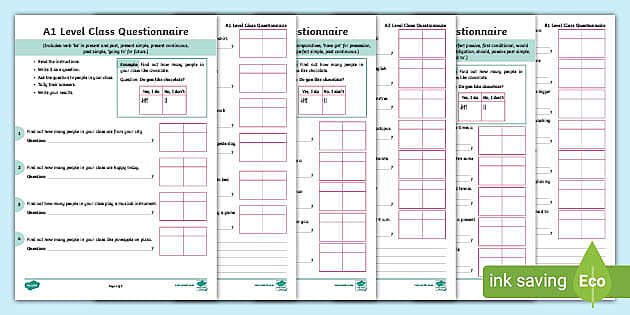
Creating Effective Questionnaires: A Guide
As an educator or researcher, you may have encountered situations where you need to create questionnaires to assess knowledge, attitudes, or behaviors of your students or participants. However, designing effective questionnaires can be a daunting task, especially if you are new to this field. In this article, we will explore the different tools and software available for creating questionnaires, both offline and online.
Why Use Questionnaire Software?
Using questionnaire software can save you time and effort in designing and administering your surveys. These tools provide a user-friendly interface, allowing you to create complex questionnaires with multiple answer options, scales, and other features. Additionally, many questionnaire software programs offer features such as randomization, scoring, and data analysis.
Offline Questionnaire Software
If you prefer to work offline or need to create questionnaires for a specific platform, there are several software options available:
- Quizfaber: This Windows-based software is designed specifically for creating quizzes and questionnaires. It offers a user-friendly interface and features such as randomization, scoring, and data analysis.
- Question Writer: Another Windows-based software, Question Writer allows you to create multiple-choice questions with various answer options and scales. It also provides features such as randomization and scoring.
- Hotpotatoes: A suite of applications that integrates a quiz maker tool, HotPotatoes is compatible with Windows systems. It offers features such as randomization, scoring, and data analysis.
Online Questionnaire Software
If you prefer to work online or need to create questionnaires for web-based platforms, there are several options available:
- Google Forms: A free online application developed by Google, Google Forms allows you to create surveys, quizzes, and forms with various features such as randomization, scoring, and data analysis.
- Surveymonkey: A popular online survey tool, SurveyMonkey offers a range of features such as randomization, scoring, and data analysis. It also provides options for creating multiple-choice questions with various answer options and scales.
- Microsoft Forms: Developed by Microsoft, Microsoft Forms is a online application that allows you to create surveys, quizzes, and forms with various features such as randomization, scoring, and data analysis.
Mobile App Questionnaire Software
If you need to create questionnaires for mobile devices or prefer to work on-the-go, there are several mobile app options available:
- Panquiz!: A free mobile app that allows you to create quizzes and questionnaires with various features such as randomization, scoring, and data analysis.
- Kahoot!: A popular mobile app designed for creating educational and fun quizzes, Kahoot! offers features such as randomization, scoring, and data analysis.
- Quizzer: A free mobile app that allows you to create quizzes and questionnaires with various features such as randomization, scoring, and data analysis.
Conclusion
Creating effective questionnaires is a crucial step in assessing knowledge, attitudes, or behaviors of students or participants. With the availability of questionnaire software both offline and online, you can choose the tool that best suits your needs. Whether you prefer to work on a desktop computer, laptop, tablet, or mobile device, there’s a questionnaire software out there for you.
Frequently Asked Questions
- What are some popular offline questionnaire software options?
- QuizFaber, Question Writer, and HotPotatoes.
- Which online questionnaire software is free to use?
- Google Forms and SurveyMonkey have free versions, while Microsoft Forms offers a free trial period.
- Are there any mobile app questionnaire software available?
- Yes, PanQuiz!, Kahoot!, Quizzer, and Creator of test are some popular options.
- Can I create questionnaires on multiple platforms?
- Yes, many questionnaire software programs allow you to export your surveys in various formats for use on different platforms.
I hope this guide has been helpful in choosing the right questionnaire software for your needs. If you have any further questions or concerns, please don’t hesitate to reach out.


