
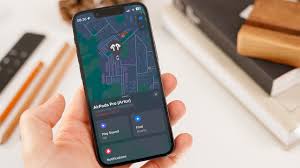
How to Find Your Lost Android Phone: A Comprehensive Guide
Are you one of those people who have forgotten their smartphone at a friend’s house or in a public venue? Losing your phone can be a nightmare, especially if it contains important data. In this article, we will show you how to find your lost Android phone using various methods and apps.
Why Use an App to Find Your Phone
Using an app to find your phone is a great way to prevent losing your device in the first place. Many smartphones come with pre-installed anti-theft systems that allow you to locate and command your device remotely. However, if you don’t have one of these apps installed on your phone, you can download a third-party app to help you find it.
How to Find Your Phone Using Google’s System
Google’s system is one of the most popular methods for finding lost phones. To use this method, you need to:
- Associate Your Android Device With Your Google Account: Go to Settings > Account > Google and ensure that your phone is associated with your Google account.
- Enable Location Services: Go to Settings > Location and ensure that it’s turned on.
- Sign in to The Google Find My Device Page: Using another device, sign in to the Google Find My Device page using your Google account credentials.
- Select Your Device From The List of Connected Devices: If you have multiple devices associated with your Google account, select the one that’s lost.
Using Other Apps to Find Your Phone
There are several other apps available that can help you find your phone, including:
- Find Personal Device (Samsung): This app is specifically designed for Samsung phones and allows you to locate and command your device remotely.
- Find Device (Xiaomi): This app is pre-installed on Xiaomi smartphones and allows you to locate and command your device remotely.
- Find Device (Huawei): This app is pre-installed on Huawei smartphones and allows you to locate and command your device remotely.
Using Third-party Apps
While it’s recommended to use the built-in anti-theft systems, third-party apps can also be useful in finding your phone. Some popular third-party apps include:
- Prey: This app allows you to track and locate your device remotely.
- Cerberus: This app offers a range of features, including device tracking, remote wipe, and lock.
What to Do If Your Phone is Stolen
If your phone has been stolen, it’s essential to act quickly. Here are some steps you can take:
- Report The Theft: Inform your local authorities about the theft.
- Block Your Phone’s Imei And Sim: Contact your network provider to block your phone’s IMEI and SIM.
- Use a Third-party App to Locate Your Device: If your phone has an active internet connection, you can use a third-party app to try and locate it.
Conclusion
Losing your phone can be a stressful experience, but with the right tools and knowledge, you can increase the chances of recovering it. By using Google’s system or other apps, you can locate and command your device remotely. Remember to always act quickly if your phone is stolen, and don’t hesitate to reach out for help.
Frequently Asked Questions
- Q: How do I Find my Lost Android Phone?
A: You can use Google’s Find My Device system or other apps like Find personal device (Samsung), Find device (Xiaomi), or Find device (Huawei). - Q: What if my Phone is Turned Off?
A: If your phone is turned off, you may still be able to find its last known location using Google’s Find My Device system. - Q: How do I Block my Stolen Phone’s Imei And Sim?
A: Contact your network provider to report the theft and request that they block your phone’s IMEI and SIM. - Q: What if I Don’t Have a Pre-installed Anti-theft System on my Phone?
A: You can download a third-party app, such as Prey or Cerberus, to help you locate and command your device remotely. - Q: Can I Use These Apps to Find my Phone Even if It’s Not Connected to The Internet?
A: No, you need an active internet connection for these apps to work. - Q: How do I Prevent Losing my Phone in The First Place?
A: You can install a pre-installed anti-theft system or use a third-party app to help you locate and command your device remotely.
Table 1: Comparison of Different Anti-theft Systems
| Google’s Find My Device | Find personal device (Samsung) | Find device (Xiaomi) | |
|---|---|---|---|
| Ease of Use | High | Medium | Low |
| Compatibility | Android devices only | Samsung phones only | Xiaomi smartphones only |
| Features | Remote wipe, lock, and locate | Remote wipe, lock, and locate | Remote wipe, lock, and locate |
Table 2: Comparison of Third-party Apps
| Prey | Cerberus | |
|---|---|---|
| Ease of Use | High | Medium |
| Compatibility | Android devices only | Android devices only |
| Features | Device tracking, remote wipe, and lock | Device tracking, remote wipe, and lock |
Table 3: Comparison of Different Methods For Finding a Stolen Phone
| Google’s Find My Device | Third-party apps (Prey or Cerberus) | |
|---|---|---|
| Ease of Use | High | Medium |
| Effectiveness | High | Medium to low |
Note: The effectiveness of using third-party apps depends on the app and your specific situation.


