
How to Conceal Programs in Execution on Windows And Mac
Are you tired of your boss or colleagues snooping around on your computer while you’re working? Do you want to keep your browsing history private? Look no further! In this article, we’ll show you how to conceal programs in execution on both Windows and Mac.
Understanding The Concept
Concealing programs in execution means hiding the open windows and applications running on your desktop. This can be useful for various reasons, such as:
- Maintaining privacy while working
- Hiding sensitive information from others
- Reducing distractions while focusing on a task
Methods to Conceal Programs on Windows
1. Using Keyboard Shortcuts
On Windows, you can use the following keyboard shortcuts to conceal programs in execution:
- To minimize all open windows:
Win + M - To restore all minimized windows:
Win + Shift + M - To show the desktop and hide all windows:
Win + D
2. Creating Virtual Desktops
If you’re using Windows 10, you can create virtual desktops to conceal programs in execution. This way, you can have multiple desktops with different sets of open applications.
To create a new virtual desktop:
- Click on the icon with the square and two rectangles (located in the lower left corner of the taskbar)
- Select “New desktop” from the context menu
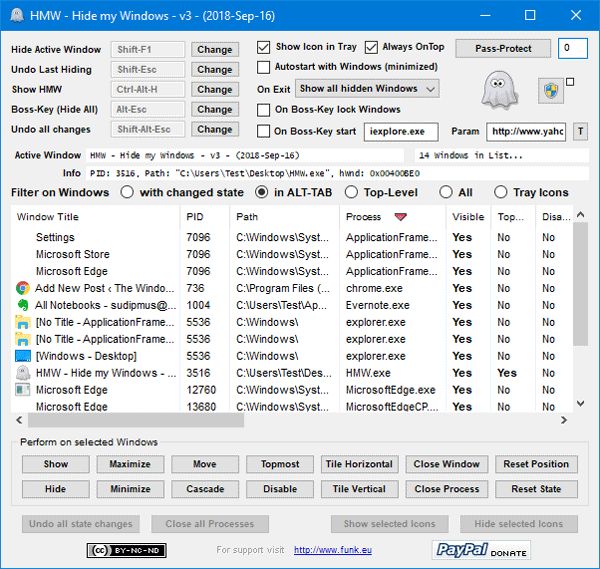
3. Using Software to Conceal Programs
If you’re not satisfied with the default methods, you can use software like Clicky Gone to conceal programs in execution. This program allows you to hide all active windows and silence sounds on your computer.
Methods to Conceal Programs on Mac
1. Using Keyboard Shortcuts And Gestures
On a Mac, you can use the following keyboard shortcuts and gestures to conceal programs in execution:
- To minimize all open windows:
Cmd + Option + Click - To hide all windows except the frontmost one:
Cmd + H - To show the desktop and hide all windows:
Cmd + F3orFn + F11
2. Using Mission Control
Mission Control is a feature on Mac that allows you to switch between different desktops and applications. You can use it to conceal programs in execution by:
- Swiping up with three fingers on the trackpad
- Clicking on the Mission Control icon (located in the dock)
- Selecting “Desktop” from the menu
3. Creating Virtual Desktops
You can also create virtual desktops on a Mac to conceal programs in execution.
To create a new virtual desktop:
- Swipe up with three fingers on the trackpad
- Click on the Mission Control icon (located in the dock)
- Select “New desktop” from the context menu
Conclusion
Concealing programs in execution can be useful for various reasons, including maintaining privacy and reducing distractions while working. We’ve shown you how to do this on both Windows and Mac using keyboard shortcuts, creating virtual desktops, and software like Clicky Gone.
Whether you’re a student, professional, or just someone who likes to keep their browsing history private, these methods can help you achieve your goals.
Frequently Asked Questions
- What is Concealing Programs in Execution?
Concealing programs in execution means hiding the open windows and applications running on your desktop. - How do I Conceal Programs on Windows?
You can use keyboard shortcuts likeWin + Mto minimize all open windows, or create virtual desktops using Windows 10’s feature. - How do I Conceal Programs on a Mac?
You can use keyboard shortcuts and gestures likeCmd + Option + Clickto hide all windows except the frontmost one. - What Software Can I Use to Conceal Programs on Windows?
Clicky Gone is a popular software that allows you to hide all active windows and silence sounds on your computer. - Can I Create Virtual Desktops on a Mac?
Yes, you can create virtual desktops on a Mac using Mission Control or by swiping up with three fingers on the trackpad. - How do I Switch Between Virtual Desktops on Windows?
You can use keyboard shortcuts likeWin + Ctrl + Right arrowto switch between virtual desktops. - Can I Conceal Only One Window at a Time?
Yes, you can use software like Clicky Gone to conceal only one window at a time. - How do I Show The Desktop And Hide All Windows on Windows or Mac?
You can use keyboard shortcuts likeWin + Don Windows orCmd + F3orFn + F11on Mac to show the desktop and hide all windows.


