
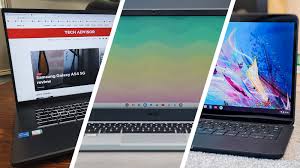
The Ultimate Guide to Buying a Chromebook: A Comprehensive Review
Are you in the market for a new laptop, but not sure which one to choose? Look no further than the Chromebook! In this article, we’ll delve into the world of Chromebooks and provide you with a comprehensive guide on how to choose the perfect one for your needs.
What is a Chromebook?
A Chromebook is a type of laptop that runs on Google’s Chrome OS operating system. It’s designed to be lightweight, easy to use, and secure, making it an ideal choice for students, professionals, and anyone in between.
Benefits of a Chromebook
Before we dive into the details, let’s take a look at some of the benefits of owning a Chromebook:
- Lightweight And Portable: Chromebooks are designed to be lightweight and easy to carry around, making them perfect for students or professionals who need to work on-the-go.
- Fast And Efficient: Chromebooks use Google’s Chrome OS operating system, which is designed to be fast and efficient. You can expect a smooth browsing experience and quick loading times.
- Secure: Chromebooks come with built-in security features such as automatic updates, virus protection, and encryption, making them a secure choice for sensitive data.
Choosing The Right Chromebook
With so many options available in the market, choosing the right Chromebook can be overwhelming. Here are some factors to consider:
Format
Chromebooks come in various formats, including:
- Notebook: A classic laptop design with a flat base and a separate screen.
- Ultrabook: A slim and lightweight version of the notebook.
- Convertible: A laptop that can be converted into a tablet by rotating the screen.
- 2-In-1: A device that combines the features of a laptop and a tablet.
Display
When choosing a Chromebook, consider the display size, resolution, and finish. Some popular options include:
- HD: A standard 720p display.
- Full HD: A higher-resolution display with 1080p resolution.
- 4K: The highest-resolution display available on some Chromebooks.
Cpu
The CPU is the brain of your Chromebook, responsible for processing tasks and executing instructions. Some popular options include:
- Intel Celeron: A budget-friendly option that’s suitable for basic tasks.
- Intel Core I3/i5: More powerful processors that can handle demanding tasks.
- Amd Ryzen: Another popular option from AMD.
Ram
The amount of RAM determines how many applications you can run simultaneously. Some Chromebooks offer:
- 4GB: A standard 4GB of RAM for basic tasks.
- 8GB: A higher-capacity RAM option that’s suitable for more demanding tasks.
- 16GB: The highest capacity option available on some Chromebooks.
Storage
Chromebooks come with various storage options, including:
- Emmc: A built-in storage system that’s compact and efficient.
- Ssd: A solid-state drive that offers faster loading times and greater storage capacity.
Comparison of Popular Chromebook Models
Here are some popular Chromebook models on the market today:
HP Chromebook 14a-na0004sl
The HP Chromebook 14a-na0004sl is a budget-friendly option with a 14-inch display, Intel Celeron processor, and 4GB of RAM. It’s perfect for basic tasks like browsing, emailing, and streaming.
- Price: Starting at $299
- Weight: 1.46 Kg
- Battery Life: Up to 12 hours
Samsung Galaxy Chromebook Go
The Samsung Galaxy Chromebook Go is a stylish option with a 14-inch display, Intel Celeron processor, and 4GB of RAM. It’s designed for everyday use and offers a comfortable keyboard.
- Price: Starting at $349
- Weight: 1.2 Kg
- Battery Life: Up to 12 hours
Asus Chromebook Cx1
The ASUS Chromebook CX1 is a more powerful option with a 14-inch display, Intel Core i3 processor, and 8GB of RAM. It’s suitable for demanding tasks like video editing and photo processing.
- Price: Starting at $499
- Weight: 1.47 Kg
- Battery Life: Up to 11 hours
Conclusion
Choosing the right Chromebook can be overwhelming with so many options available on the market today. By considering factors like format, display, CPU, RAM, and storage, you’ll be able to find a device that meets your specific needs.
Remember, if you’re looking for a budget-friendly option for basic tasks, the HP Chromebook 14a-na0004sl or Samsung Galaxy Chromebook Go might be the perfect choice. However, if you need something more powerful for demanding tasks, the ASUS Chromebook CX1 could be the way to go!
Frequently Asked Questions
Q: What is a Chromebook?
A: A Chromebook is a type of laptop that runs on Google’s Chrome OS operating system.
Q: What are the benefits of owning a Chromebook?
A: Benefits include lightweight and portable design, fast and efficient performance, and secure features like automatic updates and virus protection.
Q: How do I choose the right Chromebook?
A: Consider factors like format (notebook, ultrabook, convertible), display size and resolution, CPU (Intel Celeron, Intel Core i3/i5, AMD Ryzen), RAM (4GB, 8GB, 16GB), and storage (eMMC, SSD).
Q: What is the price range for Chromebooks?
A: Prices start at around $300 for budget-friendly options like the HP Chromebook 14a-na0004sl and go up to over $500 for more powerful devices like the ASUS Chromebook CX1.
Q: How long do Chromebooks last on a single charge?
A: Battery life varies depending on usage, but you can expect up to 12 hours of battery life from most Chromebooks.
Additional Resources
- Chrome OS Support: For technical support and troubleshooting guides.
- Amazon Shopping Guide: For more information on purchasing a Chromebook from Amazon.


