
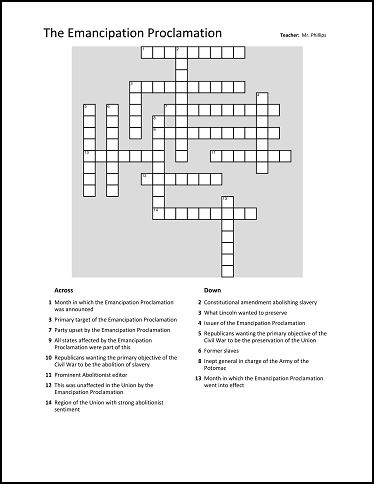
How to Create a Customized Crossword Puzzle on Your Computer
Are you a fan of crosswords? Do you want to create your own customized crossword puzzle with words that interest you? Look no further! In this article, we will guide you through the process of creating a customized crossword puzzle on your computer.
Why Create a Customized Crossword Puzzle?
Creating a customized crossword puzzle is a fun and engaging way to exercise your brain. You can choose the words that interest you the most, from science and history to literature and pop culture. By creating your own crossword puzzle, you can also tailor it to your level of difficulty, making it easier or harder depending on your preference.
Tools For Creating a Customized Crossword Puzzle
There are several tools available that can help you create a customized crossword puzzle. Here are some options:
- Microsoft Word: Yes, you read that right! Microsoft Word is a great tool for creating crosswords. With its built-in templates and features, you can easily design and print your own crossword puzzle.
- Online Crossword Makers: There are several online tools available that allow you to create customized crosswords without having to download any software. These tools usually offer a range of templates and features to help you get started.
- Crossword Compiler: This is a paid tool that offers advanced features for creating crosswords, including the ability to add images and custom designs.
Step-by-step Guide to Creating a Crossword Puzzle on Microsoft Word
Here’s a step-by-step guide to creating a crossword puzzle on Microsoft Word:
- Open Microsoft Word: Open Microsoft Word on your computer and click on “File” > “New” to create a new document.
- Choose The Template: Choose the template for your crossword puzzle by clicking on “File” > “New” and selecting the “Crossword” option from the list of templates.
- Customize Your Crossword: Customize your crossword by adding words, clues, and other features as desired.
- Add Words: Add words to your crossword by typing them into the grid. You can also use the built-in dictionary feature to find words that fit your theme.
- Add Clues: Add clues for each word by typing them in the corresponding box. Make sure to leave space for the answer below!
- Save And Print: Save and print your crossword puzzle when you’re finished.
Other Programs For Creating a Crossword Puzzle
If you prefer not to use Microsoft Word, there are other programs available that can help you create a customized crossword puzzle. Here are some options:
- Qxw (Windows): This is a free program that allows you to create crosswords with custom designs and templates.
- Eclipsecrossword (Windows): This is another free program that offers advanced features for creating crosswords, including the ability to add images and custom designs.
- Puzzlemaker (macOS): This is a paid tool that offers a range of features for creating crosswords, including the ability to print and export your puzzle.
Creating a Crossword Puzzle Online
If you prefer not to download any software, there are several online tools available that can help you create a customized crossword puzzle. Here’s how:
- Crossword Puzzle Maker: This is an online tool that allows you to create crosswords with custom designs and templates.
- Educolor.It: This is another online tool that offers advanced features for creating crosswords, including the ability to add images and custom designs.
Tips And Tricks
Here are some tips and tricks to keep in mind when creating your own crossword puzzle:
- Choose Your Theme Wisely: Choose a theme that you’re passionate about, as this will make it more fun to create.
- Keep It Simple: Don’t be afraid to start simple and gradually add features as needed.
- Use The Built-in Features: Use the built-in features of your software or online tool to help you create your crossword puzzle.
Conclusion
Creating a customized crossword puzzle is a fun and engaging way to exercise your brain. With the tools available, you can easily design and print your own crossword puzzle without having to spend hours on it. Whether you prefer using Microsoft Word, online tools, or other software, there’s an option for everyone. So go ahead, get creative, and have fun creating your own customized crossword puzzle!
Frequently Asked Questions
Q: What is the best tool for creating a crossword puzzle?
A: The best tool for creating a crossword puzzle depends on your personal preference. Microsoft Word offers advanced features for creating crosswords, while online tools like Crossword Puzzle Maker and Educolor.It are great options if you prefer not to download software.
Q: Can I create a crossword puzzle with custom designs and templates?
A: Yes, many tools offer the ability to add custom designs and templates to your crossword puzzle. This can help make it more visually appealing and fun to solve.
Q: How do I save and print my crossword puzzle?
A: The process of saving and printing your crossword puzzle varies depending on the tool you’re using. Make sure to check the instructions for each software or online tool before creating your puzzle.
Q: Can I create a crossword puzzle with images and custom designs?
A: Yes, some tools offer the ability to add images and custom designs to your crossword puzzle. This can help make it more visually appealing and fun to solve.
Q: What is the best way to share my crossword puzzle with others?
A: The best way to share your crossword puzzle with others depends on your preference. You can print it out and share it with friends, or share a link online for others to access.


