
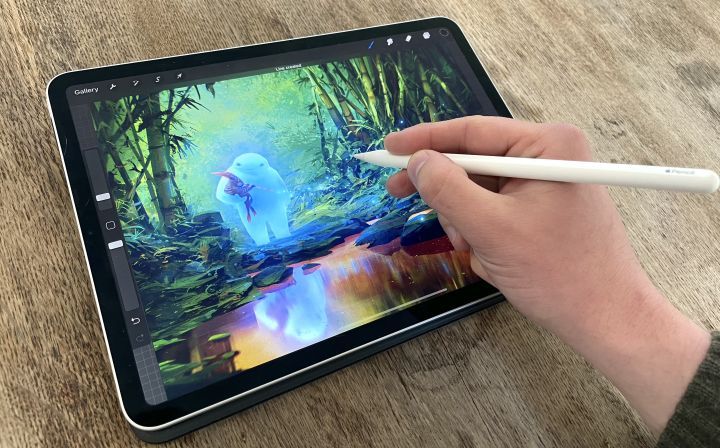
How to Design on Ipad: A Comprehensive Guide
Designing on an iPad can be a fun and creative experience, especially with the right tools and knowledge. Whether you’re a seasoned artist or just starting out, there’s an app out there that suits your needs and style.
Best Apps For Designing on Ipad
Here are some of the best apps for designing on your iPad:
- Procreate: A professional-grade painting and illustration app.
- Autodesk Sketchbook: A versatile drawing and painting app with a wide range of tools and features, including customizable brushes and support for multiple layers.
- Tayasui Sketches: A minimalist app designed specifically for artists who want to create detailed sketches and illustrations using a variety of digital tools.
Designing on Ipad Without Apple Pencil
If you don’t have an Apple Pencil or prefer not to use one, there are still ways to design on your iPad. You can use a third-party stylus like the Logitech Crayon, which is more affordable but may not be as precise.
Exporting Artwork From The App
Once you’ve completed your artwork, you can export it using the “Share” option within the app. This will allow you to save or share your work with others.
Conclusion
Designing on an iPad can be a fun and creative experience, especially with the right tools and knowledge. Whether you’re a seasoned artist or just starting out, there’s an app out there that suits your needs and style.
Faqs:
- What is the best app for designing on iPad?
- Procreate: A professional-grade painting and illustration app.
- How do I choose the right stylus for my iPad?
- Use a third-party stylus like Logitech Crayon if you don’t have an Apple Pencil.
- Can I design on iPad without using a stylus?
- Yes, use your fingers or a keyboard to create digital artworks.
- How do I export my artwork from the app?
- Use the “Share” option within the app to save or share your work.
- Are there any other apps similar to Procreate?
- Autodesk Sketchbook and Tayasui Sketches are great alternatives.
-
How do I learn more about using these apps?
- Consult tutorials and online resources for a comprehensive guide.
-
[1] Apple Pencil (second generation)
- [2] Logitech Crayon Digital pencil, Bluetooth, Compatible with Apple iPad…
- [3] Mixoo Pennino capacitivo 2 in 1 of precisione per touchscreen compatibile con iPad.
- [4] Procreate
- [5] Autodesk SketchBook


