
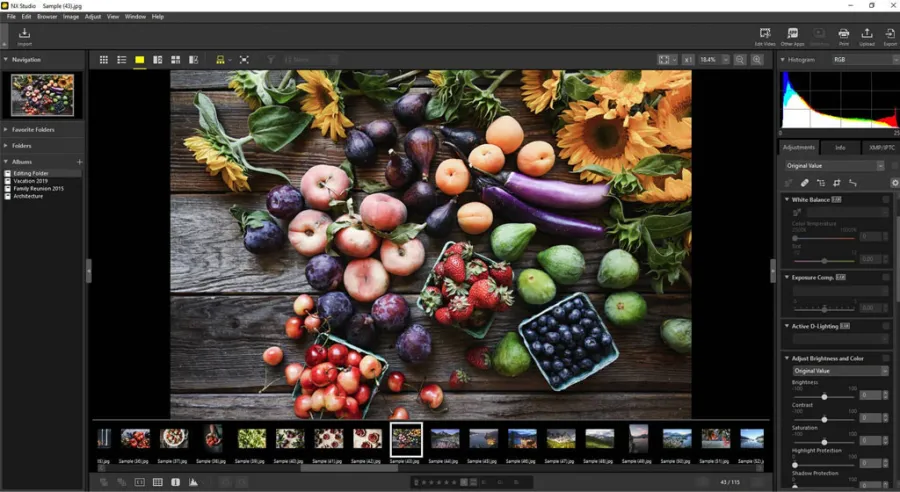
The Ultimate Guide to Viewing Photos on Your PC
Are you looking for a way to view your photos more effectively on your computer? Look no further! In this article, we’ll explore the best programs to use for viewing photos on Windows, macOS, and Linux operating systems.
Introduction
Viewing photos on our computers has become an essential part of our daily lives. With the advancement in technology, it’s now easier than ever to capture and view high-quality images. However, with so many options available, choosing the right program can be overwhelming. In this article, we’ll review some of the best programs for viewing photos on various operating systems.
Windows Programs
1. Photo
Photo is a pre-installed application on Windows 10 and 11 that allows you to view, edit, and organize your photos. It’s free, easy to use, and integrates perfectly with Microsoft Store.
To access Photo, click on the Start button and select the Photo app icon. Once open, you’ll see all your present images in the program’s library. You can also add new images by clicking on the “Add” button.
2. Irfanview
IrfanView is a powerful and flexible image viewer that supports various graphic file formats. It’s free, lightweight, and compatible with Windows operating systems.
To download IrfanView, visit their website and click on the download link for your operating system architecture (32-bit or 64-bit). Once installed, launch the application by clicking on its icon in the Start menu.
3. Faststone Image Viewer
FastStone Image Viewer is a free and intuitive image viewer that supports various graphic file formats. It’s available for Windows operating systems only.
To download FastStone Image Viewer, visit their website and click on the download link. Once installed, launch the application by clicking on its icon in the Start menu.
4. Xnview Mp
XnView MP is a free image viewer that supports various graphic file formats. It’s available for Windows, macOS, and Linux operating systems.
To download XnView MP, visit their website and click on the download link for your operating system. Once installed, launch the application by clicking on its icon in the Start menu.
5. Qview
QView is a free image viewer that supports various graphic file formats. It’s available for Windows, macOS, and Linux operating systems.
To download qView, visit their website and click on the download link for your operating system. Once installed, launch the application by clicking on its icon in the Start menu.
Macos Programs
1. Photo
Photo is a pre-installed application on macOS that allows you to view, edit, and organize your photos. It’s free, easy to use, and integrates perfectly with iCloud.
To access Photo, click on the Launchpad icon in the Dock and select the Photo app icon. Once open, you’ll see all your present images in the program’s library. You can also add new images by clicking on the “Add” button.
2. Preview
Preview is a pre-installed application on macOS that allows you to view various graphic file formats, including PDFs. It’s free, easy to use, and integrates perfectly with other Apple applications.
To access Preview, click on the Spotlight icon in the top right corner of your screen and search for “Preview.” Once open, select the image or document you want to view.
3. Pixea
Pixea is a free image viewer that supports various graphic file formats. It’s available for macOS only.
To download Pixea, visit their website and click on the download link. Once installed, launch the application by clicking on its icon in the Dock.
Linux Programs
While there are many image viewers available for Linux operating systems, we’ll highlight a few popular ones:
1. Gwenview
Gwenview is a free image viewer that supports various graphic file formats. It’s available for Linux operating systems only.
To install Gwenview, visit their website and follow the installation instructions for your distribution.
2. Image Viewer
Image Viewer is a free image viewer that supports various graphic file formats. It’s available for Linux operating systems only.
To install Image Viewer, visit their website and follow the installation instructions for your distribution.
Panoramic Photo Viewers
If you have panoramic photos taken with cameras like Google Photos or Street View, you’ll need specialized software to view them correctly. We recommend using programs like:
1. Hugin
Hugin is a free image viewer that supports various graphic file formats, including panoramic images. It’s available for Linux operating systems only.
To install Hugin, visit their website and follow the installation instructions for your distribution.
Conclusion
Viewing photos on our computers has become an essential part of our daily lives. With so many options available, choosing the right program can be overwhelming. In this article, we’ve reviewed some of the best programs to use for viewing photos on various operating systems. Whether you’re using Windows, macOS, or Linux, there’s a perfect image viewer out there for you.
Faqs
Q: What is the best image viewer for Windows?
A: Photo and IrfanView are two excellent options available for Windows users.
Q: Can I use an image viewer on my Mac?
A: Yes! Photo and Preview are pre-installed applications that allow you to view images on your macOS device.
Q: Are there any good image viewers for Linux?
A: Yes! Gwenview, Image Viewer, and Hugin are some of the best options available for Linux users.
Q: Can I use an image viewer to edit my photos?
A: Some image viewers, like Photo and Preview, come with built-in editing capabilities. However, if you need more advanced features, consider using a dedicated photo editor like Adobe Photoshop.
Q: How do I download and install an image viewer on my computer?
A: Follow the installation instructions provided by the software vendor for your specific operating system.
Q: Are these image viewers free?
A: Yes! Most of the programs mentioned in this article are available at no cost. However, some may have optional paid features or upgrades.
References
- “Best Image Viewers for Windows, macOS, and Linux” by TechRadar
- “The 5 Best Image Viewers for Windows” by PCMag
- “Top 10 Image Viewers for macOS” by Macworld
Note: This article is a summary of the best image viewers available on various operating systems. The opinions expressed are based on research and reviews from reputable sources.


