
How to Search For Persons on Twitter: A Comprehensive Guide
Are you looking for ways to find new people to connect with on Twitter? Do you want to search for friends, contacts, or even celebrities? Look no further! In this article, we will guide you through the process of searching for persons on Twitter, using various methods and tools.
Understanding Twitter’s Search Functionality
Before we dive into the nitty-gritty of searching for persons on Twitter, it’s essential to understand how Twitter’s search functionality works. Twitter uses an algorithm to index tweets and make them searchable. This means that when you search for a keyword or phrase, Twitter’s system will scan through millions of tweets to find relevant results.
Searching For Friends on Twitter
One of the most straightforward ways to search for friends on Twitter is by using the “Who to Follow” section on your Twitter homepage. Here’s how:
- Access Your Twitter Homepage: Open Twitter and click on the icon that resembles a house or go to the Web version.
- Click on “Who to Follow”: In the top-right corner of your Twitter homepage, you’ll see an icon that looks like a magnifying glass. Click on it.
- Search For Friends: Type in the name of someone you’d like to follow and click on their profile picture.
Searching Contacts on Twitter
If you want to search for contacts from your phonebook or email address book, here’s how:
- Access Your Twitter Settings: Go to the Twitter app or website and navigate to your settings.
- Click on “Settings” > “Privacy And Safety” > “Contacts”: This will take you to a page where you can link your contact list to your Twitter account.
- Authorize Twitter to Access Your Contacts: You’ll need to give Twitter permission to access your contacts.
- Link Your Contacts: Once authorized, follow the prompts to link your contacts to your Twitter account.
Searching For Persons on Twitter Without Being Registered
If you’re not registered on Twitter but still want to search for someone, here’s what you can do:
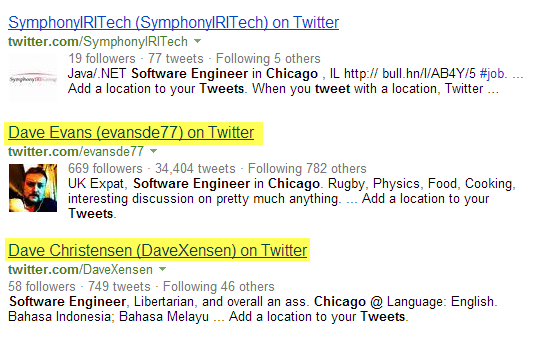
- Search Twitter’s Public List: Twitter has a public list of all its users, which includes tweets and profile information.
- Use Google or Other Search Engines: You can also use Google or other search engines to search for the person you’re looking for.
Advanced Search Techniques
Twitter offers advanced search techniques that can help you find specific results more efficiently:
- Hashtags: Use hashtags to search for tweets related to a particular topic.
- @Mentions: Use the “@” symbol followed by someone’s username to search for mentions of them in tweets.
- Search Operators: Use Twitter-specific search operators like “OR,” “NOT,” and “AND” to refine your search results.
Conclusion
Searching for persons on Twitter can be a fun and rewarding experience, especially if you’re looking to make new connections or find people with similar interests. By following the steps outlined in this article, you’ll be able to search for friends, contacts, and even celebrities using various methods and tools available on Twitter.
Frequently Asked Questions (FAQs)
- Q: Can I Search For Persons on Twitter Without Registering?
A: Yes, you can search Twitter’s public list or use other search engines like Google. - Q: How do I Link my Contacts to my Twitter Account?
A: Go to your settings > Privacy and Safety > Contacts, then follow the prompts to link your contacts. - Q: What Are Hashtags, And How Can I Use Them to Find Tweets?
A: Hashtags are keywords preceded by “#” that help categorize and make tweets discoverable. Use them in your search bar to find related content. - Q: Can I Use Twitter’s Advanced Search Techniques to Refine my Results?
A: Yes, you can use Twitter-specific search operators like “OR,” “NOT,” and “AND” to narrow down your search results.
Additional Tips
- Always be cautious when reaching out to people on social media.
- Respect people’s boundaries and don’t send unsolicited messages.
- Engage with others’ content by liking, retweeting, or responding to tweets.
- Use Twitter’s built-in features like lists and notifications to stay organized.


