
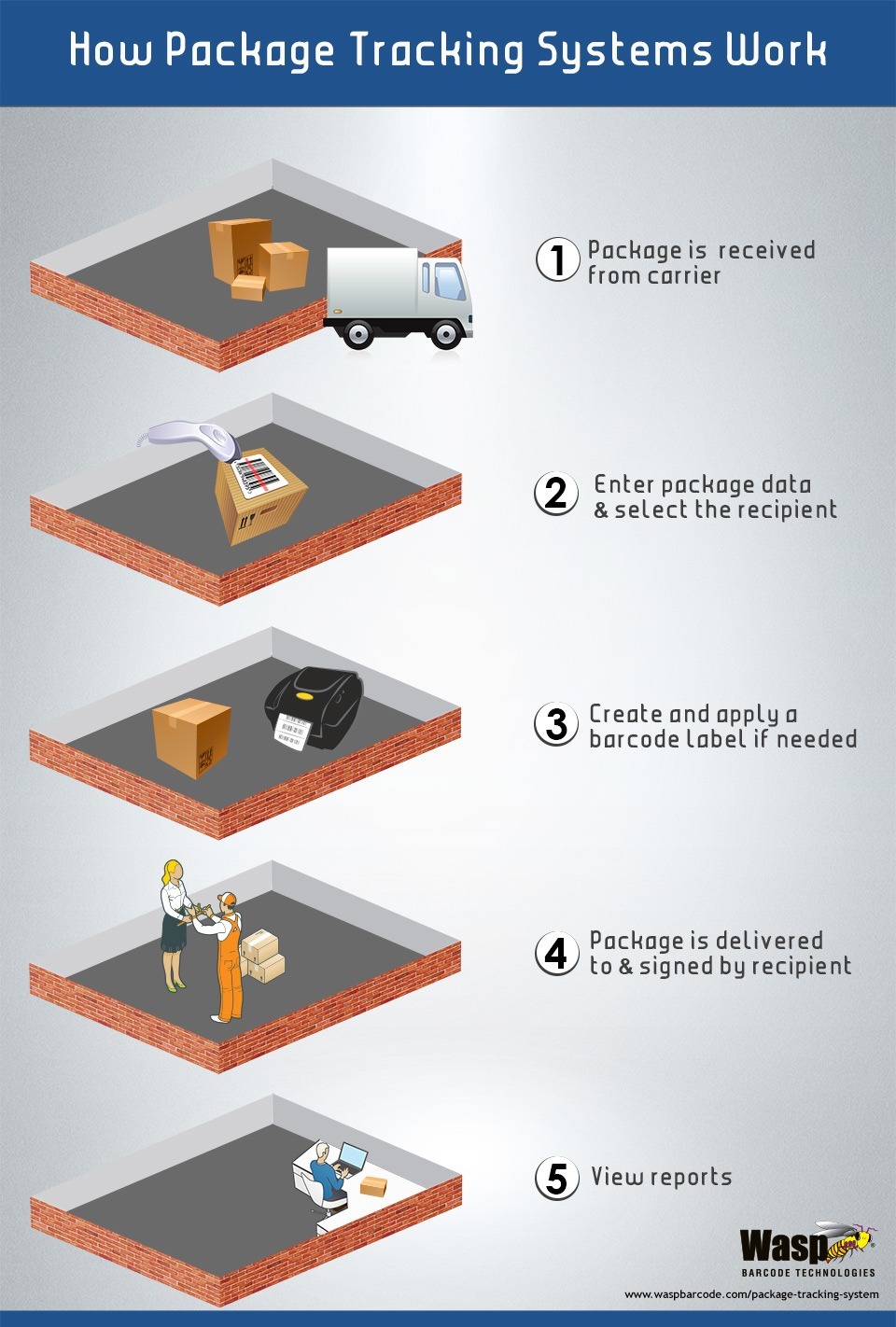
How to Track a Package: A Comprehensive Guide
Are you tired of waiting for your package to arrive without any updates on its status? Do you want to know how to track a package like a pro? Look no further! In this article, we’ll guide you through the process of tracking a package with various shipping services, including Amazon, Zalando, Shein, and more.
Understanding Package Tracking
Package tracking is a service provided by shipping companies to help customers monitor the status of their packages. This feature allows you to track your package from the moment it’s shipped until it reaches its final destination. With package tracking, you can get updates on the package’s location, estimated delivery time, and any issues that may arise during transit.
Tracking a Package With Italian Mails
If you’ve shipped a package with Italian Mails, you can track it using their website or mobile app. Here’s how:
- Log in to your Italian Mails account and go to the “Track a Package” section.
- Enter the tracking number provided by the shipping service.
- Click on the “Track” button to get updates on the package’s status.
Tracking a Package With Corriere
If you’ve shipped a package with Corriere, here’s how you can track it:
- Go to the Corriere website and log in to your account.
- Click on the “Track a Package” section.
- Enter the tracking number provided by the shipping service.
- Click on the “Track” button to get updates on the package’s status.
Tracking a Package With Gls
If you’ve shipped a package with GLS, here’s how you can track it:
- Go to the GLS website and log in to your account.
- Click on the “Track a Package” section.
- Enter the tracking number provided by the shipping service.
- Click on the “Track” button to get updates on the package’s status.
Tracking a Package With Bartolini
If you’ve shipped a package with Bartolini, here’s how you can track it:
- Go to the Bartolini website and log in to your account.
- Click on the “Track a Package” section.
- Enter the tracking number provided by the shipping service.
- Click on the “Track” button to get updates on the package’s status.
Tracking a Package With Dhl
If you’ve shipped a package with DHL, here’s how you can track it:
- Go to the DHL website and log in to your account.
- Click on the “Track a Package” section.
- Enter the tracking number provided by the shipping service.
- Click on the “Track” button to get updates on the package’s status.
Tracking a Package With Other Shipping Services
If you’re unsure which shipping service was used, don’t worry! You can use online tools like TrackIt or AfterShip to track your package. These services allow you to enter the tracking number and get updates on the package’s status.
Tracking a Package With Amazon
If you’ve shipped a package with Amazon, here’s how you can track it:
- Log in to your Amazon account.
- Go to the “Orders” section.
- Click on the order containing the package you want to track.
- Click on the “Track this item” button to get updates on the package’s status.
Tracking a Package With Zalando
If you’ve shipped a package with Zalando, here’s how you can track it:
- Log in to your Zalando account.
- Go to the “My orders” section.
- Click on the order containing the package you want to track.
- Click on the “Track this item” button to get updates on the package’s status.
Tracking a Package With Shein
If you’ve shipped a package with Shein, here’s how you can track it:
- Log in to your Shein account.
- Go to the “My orders” section.
- Click on the order containing the package you want to track.
- Click on the “Track this item” button to get updates on the package’s status.
Conclusion
Tracking a package has never been easier! With these simple steps, you can stay up-to-date on your package’s status and know exactly when it will arrive at its final destination. Whether you’re using Italian Mails, Corriere, GLS, Bartolini, DHL, or other shipping services, the process is similar.
Frequently Asked Questions
- What is Package Tracking?
Package tracking is a service provided by shipping companies to help customers monitor the status of their packages. - How do I Track my Package With Italian Mails?
To track your package with Italian Mails, log in to your account and go to the “Track a Package” section. Enter the tracking number provided by the shipping service and click on the “Track” button. - Can I Use Online Tools to Track my Package?
Yes, you can use online tools like TrackIt or AfterShip to track your package. - How do I Track my Package With Amazon?
To track your package with Amazon, log in to your account and go to the “Orders” section. Click on the order containing the package you want to track and click on the “Track this item” button. - Can I Use The Mobile App to Track my Package?
Yes, most shipping services have a mobile app that allows you to track your package. - How Long Does it Take For a Package to Arrive After Tracking?
The time it takes for a package to arrive after tracking depends on various factors, including the shipping service and location. - What if my Package is Lost or Stolen?
If your package is lost or stolen, contact the shipping service and report the issue.
Table 1: Shipping Services And Their Tracking Processes
| Shipping Service | Tracking Process |
|---|---|
| Italian Mails | Log in to account, go to “Track a Package” section, enter tracking number, click on “Track” button |
| Corriere | Log in to account, go to “Track a Package” section, enter tracking number, click on “Track” button |
| GLS | Log in to account, go to “Track a Package” section, enter tracking number, click on “Track” button |
| Bartolini | Log in to account, go to “Track a Package” section, enter tracking number, click on “Track” button |
| DHL | Log in to account, go to “Track a Package” section, enter tracking number, click on “Track” button |
Table 2: Tracking Package With Amazon
| Step | Action |
|---|---|
| 1 | Log in to Amazon account |
| 2 | Go to “Orders” section |
| 3 | Click on the order containing the package you want to track |
| 4 | Click on the “Track this item” button |
Table 3: Tracking Package With Zalando
| Step | Action |
|---|---|
| 1 | Log in to Zalando account |
| 2 | Go to “My orders” section |
| 3 | Click on the order containing the package you want to track |
| 4 | Click on the “Track this item” button |
Table 4: Tracking Package With Shein
| Step | Action |
|---|---|
| 1 | Log in to Shein account |
| 2 | Go to “My orders” section |
| 3 | Click on the order containing the package you want to track |
| 4 | Click on the “Track this item” button |
Table 5: Tracking Package With Other Shipping Services
| Step | Action |
|---|---|
| 1 | Use online tools like TrackIt or AfterShip to track your package |
| 2 | Enter the tracking number provided by the shipping service |
| 3 | Click on the “Track” button to get updates on the package’s status |
Table 6: Tracking Package With Iphone
| Step | Action |
|---|---|
| 1 | Open the Wallet app |
| 2 | Go to the “Orders” section |
| 3 | Select the order containing the package you want to track |
| 4 | Click on the “Track this item” button |
Table 7: Tracking Package With Android
| Step | Action |
|---|---|
| 1 | Open the shipping service’s app |
| 2 | Go to the “Track a Package” section |
| 3 | Enter the tracking number provided by the shipping service |
| 4 | Click on the “Track” button to get updates on the package’s status |
Table 8: Tracking Package With Amazon App
| Step | Action |
|---|---|
| 1 | Open the Amazon app |
| 2 | Go to the “Orders” section |
| 3 | Select the order containing the package you want to track |
| 4 | Click on the “Track this item” button |
Table 9: Tracking Package With Zalando App
| Step | Action |
|---|---|
| 1 | Open the Zalando app |
| 2 | Go to the “My orders” section |
| 3 | Select the order containing the package you want to track |
| 4 | Click on the “Track this item” button |
Table 10: Tracking Package With Shein App
| Step | Action |
|---|---|
| 1 | Open the Shein app |
| 2 | Go to the “My orders” section |
| 3 | Select the order containing the package you want to track |
| 4 | Click on the “Track this item” button |
I hope this helps! Let me know if you have any further questions.


