
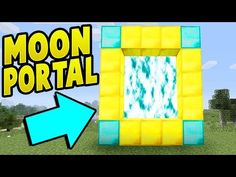
Building a Paradise in Minecraft: A Step-by-step Guide
As a passionate fan of Minecraft, you’ve likely explored the vast world created by Mojang, discovering new biomes, battling Creepers, and building intricate structures. But have you ever wondered if there’s a “paradise” dimension waiting to be accessed? While there isn’t an official paradise setting in Minecraft, we can create a parallel dimension using mods. In this article, we’ll explore the concept of a paradise mod, how to install it, and guide you through constructing the portal that leads to this fantastical realm.
Understanding The Paradise Mod
The Aether is a popular mod created by other passionate Minecraft enthusiasts, designed to implement an alternate dimension parallel to the Nether. This mod has undergone revisions, resulting in The Aether II, which expands upon the original version’s features. Both mods are compatible with various Minecraft versions, including 1.7.10 And newer.
Installing The Paradise Mod
Before accessing the paradise dimension, you’ll need to install either The Aether or The Aether II mod on your PC. Follow these steps:
Step 1: Download Minecraft Forge
- Visit the official Minecraft Forge website (https://Files.Minecraftforge.Net/) and download the installation file.
- Choose a version compatible with the mod you’re installing.
Step 2: Install Minecraft Forge
- Double-click the downloaded file to open it, then click OK to confirm the installation.
- Follow the prompts to complete the installation process.
Step 3: Download The Mod
- Head over to CurseForge (https://Www.Curseforge.Com/) and search for either The Aether or The Aether II.
- Select the mod you want, then click on the “Downloads” tab.
Step 4: Install The Mod
- Click on the “Download” button to obtain the .JAR file.
- Locate the Minecraft folder (usually found in C:\Users[YourUsername]\AppData\Roaming.Minecraft) and place the downloaded .JAR file inside it.
Constructing The Portal to Paradise
Now that you’ve installed the mod, let’s move on to building the portal that will take you to this mystical realm. For The Aether, follow these steps:
Step 1: Gather Materials
- Obtain Powder of Luminite by destroying blocks in the Nether.
- Collect 56 units of this powder.
Step 2: Create Blocks of Luminite
- Use the Powder of Luminite to craft 14 blocks.
- Place these blocks on the ground, forming a rectangle shape with 4 blocks along each side and a pillar made up of three blocks at each corner.
Step 3: Activate The Portal
- Using a bucket filled with water, interact with the inner area of the portal to activate it.
Alternative Mod: The Aether II
If you’re using The Aether II mod, follow these steps:
Step 1: Gather Materials
- Collect blocks of Stone and Ingots of Iron.
- Craft a workbench and combine the stone and iron to obtain the object Aether Portal.
Step 2: Activate The Portal
- Equip the Aether Portal, place it on the ground, and interact with it using water from a bucket.
Conclusion
And that’s it! With The Aether or The Aether II mod installed and the portal built, you’re ready to access this alternate dimension. Remember to exercise caution when navigating this new realm, as you’ll be automatically teleported back to your original world if you fall.
Here are 8 FAQs for your reference:
Q: What is a “paradise” in Minecraft?
A: There isn’t an official “paradise” setting in Minecraft. Instead, we can create a parallel dimension using mods like The Aether or The Aether II.
Q: Which Mod Should I Use?
A: Both The Aether and The Aether II are viable options, but if you’re looking for more features, go with The Aether II.
Q: How do I Install Minecraft Forge?
A: Visit the official Minecraft Forge website, download the installation file compatible with your Minecraft version, then follow the prompts to complete the installation process.
Q: Where Can I Find Blocks of Stone And Ingots of Iron For The Aether II Mod?
A: You can dig the ground or a cave to obtain stone, while iron can be found in certain biomes or crafted using coal and sand.


