
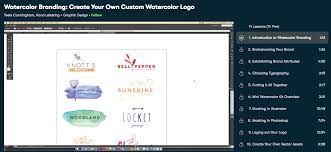
How to Create a Customized Logotype For Your Business
Are you looking for ways to make your business stand out from the crowd? One effective way to do this is by creating a customized logotype that reflects your brand’s unique personality and style. In this article, we will guide you through the process of creating a custom logotype for your business, covering both free and paid options.
Why Create a Customized Logotype?
A customized logotype can help establish your brand identity and make it more memorable to potential customers. It also allows you to showcase your creativity and attention to detail, which can be essential in building trust with your target audience.
Free Options: Canva And Inkscape
If you’re on a tight budget or just starting out, there are several free options available that can help you create a custom logotype for your business. Here’s how to use two popular tools:
Canva
- Canva is an online graphic design platform that offers a wide range of templates and design tools.
- To create a custom logotype with Canva, follow these steps:
- Sign up for a free account on Canva.Com.
- Choose the “Logo” template from the menu.
- Select a pre-made design or start from scratch using the “Custom Design” option.
- Use the various tools and features to customize your logotype, such as changing colors, fonts, and shapes.
- Once you’re satisfied with your design, click on the “Export” button to download it in the desired format (e.G., PNG, JPG, or PDF).
Inkscape
- Inkscape is a free, open-source vector graphics editor that can be used to create custom logotypes.
- To use Inkscape for creating a custom logotype, follow these steps:
- Download and install Inkscape from the official website (inkscape.Org).
- Open Inkscape and select the “Rectangle” tool from the toolbar.
- Use the tools and features to customize your logotype, such as changing colors, shapes, and text.
- Once you’re satisfied with your design, click on the “File” menu and choose “Save As” to export it in the desired format (e.G., SVG).
Paid Options: Adobe Illustrator And Coreldraw
If you’re willing to invest in a professional-grade software, here are some paid options that can help you create a custom logotype:
Adobe Illustrator
- Adobe Illustrator is a powerful vector graphics editor that offers advanced features for creating custom logotypes.
- To use Adobe Illustrator for creating a custom logotype, follow these steps:
- Download and install Adobe Illustrator from the official website (adobe.Com).
- Open Adobe Illustrator and select the “New” option from the menu.
- Use the tools and features to customize your logotype, such as changing colors, shapes, and text.
- Once you’re satisfied with your design, click on the “File” menu and choose “Save As” to export it in the desired format (e.G., SVG).
Coreldraw
- CorelDRAW is a professional-grade vector graphics editor that offers advanced features for creating custom logotypes.
- To use CorelDRAW for creating a custom logotype, follow these steps:
- Download and install CorelDRAW from the official website (coreldraw.Com).
- Open CorelDRAW and select the “New” option from the menu.
- Use the tools and features to customize your logotype, such as changing colors, shapes, and text.
- Once you’re satisfied with your design, click on the “File” menu and choose “Save As” to export it in the desired format (e.G., SVG).
Conclusion
Creating a custom logotype for your business can be an exciting project that allows you to showcase your creativity and brand identity. Whether you choose a free option like Canva or Inkscape, or invest in a professional-grade software like Adobe Illustrator or CorelDRAW, the process is designed to help you create a unique and memorable design that will make your business stand out from the crowd.
Frequently Asked Questions (FAQs)
-
What is a Logotype?
A logotype is a customized text-based logo that represents a brand’s identity.
2. Why do I Need a Custom Logotype?A custom logotype can help establish your brand identity and make it more memorable to potential customers.
3. Can I Create a Custom Logotype Without Any Design Experience?Yes, there are several free options available that offer user-friendly interfaces and tutorials to help you create a custom logotype.
4. What Software do I Need to Create a Custom Logotype?You can use Canva, Inkscape, Adobe Illustrator, or CorelDRAW to create a custom logotype.
5. How Much Does it Cost to Create a Custom Logotype?The cost of creating a custom logotype depends on the software you choose and your level of experience.


