
How to Know Your Vodafone Number: A Step-by-step Guide
Are you wondering how to find your Vodafone number? Look no further! In this comprehensive guide, we’ll walk you through the various ways to discover your mobile or fixed phone number associated with your Vodafone SIM.
Why Knowing Your Vodafone Number Matters
Before we dive into the nitty-gritty of finding your Vodafone number, let’s quickly discuss why it matters. Knowing your phone number is essential for various reasons, including:
- Confirming your identity when speaking with a customer support representative
- Accessing online services and apps associated with your Vodafone account
- Receiving important notifications and updates from Vodafone
Method 1: Checking Your Smartphone Settings
One of the simplest ways to find your Vodafone number is by checking your smartphone settings. Here’s how:
For Android Devices:
- Unlock your phone and access the home screen.
- Tap on the Settings icon (usually represented by a gear or cogwheel).
- Select “Info on device” from the menu.
- Scroll down to find the “Number personal phone” section.
- Your Vodafone number will be displayed in this section.
For Ios Devices:
- Unlock your iPhone and access the home screen.
- Tap on the Settings icon (usually represented by a gear or cogwheel).
- Select “Phone” from the menu.
- Tap on “My number” to view your Vodafone number.
Method 2: Making a Phone Call
Another way to find your Vodafone number is by making a phone call. Here’s how:
- Dial the Vodafone customer service number (190) from another phone or using a friend’s phone.
- Follow the voice prompts and select the option to speak with an operator.
- Inform the operator that you need assistance with finding your Vodafone number.
- The operator will provide you with your Vodafone number.
Method 3: Checking Your Sim Card
You can also find your Vodafone number by checking your SIM card. Here’s how:
- Locate the SIM card in your phone or check the packaging materials that came with it.
- Look for a sticker or label on the SIM card that displays your Vodafone number.
Method 4: Using The My Vodafone App
The My Vodafone app is another convenient way to find your phone number. Here’s how:
- Download and install the My Vodafone app from the Google Play Store (for Android) or the App Store (for iOS).
- Launch the app and sign in with your Vodafone account credentials.
- Tap on the “SIM” tab and select “Info SIM” to view your phone number.
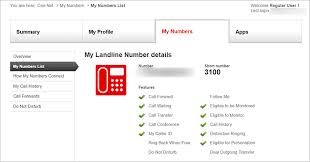
Method 5: Accessing The Vodafone Website
You can also find your Vodafone number by accessing the Vodafone website. Here’s how:
- Visit the Vodafone website (www.Vodafone.It) and sign in with your account credentials.
- Click on the “Do You” tab and select “SIM & Services” to view your phone number.
Conclusion
In conclusion, finding your Vodafone number is a straightforward process. You can check your smartphone settings, make a phone call, check your SIM card, use the My Vodafone app, or access the Vodafone website to discover your mobile or fixed phone number associated with your Vodafone SIM.


