
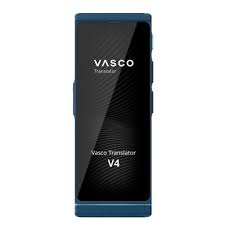
Best Translators on The Market: A Comprehensive Guide
Are you tired of struggling with English translations? Do you want to communicate effectively with people who speak different languages? Look no further! In this article, we will explore the best translators available on the market, including both software and hardware options.
What is a Translator?
A translator is a tool that helps you convert written or spoken language from one language to another. It can be used for personal or professional purposes, such as travel, business, education, or research.
Top Translators: Software Options
1. Google Translate
- Google Translate is one of the most popular and widely used translators.
- It supports over 100 languages and offers various features like text-to-speech, dictionary, and camera translation.
- You can use it on your computer or mobile device.
How to Use Google Translate on Your Computer:
- Open Google Translate on your browser.
- Select the language of origin and destination.
- Type or paste the text you want to translate.
- Click on the “Translate” button.
2. Microsoft Translator
- Microsoft Translator is another powerful tool that supports over 100 languages.
- It offers features like text-to-speech, dictionary, and camera translation.
- You can use it on your computer or mobile device.
How to Use Microsoft Translator on Your Computer:
- Download and install Microsoft Translator on your Windows 10 PC.
- Open the application and select the language of origin and destination.
- Type or paste the text you want to translate.
- Click on the “Translate” button.
Top Translators: Hardware Options
1. Qtranslate (Windows)
- QTranslate is a software translator that supports over 50 languages.
- It offers features like text-to-speech and dictionary.
- You can use it on your Windows PC.
2. Wordreference (Online)
- WordReference is an online translator that supports over 20 languages.
- It offers features like dictionary, grammar guide, and forum.
- You can use it on any device with internet access.
Top Translators: Mobile Apps
1. Itranslate (Android/iOS/iPadOS)
- ITranslate is a mobile app that supports over 100 languages.
- It offers features like text-to-speech, dictionary, and camera translation.
- You can use it on your Android or iOS device.
2. Reverso Translation And Dictionary (Android/iOS/iPadOS)
- Reverso is a mobile app that supports over 20 languages.
- It offers features like text-to-speech, dictionary, and camera translation.
- You can use it on your Android or iOS device.
3. You Translate (iOS 14 And Successive)
- You Translate is a mobile app that supports over 100 languages.
- It offers features like text-to-speech, dictionary, and camera translation.
- You can use it on your iOS device.
Conclusion:
In conclusion, there are many translators available on the market, both software and hardware options. Each one has its unique features and benefits. Whether you’re a student, traveler, or business professional, finding the right translator for your needs is crucial. By considering factors like language support, feature set, and user interface, you can make an informed decision and choose the best translator for you.
Faqs:
Q: What is the best translator on the market?
A: The best translator depends on your specific needs and preferences.
Q: How do I use Google Translate on my computer?
A: To use Google Translate on your computer, open the application, select the language of origin and destination, type or paste the text you want to translate, and click on the “Translate” button.
Q: What are some popular translators for mobile devices?
A: Some popular translators for mobile devices include iTranslate, Reverso Translation and Dictionary, and You Translate.
Q: Can I use a translator offline?
A: Yes, many translators offer offline capabilities. However, this may depend on the specific app or software you’re using.
Q: How accurate are translators?
A: The accuracy of translators depends on various factors like language support, feature set, and user interface. Some translators may be more accurate than others.
Q: Can I use a translator for personal or professional purposes?
A: Yes, translators can be used for both personal and professional purposes, such as travel, business, education, or research.
Q: How do I choose the best translator for my needs?
A: To choose the best translator, consider factors like language support, feature set, user interface, and price. You may also want to read reviews and try out different options before making a decision.


