
Welcome to The World of Minecraft Servers!
Are you ready to explore a vast online community of gamers who share your passion for Minecraft? Do you want to join forces with other players, collaborate on projects, or simply have fun together in a virtual world? Look no further than Minecraft servers!
In this article, we’ll delve into the world of Minecraft servers, exploring what they are, how to access them, and the different types of servers available. We’ll also provide you with tips on how to get started and make the most out of your experience.
What is a Minecraft Server?
A Minecraft server is an online platform where players can connect to share their Minecraft experiences. These servers allow players to join together in a virtual world, play games, collaborate on projects, or simply hang out together. There are many types of servers available, each with its own unique features and gameplay styles.
Types of Minecraft Servers
There are several types of Minecraft servers to choose from, including:
- Pvp (Player vs Player): These servers focus on competitive gameplay where players compete against each other in various game modes.
- Pve (Player vs Environment): In these servers, players work together to survive and overcome challenges presented by the game environment.
- Factions: These servers allow players to form factions and compete with other factions in a variety of game modes.
- Whitelist/no Whitelist: Some servers have a whitelist system where players must be approved before joining, while others are open to anyone.
Popular Minecraft Servers
Some popular Minecraft servers include:
- Hypixel: With over 15 million accesses, Hypixel is one of the most popular Minecraft servers.
- Rushnation: This server offers a variety of game modes, including BedWars and other popular games.
Accessing Minecraft Servers on PC
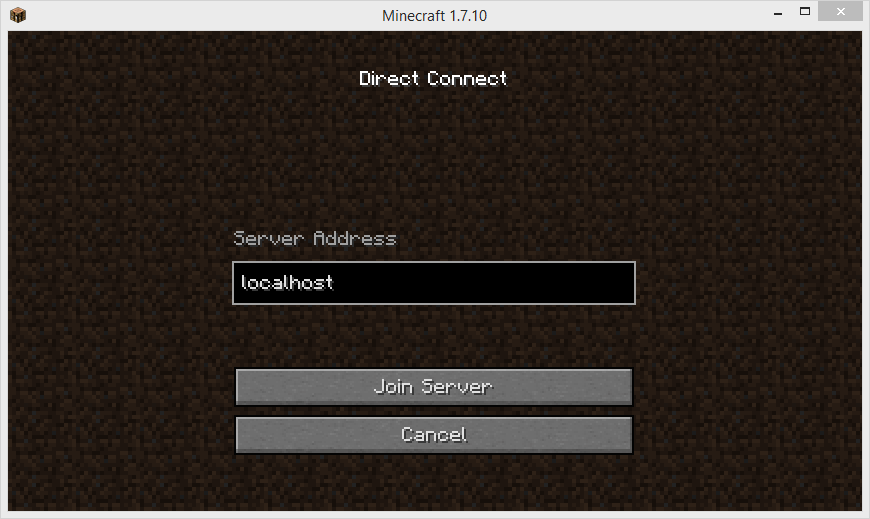
To access a Minecraft server on your PC, follow these steps:
- Open Minecraft and click on “Multiplayer” in the main menu.
- Click on “Add Server” and enter the server’s address and name.
- Choose your game mode and difficulty level, and you’re ready to play!
Accessing Minecraft Servers on PE And Bedrock
To access a Minecraft server on your mobile device or console, follow these steps:
- Open Minecraft and go to the “Play” menu.
- Select “Server” and then click on “Add Server”.
- Enter the server’s address and name, and you’re ready to play!
Tips For Getting Started
Here are some tips to get you started with Minecraft servers:
- Join a Community: Connect with other players who share your interests and passions.
- Experiment With Different Game Modes: Try out various game modes to find what suits you best.
- Communicate With The Server Administrators: They can provide valuable insights and help you troubleshoot any issues.
Conclusion
Minecraft servers offer a vast online community where players can connect, collaborate, and have fun together. With so many types of servers available, there’s something for everyone. By following the steps outlined in this article, you can access and enjoy Minecraft servers on your PC or mobile device.
Frequently Asked Questions (FAQs)
Here are some additional FAQs to help you get started:
Q: What is a Minecraft server?
A: A Minecraft server is an online platform where players can connect to share their Minecraft experiences.
Q: How do I access a Minecraft server on my PC?
A: Open Minecraft, click on “Multiplayer”, and add the server’s address and name.
Q: Can I access Minecraft servers on my mobile device or console?
A: Yes! Follow the same steps as above, but select the “Server” option in the “Play” menu instead.
Q: How do I communicate with other players on a Minecraft server?
A: Use the chat function to talk to other players and collaborate on projects.
Q: What are some popular Minecraft servers?
A: Some popular servers include Hypixel and RushNation, among others.
Q: Can I create my own Minecraft server?
A: Yes! You can set up your own server using various online platforms and tools.


