
Selling a Garage on Gta Online: A Step-by-step Guide
Are you tired of owning multiple garages in GTA Online, but not utilizing them? Do you want to sell one of your existing garages to make room for a new one or simply get some extra cash? Look no further! In this guide, we will walk you through the process of selling a garage on GTA Online.
Accessing Gta Online
Before we dive into the nitty-gritty of selling a garage, let’s first ensure that you have access to GTA Online. If you’re new to the game or haven’t played in a while, follow these steps:
- Start Gta V: Launch GTA V and complete the introductory mission.
- Access Gta Online: Pause the game and select “Online” from the menu. Choose your session type and create your avatar.
Acquiring a Garage
To sell a garage, you’ll first need to acquire one. If you don’t already have a garage, follow these steps:
- Launch Gta Online: Start GTA Online and access the “Dynasty 8 Real Estate” service.
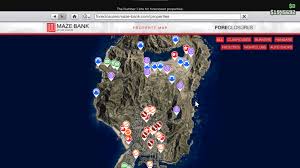
- Browse Properties: Browse through available properties on the map. Look for garages marked with a little house icon (indicating they come with an annexed apartment) or a padlock icon (just a garage).
- Purchase a Garage: Select the garage you want to purchase and confirm your purchase.
Selling a Garage
Now that you have a garage, let’s move on to selling it! There are two ways to sell a garage: Using your smartphone or by creating a for-sale sign.
Selling a Garage Using Your Smartphone
- Open Your Smartphone: Open your in-game smartphone and navigate to the “Internet” app.
- Access Dynasty 8 Real Estate: Access the “Dynasty 8 Real Estate” service and select the “Finances and Services” tab.
- Select The Property: Select the garage you want to sell from the list of available properties.
- Confirm Sale: Confirm the sale, and your garage will be replaced with a new one.
Creating a For-sale Sign
- Access Dynasty 8 Real Estate: Access the “Dynasty 8 Real Estate” service and select the “For Sale” tab.
- Create a Sign: Create a for-sale sign for your garage by selecting it from the list of available properties.
- Confirm Sale: Confirm the sale, and your garage will be replaced with a new one.
Tips And Variations
- You can sell an office or any other property using the same process as selling a garage.
- If you’re unsure about the location of the new garage, use the “Dynasty 8 Real Estate” service to get directions.
- Creating a for-sale sign allows you to inspect the property before confirming the sale.
Conclusion
Selling a garage on GTA Online is a straightforward process that can be completed in a few steps. Remember to access GTA Online, acquire a garage, and then sell it using either your smartphone or by creating a for-sale sign. With this guide, you’ll be able to sell your unwanted garages and make room for new ones.
Frequently Asked Questions (FAQs)
- Q: Can I Sell Multiple Garages at Once?
A: No, selling a garage is a separate process from acquiring one. - Q: What Happens to The Garage’s Contents When I Sell It?
A: The contents of the garage will remain in place until you confirm the sale. - Q: Can I Sell an Office or Other Property Using This Method?
A: Yes, selling an office or any other property works similarly to selling a garage. - Q: Will Selling a Garage Affect my Reputation or Relationships in Gta Online?
A: No, selling a garage will not impact your reputation or relationships in GTA Online.
Further Reading
For more information on GTA Online and its various features, check out the official Rockstar Games website or consult our other guides on the topic.


