
How to Contact Backgrounds on Pc: A Step-by-step Guide
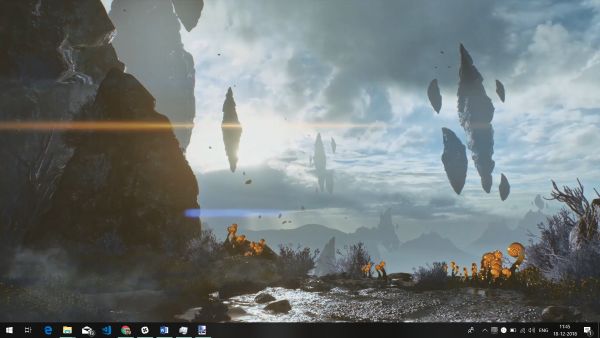
Are you tired of looking at the same old desktop background? Do you want to add a pinch of originality to your virtual workspace? Look no further! In this article, we will guide you through the process of contacting backgrounds on PC, using two helpful software tools.
Why Contact Backgrounds on Pc?
Having a unique and personalized background can make all the difference in boosting productivity and mood. With so many amazing backgrounds available online, it’s easy to get lost in the sea of options. That’s why we’re here to help you find the perfect one for your PC.
Method 1: Using Deskscapes by Stardock
One of the best programs dedicated to customizing backgrounds on PC is DeskScapes by Stardock. This software allows you to apply backgrounds from numerous categories, including animated GIFs and personal images.
Step 1: Download And Install Deskscapes
To get started, download the free trial version of DeskScapes from its official website. Once downloaded, open the file .Exe (e.G., DeskScapesXX_setup.Exe) and follow the installation prompts. Make sure to select the “I agree with the license agreement” option.
Step 2: Activate The Free Trial
After installing DeskScapes, launch the program and click on the “Start 30-day trial” button. Enter a valid email address in the text box and click on the “Continue” button. You will receive an activation code via email; follow the instructions to activate your free trial.
Step 3: Apply Your Desired Background
Browse through the gallery of pre-loaded backgrounds or download new ones from the Internet using the “Online” tab. To apply a background, simply click on it and drag it to your desktop. You can also customize the animation settings by clicking on the “Configure background” button.
Step 4: Pause or Stop Animation
If you want to pause or stop the animation of your background, right-click on an empty area of the desktop and select “Pause DeskScapes.” To return to a fixed background, click on the “Personalize” option in the contextual menu and choose a pre-loaded background from Windows.
Method 2: Using Vlc Media Player
Another way to contact backgrounds on PC is by using VLC Media Player. This versatile software allows you to reproduce videos as desktop backgrounds.
Step 1: Download And Install Vlc
Download the latest version of VLC from its official website and follow the installation prompts.
Step 2: Configure Vlc For Desktop Backgrounds
Open VLC, go to Preferences > Display, and select the “Wallpaper” option. Click on the “Save” button to apply the settings. Now, any videos you play using VLC will be displayed as a desktop background.
Step 3: Resize or Loop Videos (Optional)
If your video is not properly sized for your desktop, right-click on an empty area of the screen and select “Video > Proportions” to adjust the dimensions. To loop your video, click on the circular arrow symbol in the VLC toolbar.
Alternative Method: Using Live Desktop App
For a more convenient experience, you can use the Live Desktop app available in the Mac App Store. This app offers a wide range of high-definition backgrounds and allows for customization options like animation settings and effects.
Step 1: Download And Install Live Desktop
Download and install the Live Desktop app from the Mac App Store.
Step 2: Browse And Apply Backgrounds
Browse through the gallery of pre-loaded backgrounds or download new ones using the app’s built-in features. To apply a background, simply click on it and drag it to your desktop.
Conclusion
Contacting backgrounds on PC is easier than you think! With DeskScapes by Stardock and VLC Media Player, you can add a unique touch to your virtual workspace. Whether you prefer animated GIFs or personal images, these software tools will guide you through the process of finding the perfect background for your PC.


