
How to Capsize Your Phone Number: A Step-by-step Guide
Are you tired of your old phone number? Do you want to capsize it and get a new one? Look no further! In this article, we will guide you through the process of capsizing your phone number, whether it’s on your mobile phone, landline, or associated with online services like PayPal, Amazon, Facebook, Postepay, or Instagram.
Why Capsize Your Phone Number?
There are several reasons why you might want to capsize your phone number. Maybe you’re switching to a new provider, changing your address, or simply want a fresh start. Whatever the reason, we’ve got you covered.
The Process of Capsizing Your Phone Number
Capsizing your phone number is relatively straightforward, but it’s essential to follow the correct steps to avoid any issues. Here are the general steps involved:
- Check With Your Provider: The first step is to check with your current provider if they allow capsizing or porting out (taking your number with you) to a new provider.
- Choose a New Provider: If capsizing is allowed, choose a new provider and sign up for their services.
- Request The Porting Process: Inform your current provider that you want to capsize your phone number to the new provider.
- Wait For The Process to Complete: The porting process usually takes a few days to a week, depending on the providers involved.
Specific Situations: Capsizing Your Phone Number
While the general steps remain the same, there are specific situations that require more attention:
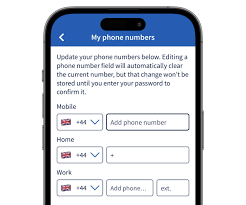
- Capsizing Your Phone Number on Your Mobile Phone: If you want to capsize your phone number on your mobile phone, you can either get a new SIM card from your provider or use an eSIM. Make sure to follow the correct procedure for your type of phone.
- Capsizing Your Phone Number on Your Landline: Capsizing your phone number on your landline is slightly different than on your mobile phone. You’ll need to contact your provider and request the porting process. This may involve providing a migration code, which will be used to transfer your number to the new provider.
- Capsizing Your Phone Number Associated With Online Services: If you want to capsize your phone number associated with online services like PayPal, Amazon, Facebook, Postepay, or Instagram, you’ll need to follow specific procedures for each service. Make sure to check their websites for detailed instructions.
Frequently Asked Questions (FAQs)
Here are some frequently asked questions about capsizing your phone number:
- What is The Cost of Capsizing my Phone Number?
The cost of capsizing your phone number varies depending on your provider and the services you’re using. In most cases, there’s no additional fee for capsizing your phone number. - How Long Does The Porting Process Take?
The porting process usually takes a few days to a week, depending on the providers involved. - Can I Capsize my Phone Number if It’s Associated With Online Services?
Yes, you can capsize your phone number even if it’s associated with online services. However, the procedure may vary depending on the service provider.
Conclusion
Capsizing your phone number is a relatively straightforward process that can be completed in a few days to a week. By following the correct steps and contacting your provider, you can get a new phone number that suits your needs. Remember to check with your provider if they allow capsizing or porting out (taking your number with you) to a new provider.
Frequently Asked Questions (FAQs)
Here are some frequently asked questions about capsizing your phone number:
- What is The Cost of Capsising my Phone Number?
The cost of capsising your phone number varies depending on your provider and the services you’re using. In most cases, there’s no additional fee for capsising your phone number. - How Long Does The Porting Process Take?
The porting process usually takes a few days to a week, depending on the providers involved. - Can I Capsize my Phone Number if It’s Associated With Online Services?
Yes, you can capsize your phone number even if it’s associated with online services. However, the procedure may vary depending on the service provider.
Conclusion
Capsising your phone number is a relatively straightforward process that can be completed in a few days to a week. By following the correct steps and contacting your provider, you can get a new phone number that suits your needs. Remember to check with your provider if they allow capsising or porting out (taking your number with you) to a new provider.


